Run payroll in minutes.
Not in spreadsheets.
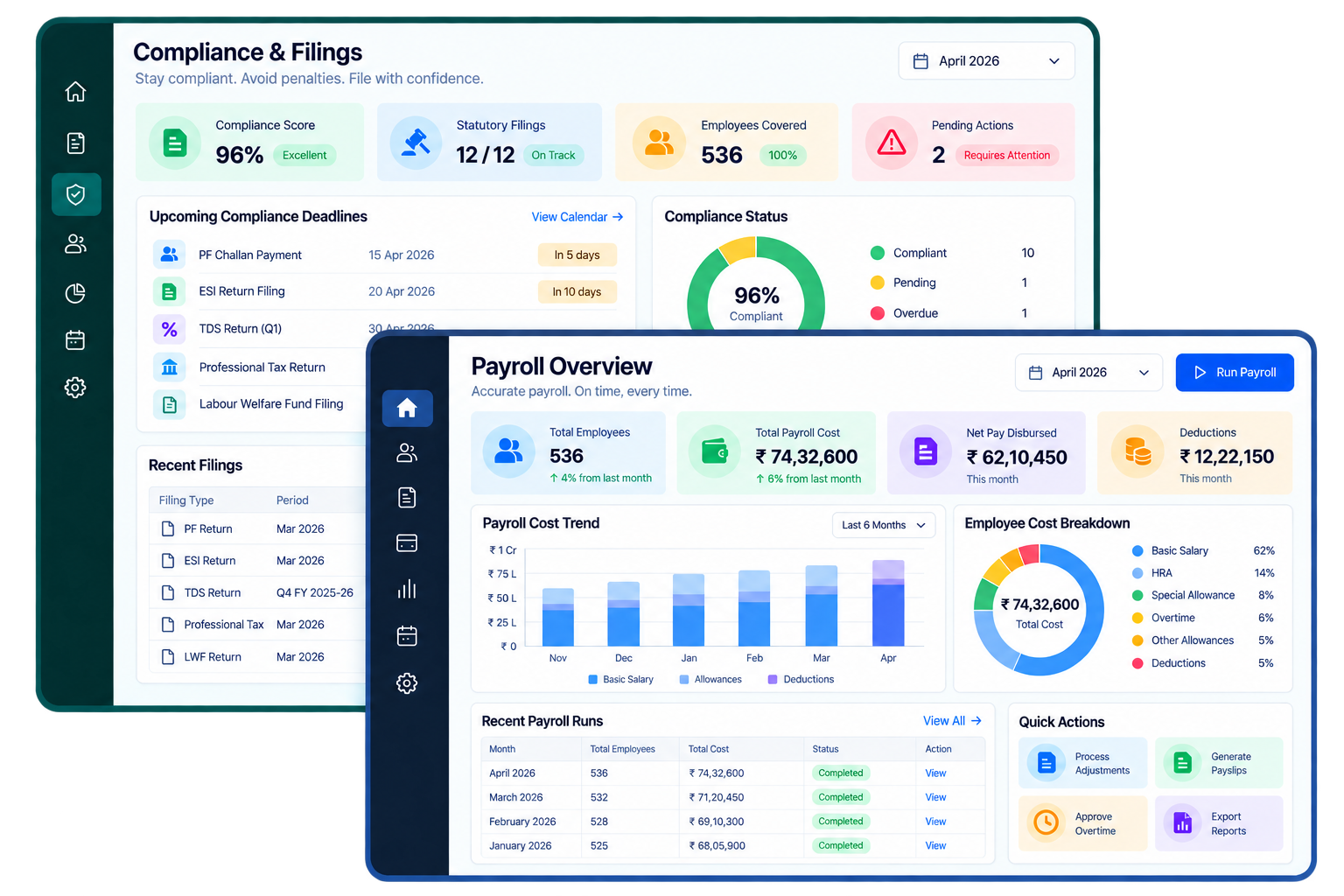
Payroll Automation ERP replaces manual salary sheets and scattered compliance tracking with 1-click, error-free payroll — gross-to-net calculations, statutory deductions, maker-checker approval, and bank file generation, all from one run.
1-click
Payroll execution
100%
Statutory compliance
Zero
Financial leakage
Companies Using Firmity
Join hundreds of facility managers transforming their operations


























Everything your payroll team needs.
Digital Employee Onboarding & Management
Add employees once with salary group, wage structure, and site assignment — no re-entry across systems.
Monthly Attendance Import
Attendance flows directly into the payroll run instead of being re-keyed from a separate system.
Automated Salary Generation
Gross-to-net calculations, overtime, and allowance structures compute automatically for every employee.
Multi-Tier Funds Approval
Every run passes through maker-checker validation before release — no salary goes out unreviewed.
Bank Transfer Export
An approved run generates a bank-ready transfer file for direct disbursal, alongside digital payslips.
Statutory Compliance
PF, ESI, PT, TDS, and LWF are calculated automatically and stay ready for filing and audit.
Every field a payroll run needs, grouped the way your team works.
The 20 fields below are the same feature set listed on the Features page, organized here into the four stages a payroll cycle actually moves through — records, calculation, approval, and reporting.
Employee records & structure
Salary groups and wage configuration are set up once per employee, not re-entered every cycle.
- Digital Employee Onboarding
- Digital Employee Management
- Salary Group & Wage Configuration
- Multi-site & Multi-client Payroll
- Designation & Department Management
Calculation & disbursal
Attendance, loans, and deductions feed a single automated salary run — no manual arithmetic.
- Monthly Attendance Import
- Automated Salary Generation
- Loan & Advance Management
- Automatic EMI Scheduling
- Digital Payslip Generation
Approval & controls
Nothing disburses without a maker-checker review, and a run can be held or frozen if something looks wrong.
- Multi-tier Funds Approval Workflow
- Salary Freeze & Lock
- Salary Hold & Release Management
- Bank Transfer Export
- Statutory Compliance (PF/ESI/PT/LWF)
Reporting & audit
Month-end and year-end reporting are exports of data already captured, not a separate compilation exercise.
- Wage Register (Salary Report)
- Deduction Report
- Loan & Advance Report
- Company Salary Summary
- Generate & Freeze Audit Report
Contact Us for a Walkthrough
Tell us about your requirements and we will get back to you within 24hrs.
What a payroll cycle with Payroll Automation ERP actually looks like.
Original walkthrough for this build — no new numbers, just the sequence the capabilities above add up to.
Attendance closes
The monthly attendance window closes and imports directly into payroll — no spreadsheet reconciliation between systems.
The salary run generates
Gross-to-net calculations, overtime, and allowance structures run automatically for every employee and site.
Maker-checker review
A finance maker submits the run; a checker reviews and approves it before anything is released for disbursal.
Bank file exported
An approved run generates a bank transfer file ready for direct disbursal, plus digital payslips for every employee.
Compliance is already filed
PF, ESI, PT, and TDS reports are already computed and ready to file, with the full run frozen and archived for audit.
Works well with
FAQ
Quick answers to what teams evaluating Payroll Automation ERP ask most.
Monthly attendance from the Employee Management module imports directly into the payroll run — hours, shifts, and leave are already reflected before salary generation starts, with no manual re-keying.
Ready to run payroll in one click?
Facility and property management teams use Firmity's Payroll Automation ERP to cut payroll processing time, stay statutorily compliant, and eliminate manual recalculation errors.
