Complaint Management
Best Complaint Management Software: Top 11 Tools for Businesses
· 13 min read
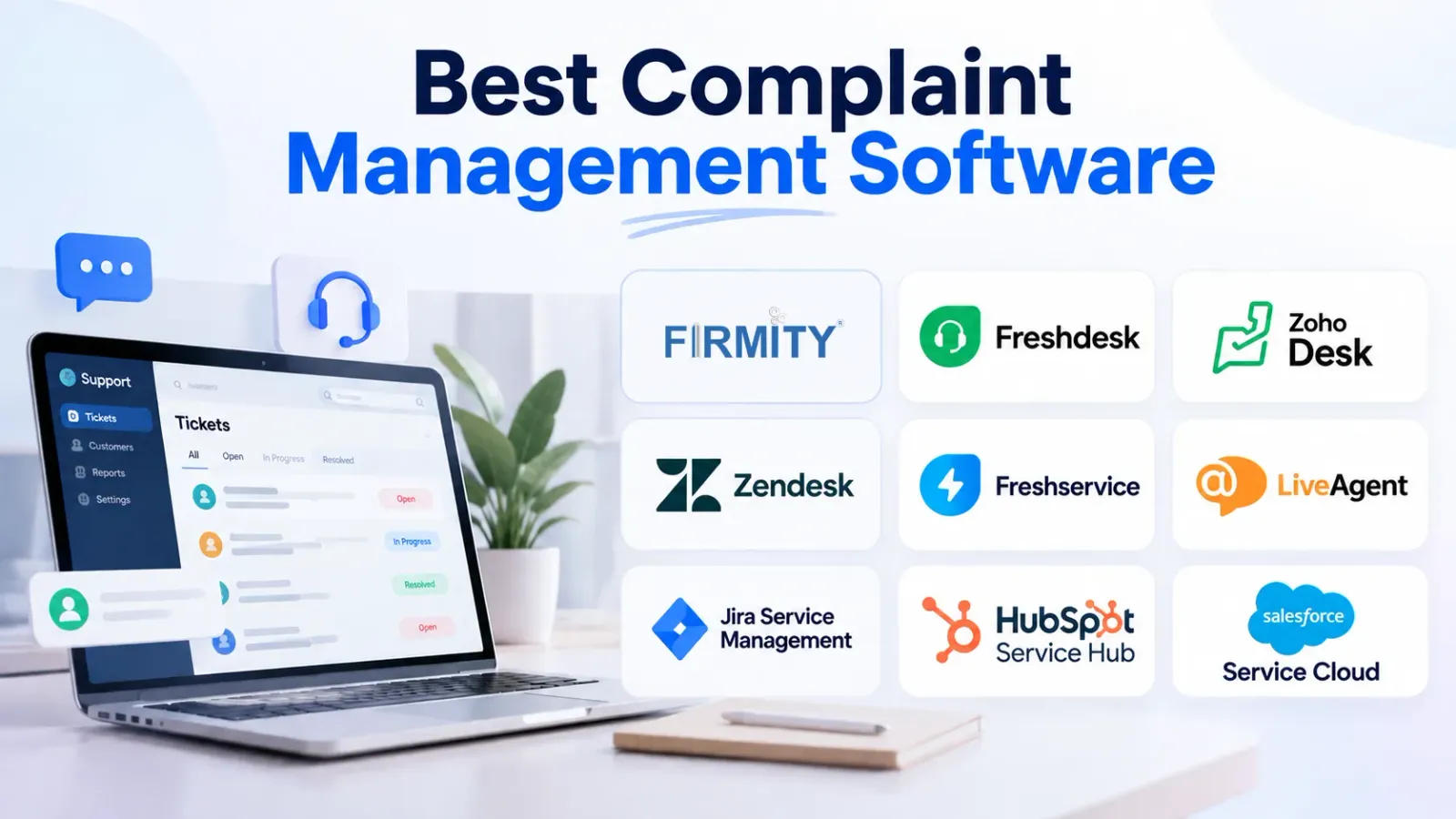
Choosing the best complaint management software can help businesses handle complaints more efficiently, keep teams accountable, and prevent requests from slipping through the cracks. Whether you manage customer concerns, facility maintenance complaints, or internal service requests, the right platform makes it easier to track every issue from registration to resolution.
However, not every tool is designed for the same purpose. Some focus on customer support, while others are built for IT service management or facility operations. In this guide, we compare 11 complaint management software tools, their key capabilities, and the types of businesses they may suit best.
What Is Complaint Management Software?
Complaint management software helps businesses record, assign, monitor, and resolve complaints through a structured process. Instead of relying on scattered emails, phone calls, or spreadsheets, teams can maintain a central record of reported issues and their progress.
For example, if a tenant reports a plumbing problem in a commercial building, the complaint can be recorded, assigned to the responsible maintenance team, tracked during resolution, and closed after the work is completed.
Depending on the platform, complaints may come from customers, employees, tenants, visitors, or other stakeholders.
How Does Complaint Management Software Work?
A typical complaint management workflow follows these steps:
Complaint registration: A user submits a complaint through an available channel.
Categorization: The complaint is classified by type, location, department, or priority.
Assignment: Each complaint is allocated to the team or employee responsible for handling it.
Tracking: Progress is monitored through status updates until the complaint moves toward resolution.
Resolution: The responsible person addresses the issue and records the outcome.
Closure and reporting: The complaint is closed, and the recorded data can help identify recurring problems.
The exact workflow depends on the software and how the organization configures it.
Complaint Management Software vs. Helpdesk Software
Complaint management software focuses on recording and resolving complaints, monitoring progress, and identifying recurring issues. Helpdesk software generally focuses on handling support tickets and service requests across communication channels.
The two categories overlap considerably. Many helpdesk platforms can manage complaints, but businesses with facility-related issues may need additional capabilities for location tracking, maintenance coordination, and operational workflows.
11 Best Complaint Management Software Tools
The following tools serve different operational needs. The right choice depends on whether your business primarily handles facility complaints, customer support tickets, internal IT requests, or email-based service issues.
1. Firmity
Firmity is a cloud-based facility management platform designed to help organizations manage facility operations through a centralized system. Its broader capabilities cover areas such as maintenance, assets, inventory, staff, and other facility-related workflows.
For organizations managing multiple buildings or sites, complaint handling often involves more than responding to a message. Teams may need to identify the location, assign responsibility, coordinate the required work, and monitor the issue until it is resolved.
Firmity is worth evaluating when complaint management needs to fit into these wider facility operations.
Key capabilities to evaluate:
Complaint and service request tracking
Assignment of issues to responsible teams
Complaint status monitoring
Coordination with maintenance activities
Operational visibility across multiple facilities
Best suited for: Facility management companies, commercial buildings, residential communities, campuses, and organizations managing operations across multiple locations.
Why consider Firmity?
Businesses that want to connect complaint handling with day-to-day facility operations may benefit from a platform that brings related workflows together. Before choosing it, confirm that its available complaint management features match your specific requirements.
Discover how Firmity’s complaint management software can help your team organize complaints and manage facility operations more effectively.
2. Freshdesk
Freshdesk is a customer support platform that helps teams organize incoming support requests and communicate with customers. Businesses can use its ticketing approach to manage complaints, track responses, and coordinate support activities.
It may be useful when complaints arrive through several customer communication channels and need to be handled by a dedicated support team.
Key features:
Ticket-based complaint handling
Customer communication management
Ticket prioritization and assignment
Workflow automation options
Support performance reporting
Best suited for: Small and mid-sized companies, customer support departments, and teams looking to expand their service operations.
Why consider Freshdesk?
Freshdesk is worth considering if your main challenge is organizing customer complaints and improving the consistency of support responses. Check the available channels, automation options, and reporting features against your team's needs.
3. Zoho Desk
Zoho Desk is a helpdesk platform designed to help businesses manage customer support activities. It can organize customer issues into tickets and provide teams with a structured way to track conversations and responses.
Businesses already using other Zoho applications may also want to evaluate how Zoho Desk fits into their existing workflows.
Key features:
Customer support ticket management
Ticket assignment and prioritization
Workflow automation
Customer interaction history
Reporting and performance monitoring
Best suited for: Small and medium-sized businesses looking for structured customer support and ticket management.
Why consider Zoho Desk?
Zoho Desk may be a suitable option for businesses that want to centralize customer complaints and connect support activities with their broader business processes. Compare its integration options and plan-specific features before making a decision.
4. Zendesk
Zendesk offers customer service and support software that helps businesses manage customer conversations and service tickets. It is an option for organizations that need a structured process for receiving, assigning, responding to, and reviewing complaints.
Its broader support capabilities can be useful when complaint handling is part of a larger customer experience strategy.
Key features:
Centralized ticket management
Customer communication tools
Ticket routing and automation
Support reporting and analytics
Integration options for business workflows
Best suited for: Growing businesses and larger customer support teams that need organized ticket management.
Why consider Zendesk?
Zendesk is worth evaluating if your organization handles a high volume of customer interactions or needs to coordinate support across teams. Consider implementation requirements, integrations, and total cost before selecting a plan.
5. Freshservice
Freshservice is an IT service management platform designed to help organizations manage IT-related requests, incidents, and service workflows. Although it can support structured request handling, its primary focus differs from customer complaint management and facility complaint tracking.
For businesses that receive complaints about internal technology, access issues, or IT services, this distinction matters.
Key features:
IT service request management
Incident tracking
Ticket assignment and workflow automation
Service management processes
Reporting and operational visibility
Best suited for: IT departments and organizations managing internal technology services.
Why consider Freshservice?
Freshservice may be a good fit when complaints are closely related to IT incidents and internal service delivery. If your main requirement is managing tenant complaints or physical maintenance issues, evaluate whether the platform supports the workflows your facility teams need.
6. HappyFox
HappyFox provides helpdesk and customer support software for organizing tickets and managing support workflows. Teams can use a centralized ticketing process to assign issues, monitor progress, and coordinate responses.
This can help businesses that struggle to maintain visibility when several agents handle incoming complaints.
Key features:
Centralized support ticket management
Ticket assignment and categorization
Workflow automation options
Team collaboration
Reporting and performance tracking
Best suited for: Businesses that need a structured helpdesk for customer complaints and support requests.
Why consider HappyFox?
HappyFox is worth comparing if your team needs a dedicated system for organizing complaints and managing support responsibilities. Review its workflow configuration and integrations to determine whether it suits your service model.
7. Jira Service Management
Jira Service Management is a service management platform that supports IT service requests, incident management, and configurable workflows. It can help teams organize incoming issues, assign ownership, and monitor progress through defined processes.
Its approach is particularly relevant when complaint handling involves technical teams or internal service operations.
Key features:
Service request and issue tracking
Configurable workflows
Incident management
Team collaboration
Reporting and service management capabilities
Best suited for: IT teams, technical support departments, and organizations with structured internal service workflows.
Why consider Jira Service Management?
Consider Jira Service Management if your organization requires a structured way to manage service requests and coordinate work across technical teams. For non-technical complaints, evaluate whether its available features and interface suit your team's daily requirements.
8. HubSpot Service Hub
HubSpot Service Hub is part of HubSpot's customer platform and provides tools for managing customer service activities. Businesses can use it to organize customer issues and maintain context about interactions with their customers.
This can be useful when the support team needs to understand a complaint alongside the customer's previous conversations and relationship with the business.
Key features:
Customer service ticketing
Customer interaction records
Support workflow automation options
Reporting tools
Integration with the wider HubSpot platform
Best suited for: Businesses that want to connect complaint handling with CRM and customer relationship management.
Why consider HubSpot Service Hub?
HubSpot Service Hub may suit organizations that view complaint resolution as part of the broader customer journey. Check the features included in the selected plan and determine whether they support your ticket volume and reporting needs.
9. Salesforce Service Cloud
Salesforce Service Cloud is a customer service platform designed to help organizations manage service cases and customer interactions. It can support structured complaint handling within a wider customer relationship management environment.
Organizations with complex customer service processes may find it useful to evaluate its case management and automation capabilities.
Key features:
Customer case management
Case assignment and routing
Service workflow automation
Customer information management
Reporting and analytics
Best suited for: Medium-sized and large organizations with complex customer service requirements and established CRM processes.
Why consider Salesforce Service Cloud?
Salesforce Service Cloud is worth considering when complaint handling depends on customer records, coordinated service teams, and configurable business processes. Evaluate implementation effort, licensing, and the expertise needed to manage the platform.
10. LiveAgent
LiveAgent is a customer service solution that combines ticket management with communication tools, enabling businesses to handle customer queries across supported channels and keep interaction records organized.
Its communication-focused approach may be helpful for teams that need to handle customer questions and complaints without switching constantly between separate tools.
Key features:
Customer support ticketing
Live chat capabilities
Communication channel management
Ticket organization and assignment
Support reporting
Best suited for: Businesses that handle customer complaints through multiple communication channels.
Why consider LiveAgent?
LiveAgent is worth comparing if your support team needs to bring customer conversations into a more organized workflow. Confirm which communication channels and automation features are included in the plan you are considering.
11. Hiver
Hiver is a customer service and email collaboration platform that helps teams manage shared inboxes and coordinate work around email conversations.
For businesses that receive many complaints by email, it can provide a more organized way to assign responsibility and track the progress of conversations.
Key features:
Shared inbox management
Email assignment and ownership
Team collaboration
Conversation status tracking
Reporting and productivity insights
Best suited for: Teams that manage customer complaints primarily through email and want better coordination.
Why consider Hiver?
Hiver may suit organizations that prefer to manage support workflows within their email environment. If your business requires complex complaint escalation, maintenance scheduling, or multi-site operational tracking, confirm whether additional tools are needed.
Key Features to Look for in Complaint Management Software
Before selecting a platform, identify the features that will make the biggest difference to your complaint handling process. A long feature list is not necessarily useful if the software does not support your actual workflow.
1. Centralized Complaint Registration
Every complaint should have a clear record containing relevant details, such as the issue description, reporting person, date, category, and location where applicable.
A central record reduces the risk of complaints being overlooked in personal inboxes or disconnected spreadsheets.
2. Automated Assignment and Prioritization
The software should help direct complaints to the appropriate person or team. Priority settings can also help teams identify urgent issues and decide which complaints need attention first.
3. Complaint Status Tracking
Look for clear status updates that show whether a complaint is new, assigned, in progress, awaiting information, or resolved.
This visibility makes it easier for managers to identify pending issues and follow up when necessary.
4. Escalation and Notifications
Notifications can remind responsible employees about pending complaints. Escalation rules can help flag issues that remain unresolved beyond an agreed timeframe, where the platform supports such rules.
5. Response and Resolution Time Monitoring
Reporting on response and resolution times helps managers understand how quickly teams acknowledge complaints and complete the required work.
For organizations with formal service targets, check whether the software supports the metrics and rules they need.
6. Reporting and Analytics
Complaint reports can reveal recurring issues, common complaint categories, unresolved requests, and workload across teams.
These insights help businesses identify patterns and investigate the causes of repeated problems rather than simply closing individual complaints.
7. Integration With Existing Systems
Consider whether the software can work with your existing CRM, maintenance management system, communication tools, or other business applications.
For facility management teams, connections between complaints, maintenance tasks, assets, and locations can be especially important.
8. Mobile Access and Multi-Location Visibility
Teams working across buildings or sites may need mobile access to review complaints, update statuses, and coordinate responses while away from a desk.
If your organization operates across several locations, check how the software separates and consolidates complaint records across those sites.
How to Choose the Right Complaint Management Software
The best choice depends on your complaint types, team structure, and day-to-day operations. Use the following steps to narrow down your options.
Identify the Complaints You Need to Manage
Start by listing the issues your organization receives most often. These could include customer service complaints, employee requests, tenant concerns, maintenance problems, or IT incidents.
This will help you avoid choosing a customer support platform when your primary requirement is facility operations management, or vice versa.
Evaluate Your Workflow Requirements
Map out how a complaint moves from submission to closure. Decide who should receive it, how priority is assigned, when it needs escalation, and what information should be recorded.
Then check whether the software can support that process without unnecessary manual work.
Check Reporting and Integration Capabilities
Think about the reports your managers need to review regularly. You may want to monitor pending complaints, resolution times, recurring issues, or team workloads.
Also consider whether the platform can exchange information with your existing systems.
Compare Pricing and Scalability
Look beyond the initial subscription cost. Consider user limits, additional modules, implementation, training, and ongoing administration where applicable.
A solution should fit your current requirements while allowing your complaint volume and team structure to grow.
Test the Platform Before Committing
If a demo or trial is available, test the software using realistic complaint scenarios. Check how easily employees can register an issue, assign responsibility, update its status, and find previous records.
Involve the people who will use the system every day before making the final decision.
Benefits of Using Complaint Management Software
A structured complaint management process can improve how an organization responds to problems and learns from them.
Faster and More Consistent Resolution
Clear ownership and status tracking help teams see what needs attention. This can reduce delays caused by missing information or unclear responsibilities.
Better Accountability
When complaints have assigned owners and recorded updates, managers can follow progress more easily and identify issues that require intervention.
Improved Customer and Employee Experience
People want to know that their concerns have been received and are being addressed. A transparent process helps teams provide more consistent communication and follow-up.
Less Manual Administration
Centralized records and suitable automation can reduce repeated data entry, manual reminders, and time spent searching for complaint details.
Better Visibility Into Recurring Problems
Complaint reports can help organizations recognize repeated failures or service gaps. Teams can investigate these patterns and take steps to prevent similar issues.
More Consistent Operations Across Locations
Organizations operating across multiple sites can use a standardized process to record and monitor complaints. The level of cross-location visibility depends on the platform's capabilities and configuration.
An effective complaint process should also be reviewed regularly. The ISO 10002 guidelines for complaints handling provide an authoritative reference for developing, maintaining, and improving an organization's complaint handling process.
Conclusion
The best complaint management software is the one that fits your organization's actual workflow. Customer support teams may prioritize ticketing and communication, while IT departments may need incident management and service request workflows. Facility teams, meanwhile, may need to connect complaints with locations, maintenance activities, and operational responsibilities.
Frequently Asked Questions About Complaint Management Software
The right option depends on your needs. Firmity is worth evaluating for facility-related complaints and multi-site operations, while Freshdesk, Zoho Desk, and Zendesk focus on customer support. Freshservice and Jira Service Management are more closely aligned with IT and service management workflows.
Look for centralized complaint records, assignment, prioritization, status tracking, notifications, escalation, reporting, and integrations. Businesses managing physical facilities may also need location tracking and coordination with maintenance activities.
Some platforms offer free plans, trials, or limited entry-level options, but availability and restrictions vary. Check the provider's current pricing, user limits, automation features, and reporting capabilities before choosing a free option.
It helps teams assign complaints to responsible employees, monitor progress, send reminders, and identify overdue issues. These capabilities can reduce avoidable delays, although actual resolution times depend on staffing, processes, and the nature of each complaint.
Author Bio

Syed Aadam
Syed Aadam is a software engineer with a Bachelor's and Master's in Information Technology with a specialization in Artificial Intelligence and Machine Learning. Having trained, and assisted in training foundational ML models for solving frontier scientific problems at the intersection of biodiversity and technology, Syed Aadam has been working to develop AI-enabled CMMS, ERP and CAFM softwares at Ufirm Technologies.
Talk to our team
Questions about facility management software? Leave your details and we'll get back to you within 24 hours.
