Facility Management
What Is Facility Management Software? A Complete Guide for Any Organization
· 10 min read
Introduction
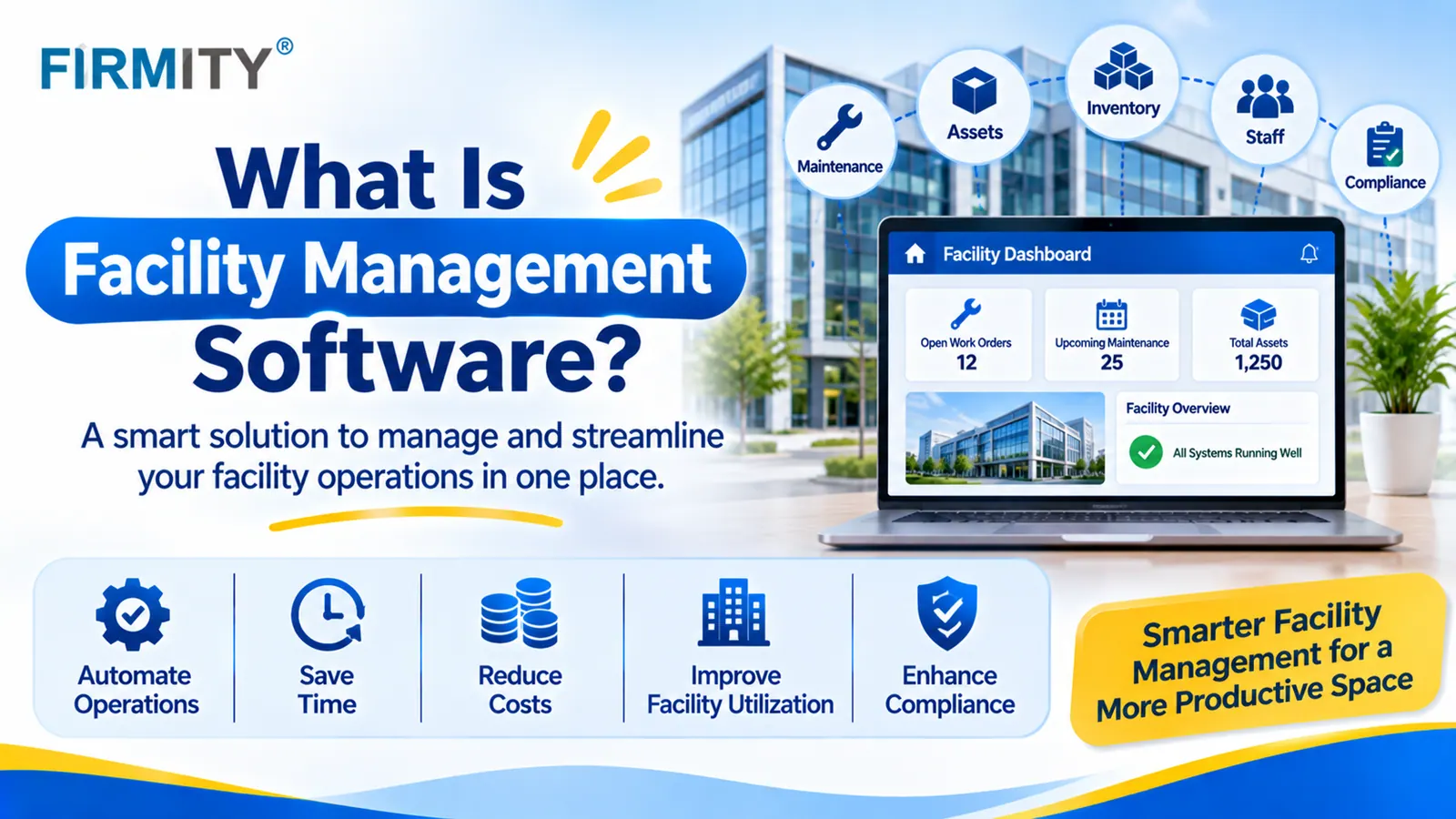
What is facility management software? It is a digital platform that helps organizations manage building maintenance, assets, service requests and everyday facility operations from one place. It gives teams a clearer way to organize work, follow requests and keep facility information accessible.
Instead of relying on scattered spreadsheets, paper registers, email threads and phone calls, teams can use facility management software to record tasks, assign responsibilities and track progress. Depending on the platform, it may also bring asset records, preventive maintenance, inventory, visitor processes and helpdesk requests together.
Facility teams often work across buildings, people, vendors and equipment. A shared system makes it easier to coordinate those activities, spot pending work and maintain consistent records, whether the organization manages one site or several.
What Is Facility Management Software?
Facility management software supports the planning, coordination and tracking of services needed to keep a workplace or site functioning. Those services can include maintenance, equipment and asset management, cleaning, security, space-related tasks, helpdesk requests and other operational activities.
Facility management itself is broader than maintaining equipment. The International Facility Management Association (IFMA) describes the profession as integrating people, place and process within the built environment to support quality of life and organizational productivity. Software helps teams organize some of these responsibilities, but the exact scope depends on the product and how an organization uses it.
It is not necessarily a replacement for every specialist system. A CMMS is usually maintenance-focused, EAM emphasizes asset lifecycle management, and property management software commonly addresses property, tenancy and financial processes. Facility management platforms may combine selected functions, so buyers should compare actual modules rather than labels.
Hard Services and Soft Services
Facility operations are often grouped into hard services and soft services. Hard services relate to the physical building, infrastructure and equipment that need to be maintained to keep a site operational and safe.
Hard services can include HVAC servicing, electrical systems, plumbing, lifts, fire-safety equipment, building repairs, inspections and preventive maintenance. Software can help schedule work, record service history, assign technicians and follow maintenance requests.
Soft services support the people who use a facility and the day-to-day experience of the workplace. Depending on the organization, these may include housekeeping, security, reception, visitor handling, helpdesk coordination, landscaping and waste management. Not every software platform covers all these services, so confirm the modules you need before choosing.
How Facility Management Software Works
The workflow is generally straightforward: a request or task is recorded, assigned to the responsible person, tracked while work is in progress and documented when it is completed. Supervisors can review the records to understand workload, recurring issues and outstanding tasks.
For example, an employee notices that an air-conditioning unit in a meeting room is not working. They raise a request through a portal or mobile app. The facility team assigns it to a technician, who updates the status, records the work performed and adds relevant notes. The manager can review the completion record without chasing updates through separate messages.
Some platforms also support recurring maintenance schedules, alerts, checklists, approvals, QR codes and reports. These features can reduce manual follow-ups, but they work best when teams use consistent processes and keep their information up to date.
Key Features to Look For
Work orders and task management: Create requests or tasks, assign them to teams, set priorities and track progress. A useful system should make pending, assigned and completed work easy to review.
Preventive maintenance: Schedule inspections and recurring maintenance based on dates, intervals or other supported triggers. This helps teams plan work instead of relying entirely on breakdown reports.
Asset records: Maintain information such as asset names, locations, identification numbers, service history, warranties and supporting documents. The available fields vary by platform.
Inventory and spare parts: Track stock levels, issue and receipt records, requisitions and replenishment needs. If purchasing or vendor workflows matter, check whether they are included or require another module.
Visitor and helpdesk tools: Some platforms offer visitor registration, approvals, entry records, complaint tracking, ticket assignment and status updates. Confirm that the product covers the processes relevant to your site.
Reports and dashboards: Look for reports that help managers review open tasks, maintenance activity, asset records, response or completion trends and other operational information. Check whether reports can be filtered or exported in the formats your team uses.
Benefits of Facility Management Software
Fewer avoidable disruptions: Planned maintenance schedules and clear task ownership can help teams identify and address issues before they become larger problems. Software cannot prevent every breakdown, but it can support more consistent maintenance routines.
Faster request coordination: Requests can be recorded and assigned with clearer responsibility. Teams spend less time searching through messages or asking for status updates when the information is kept in a shared system.
Better operational records: Work history, inspection notes, asset details and task updates can be stored centrally. This makes it easier to review previous work and provide records when needed.
Improved cost visibility: Tracking maintenance activity, inventory usage and recurring issues may help managers identify spending patterns and make more informed decisions. Actual savings depend on the processes, data and controls in place.
Visibility across sites: For organizations managing multiple facilities, a shared platform can help teams compare pending work, monitor activities and follow common processes across locations, depending on the software's reporting capabilities.
Types of Facility Management Software
CAFM (Computer-Aided Facility Management) software commonly supports facility planning and coordination, and may include space, workplace, maintenance or service management functions. Its scope varies between vendors.
CMMS (Computerized Maintenance Management System) software is primarily designed to organize maintenance work, such as work orders, preventive maintenance, equipment records and maintenance history.
EAM (Enterprise Asset Management) software focuses on managing assets across their lifecycle, from planning and acquisition through operation, maintenance and disposal. EAM systems may offer broader asset, financial, risk and performance processes.
IWMS (Integrated Workplace Management System) platforms typically bring several workplace and facility-related functions into one system, potentially including real estate, space, maintenance, services and sustainability.
Deployment is another distinction. Cloud-based software is hosted by the provider and accessed over the internet, with updates and hosting managed according to the vendor's service. On-premise software is installed and managed within an organization's own infrastructure. Compare security, connectivity, integration, maintenance responsibilities and total cost before deciding.
Facility Management Software vs CMMS vs CAFM vs EAM vs IWMS
These terms overlap, and vendors sometimes use them differently. The table below describes common emphasis areas rather than strict boundaries.
Comparison Table
Term | Focus | Typical fit |
Facility management software | Coordination of facility services, maintenance, assets and operational tasks | Organizations that want to manage several facility workflows in one platform |
CMMS | Maintenance work, work orders, preventive schedules and maintenance records | Maintenance teams and equipment-heavy sites |
CAFM | Facility coordination, space and workplace-related processes; scope varies | Organizations managing workplace and facility services |
EAM | Asset lifecycle, asset performance and maintenance across the asset portfolio | Organizations with complex or extensive asset portfolios |
IWMS | Integrated workplace, facility, space, real estate and related processes | Larger organizations with broad workplace and property needs |
Who Uses Facility Management Software?
Facility managers use it to coordinate services, review operational work and maintain oversight of facility activities. It can help them follow requests, schedules and records without depending on several disconnected tools.
Maintenance technicians and supervisors use task lists, work orders, asset history and checklists to organize day-to-day work. Estate managers and multi-site teams may use reporting to review activities across buildings or locations.
Schools, colleges, factories, offices, hospitals, residential communities, retail sites and other organizations may use facility management tools. The right fit depends on the services they manage, the complexity of their facilities and whether the software supports their operational requirements.
Where Firmity Fits
Firmity offers a cloud-based facility management platform with modules listed on its website for facility task automation, assets and spares, complaint and helpdesk automation, inventory and vendor workflows, visitor management, employee management, payroll and facility expenses. Organizations should review the specific module details and confirm that the workflows match their requirements.
Firmity is positioned as an affordable facility management software option for organizations looking to manage multiple operational workflows through one platform; affordability will depend on the modules, users, sites and terms offered. Interested teams can contact Firmity to request a free demo and confirm availability, regional requirements, integrations and support before making a decision.
Firmity also offers a dedicated complaint management system that helps organizations handle complaints through a structured and trackable workflow. Users can raise complaints using location-based QR codes, while requests are assigned to the responsible team based on their category. The system tracks complaint status, monitors response and resolution SLAs, and requires remarks with photo evidence before a complaint is closed. This helps facility teams maintain accountability, reduce manual follow-ups and keep a record of how each complaint is handled.
How to Choose Facility Management Software
Start by listing the sites and services you manage. A single office may need a simple request and maintenance workflow, while a campus, factory or multi-site organization may need asset records, inventory, vendor coordination and detailed reporting.
Identify the assets and workflows that must be included. Ask vendors to demonstrate how a real request moves from submission through assignment and completion, and how records are stored. Avoid selecting a system based only on a long feature list.
Check ease of use and mobile access for technicians and frontline staff. Review reporting, integrations, data export, onboarding, customer support, security practices and the ability to add sites or users as your organization grows.
Finally, involve the people who will use the system. Their feedback during a trial or demo can reveal workflow gaps that may not be obvious during a management presentation.
Cost: What to Ask Vendors
Facility management software pricing can depend on the number of users, sites, modules, assets, usage levels or contract terms. Some providers offer bundled plans, while others quote based on the scope of the implementation.
Ask whether the quoted price includes onboarding, data migration, training, support, integrations and upgrades. Clarify any limits on users, storage, reports, mobile access or additional locations.
Instead of comparing only the initial subscription, estimate the total cost over the period you expect to use the software. A clear breakdown helps you compare vendors on a like-for-like basis without assuming that the cheapest plan will cover every requirement.
Common Mistakes to Avoid
Buying more features than you need: A broad platform may look attractive, but unnecessary modules can complicate implementation. Start with the workflows that matter most.
Skipping a trial or practical demo: Ask users to test realistic scenarios, not just watch a presentation. Confirm how requests, assignments, updates and reporting work.
Importing messy asset data: Incomplete or inconsistent asset records can undermine reporting and maintenance planning. Clean and standardize essential data before migration.
Not assigning an internal owner: Software adoption needs someone to oversee setup, user roles, process changes and ongoing data quality. Without ownership, workflows may become inconsistent.
Ignoring frontline users: If the system is difficult for technicians, security staff or service teams to use, updates may be missed. Include them in evaluation and onboarding.
Conclusion
Facility management software gives organizations a shared way to coordinate maintenance, assets, requests and facility services. The right platform can improve task visibility, support preventive work, strengthen records and help teams manage day-to-day operations more consistently.
The best choice is not necessarily the system with the most features. It is the one that fits your sites, workflows, users, budget and reporting needs, and that your team can use consistently. Shortlist vendors, test the workflows you rely on and confirm the scope before committing.
FAQs : What Is Facility Management Software
Facility management software is a tool that helps an organization manage building-related work such as maintenance, assets, service requests and daily facility tasks in one place. It helps teams organize work and keep records.
Not always. CMMS software focuses mainly on maintenance activities, such as work orders, preventive schedules and maintenance records. Facility management software may cover maintenance plus other services, depending on the product.
Facility managers, maintenance teams, estate managers and organizations responsible for buildings or sites may benefit. Offices, campuses, factories, hospitals and other facilities can use it when they need to coordinate services, requests and maintenance records.
Yes. A small office or site can use facility management software if it helps organize requests, maintenance schedules, assets or other relevant work. Choose a system that matches the site's needs and budget rather than paying for unnecessary complexity.
Author Bio

Syed Aadam
Syed Aadam is a software engineer with a Bachelor's and Master's in Information Technology with a specialization in Artificial Intelligence and Machine Learning. Having trained, and assisted in training foundational ML models for solving frontier scientific problems at the intersection of biodiversity and technology, Syed Aadam has been working to develop AI-enabled CMMS, ERP and CAFM softwares at Ufirm Technologies.