Asset Management
What Is Asset Management Software? A Simple Guide for Growing Teams
· 10 min read
What Is Asset Management Software?
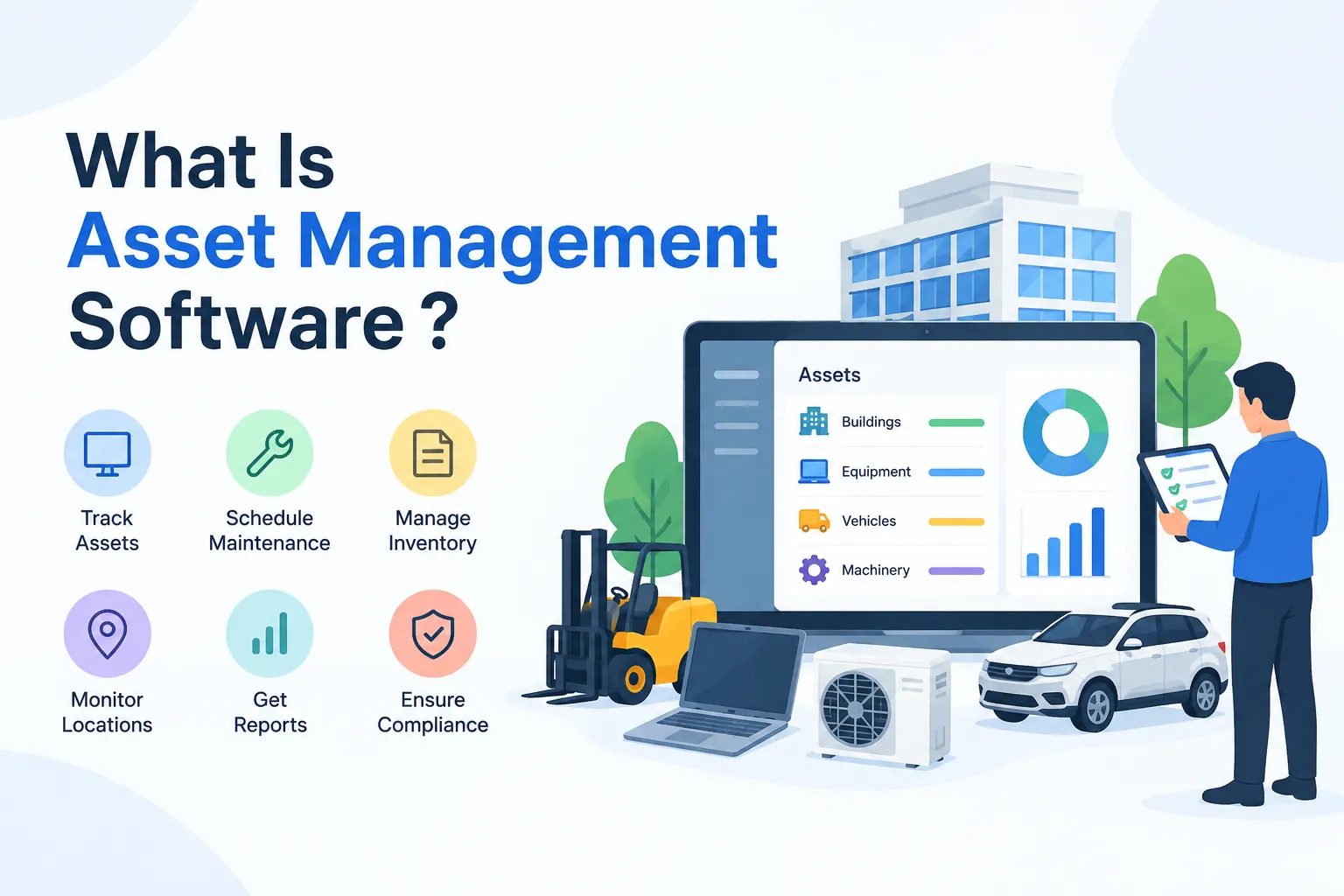
Asset management software is a digital system that helps a business track, organize, and look after its assets. Those assets can be physical things like machines, vehicles, furniture, and laptops. They can also be digital things like software licenses or media files. Every item gets its own record, so you can see what it is, where it sits, who’s using it, and what condition it’s in. Think of it as a living address book for your stuff, one that actually stays up to date.
Here’s a quick example. Say your company buys twenty laptops. Each one gets a tag or barcode, and each tag links to a record holding the model, purchase date, price, assigned employee, and warranty details. When someone leaves, you scan the tag and reassign the laptop in seconds. No more emailing around to ask, “Does anyone know where this one went?”
It helps to separate two ideas here. Asset management is the practice of getting value from what you own, and it’s a recognised discipline in its own right. The International Organization for Standardization covers it in ISO 55000:2024, which sets out the vocabulary, overview, and principles. Its companion standards, ISO 55001 and ISO 55002, deal with the requirements for an asset management system and guidance on applying them. The software is simply one practical way to run that practice day to day.
One quick note so we’re on the same page.Think of the things your team actually uses and maintains, like machines, laptops and office spaces. . It isn’t about investment portfolio tools used by wealth and fund managers, which is a completely different kind of product that happens to share a similar name.
How Does Asset Management Software Work?
It usually starts with data entry. Someone on your team adds each asset along with the details you care about, such as make, model, purchase price, location, and service history. Most tools let you add photos and notes too, which is handy when you need to check an item’s condition without walking over to it. You can customize the fields so the system fits your business instead of forcing you into a rigid template.
Next comes tagging. Every item is stuck with a barcode or QR sticker, and that sticker is what links the physical thing to its entry in the system. During an audit, you scan the tag with a phone or handheld scanner instead of ticking boxes on a printed list. That one change alone can turn a multi-day stocktake into a much shorter job, because the system already knows what should be where.
Behind the scenes, everything sits in one central database. Many tools are cloud-based, so your team can open it from a laptop or phone, whether they’re at their desk or out on site. Updates show up for everyone straight away, which means fewer conflicting copies floating around. Some tools also connect with accounting systems or other business software, so the numbers don’t have to be typed in twice.
Key Features to Look For
Not every tool is built the same, so it helps to know what a solid one usually offers. These are the ones people tend to lean on every day
Asset tracking and inventory: a searchable list of every asset with its location, status and owner.
Lifecycle management: a record of each asset’s journey from purchase to maintenance to disposal.
Maintenance scheduling: reminders and work orders so servicing doesn’t depend on someone’s memory.
Reporting and dashboards: quick views of what you own, what’s due for service and what’s costing you money.
Audit trails and permissions: a clear history of who changed what, plus control over who can see or edit records.
Mobile access: the ability to scan, update and check assets from a phone while you’re on the move.
A good way to judge a feature is to ask, “Which headache does this solve for us?” If a tool has fifty features but none of them fix your actual problem, it’s not the right fit. Start with your biggest pain point, whether that’s missing equipment, missed servicing, or messy audits, and look for the features that tackle it directly.
Some tools also work with sensors and other connected equipment to help predict when a machine might need attention. That’s a nice extra for heavy-equipment environments, but it isn’t a must-have for everyone. A small office tracking laptops and furniture will get far more value from clean records and simple scanning than from fancy add-ons.
Types of Asset Management Software
The phrase covers a few different kinds of tools, and mixing them up is one of the most common mistakes buyers make. Each type focuses on a different kind of asset or a different team’s needs. A quick side-by-side makes the differences easier to spot:
Type | What it manages | Best for |
|---|---|---|
IT asset management (ITAM) | Laptops, servers, phones and other IT hardware and software | IT teams |
Enterprise asset management (EAM) | Machines, vehicles and equipment, from purchase through servicing and replacement | Operations and maintenance teams |
Digital asset management (DAM) | Files like images, videos and brand documents | Marketing and creative teams |
Fixed asset management | Financial records, including depreciation of owned assets | Finance and accounting teams |
Software asset management (SAM) | Software licenses and how they’re used | IT and procurement teams |
There’s also a closely related category called a computerized maintenance management system, or CMMS. It focuses on keeping equipment and facilities running through planned maintenance and work orders. Firmity, for instance, is a cloud-based CMMS that brings asset information, planned maintenance tasks and complaint tracking into one platform. Worried mostly about breakdowns and missed servicing? A tool like that deserves a closer look.
Many real-world products blend two or three of these types. Honestly, the label on the box matters less than what’s inside.. Instead, write down what you actually need to track and who will use the tool every day, then check whether a product covers those needs properly.
Benefits of Asset Management Software
The biggest win is time. When every asset lives in one searchable place, nobody wastes an afternoon asking around or opening five different spreadsheets. Staff find what they need quickly, and managers get a clear picture without chasing people for updates. That time adds up fast, especially for teams that handle hundreds of items.
You also get better control over costs. With purchase dates, service history and warranty details in one record, it’s much easier to decide whether to repair or replace something. Teams stop re-buying things that are already sitting in a store room, and warranty claims don’t slip past just because someone forgot the date. . Small savings like these tend to stack up over a year.
Then there’s audit readiness. A clear history of every asset, plus a record of who changed what, makes audits far less stressful. And because maintenance reminders come from the system instead of someone’s memory, equipment is more likely to get serviced on time. Fewer surprise breakdowns usually means fewer surprise bills.
Who Uses Asset Management Software?
Facilities and operations teams are some of the most common users. They rely on it to keep track of equipment, schedule servicing and respond to issues quickly. When a machine breaks down, they can pull up its history and see what was done last time. That context makes repairs faster and decisions smarter.
IT teams use it to know who has which device, which software is installed, and when hardware is due for replacement. Finance teams use it to keep asset records lined up with the books, including depreciation. Even though these teams care about different details, they all want the same thing: one reliable record instead of several competing lists.
You’ll find it across many industries too. A hospital might use it to track medical equipment servicing. Schools lean on it for student tablets, staff laptops and science-lab gear. A manufacturing unit might use it to keep machines maintained, and a construction firm might use it to know which tools are on which site. Each place tracks different things, yet the need is the same: know what you own and where it is.
Asset Management Software vs. Spreadsheets
Let’s be fair to spreadsheets first. If you’re tracking a few dozen items and only one person updates the file, a spreadsheet can work just fine. It’s free, familiar and flexible. There’s no shame in starting there, and plenty of businesses do.
The cracks show up as you grow. Spreadsheets don’t send maintenance reminders, don’t let you scan a tag with your phone, and don’t keep a reliable record of who changed what. Two people editing different copies can quietly create two versions of the truth. Once you’re juggling multiple locations or teams, those small gaps turn into real time loss.
A simple rule of thumb: if you’ve started asking “Which version of the file is the latest?” or “Who deleted that row?”, it’s probably time to look at dedicated software. You don’t need to switch overnight. But knowing the signs helps you move before the mess gets expensive.
How to Choose the Right Software
Start with the basics. List the kinds of assets you manage, roughly how many there are, and which teams will use the tool daily. That way you won’t end up paying for extras nobody on your team will open.. It also gives you a clear checklist when you compare options.
Then look at how easy it is to use. If your team finds it confusing, they simply won’t update it, and the data goes stale. Check for mobile access, tag scanning, reporting and any connections you need to your existing tools. Pricing models differ from one vendor to another, so ask each one exactly what’s included before you decide.
It’s also smart to try a live walkthrough or demo before committing. Bring a real scenario, like “show me how we’d track and service this machine,” and see how the tool handles it. If you’d like to see how the top asset management software options compare for your situation, talk to our team and we’ll help you sort through them.
How to Implement It in 5 Simple Steps
Take stock of what you own. Walk through your locations and list every asset, even the ones that seem boring.
Clean up your data. Remove duplicates, fix typos and fill in missing details before you import anything.
Tag your assets. Attach barcodes or QR codes so scanning is quick and consistent.
Set up and train your team. Configure the fields and permissions, then show people how to scan and update records.
Review regularly. Schedule routine audits and check your reports so the data stays trustworthy.
The cleanup step is the one people skip, and it’s the one they regret skipping. Importing messy data just gives you a messy system with a nicer look. A bit of effort upfront saves a lot of frustration later.
Also, give someone clear ownership of the system. Tools work best when one person or a small team is responsible for keeping the records accurate. Without that, even the best software slowly drifts out of date.
Final Thoughts
So, to wrap up our look at what asset management software is, it’s a simple idea with a big payoff. You keep one clear, current record of everything you own, and you stop relying on memory, scattered files and luck. Start by listing what you need to track, pick a tool that fits your team, and keep the data clean once you’re in. If you’d like a hand figuring out asset management software that fits your team, the Firmity team is happy to chat.
Frequently Asked Questions : What is asset management software
Not always, but it can help earlier than you’d think. If you’re losing track of equipment or missing maintenance dates, software can pay off even with a small team. If you only have a handful of items, a well-kept spreadsheet may do for now.
EAM is built for the machines and equipment that keep operations running, including their upkeep. ITAM covers the tech side: laptops, servers and the software installed on them . Some businesses need only one, and some need both.
Many tools can, especially those built for fixed asset management. Since features vary, check this with the vendor if depreciation matters to you.
Many modern tools are, which lets teams access records from anywhere with an internet connection. Some vendors also offer other setups, so ask about deployment options before you buy.
Author Bio

Syed Aadam
Syed Aadam is a software engineer with a Bachelor's and Master's in Information Technology with a specialization in Artificial Intelligence and Machine Learning. Having trained, and assisted in training foundational ML models for solving frontier scientific problems at the intersection of biodiversity and technology, Syed Aadam has been working to develop AI-enabled CMMS, ERP and CAFM softwares at Ufirm Technologies.
Talk to our team
Questions about facility management software? Leave your details and we'll get back to you within 24 hours.