CMMS
What Is CMMS Software? Computerized Maintenance Management System Explained
September 25, 2026 · 17 min read
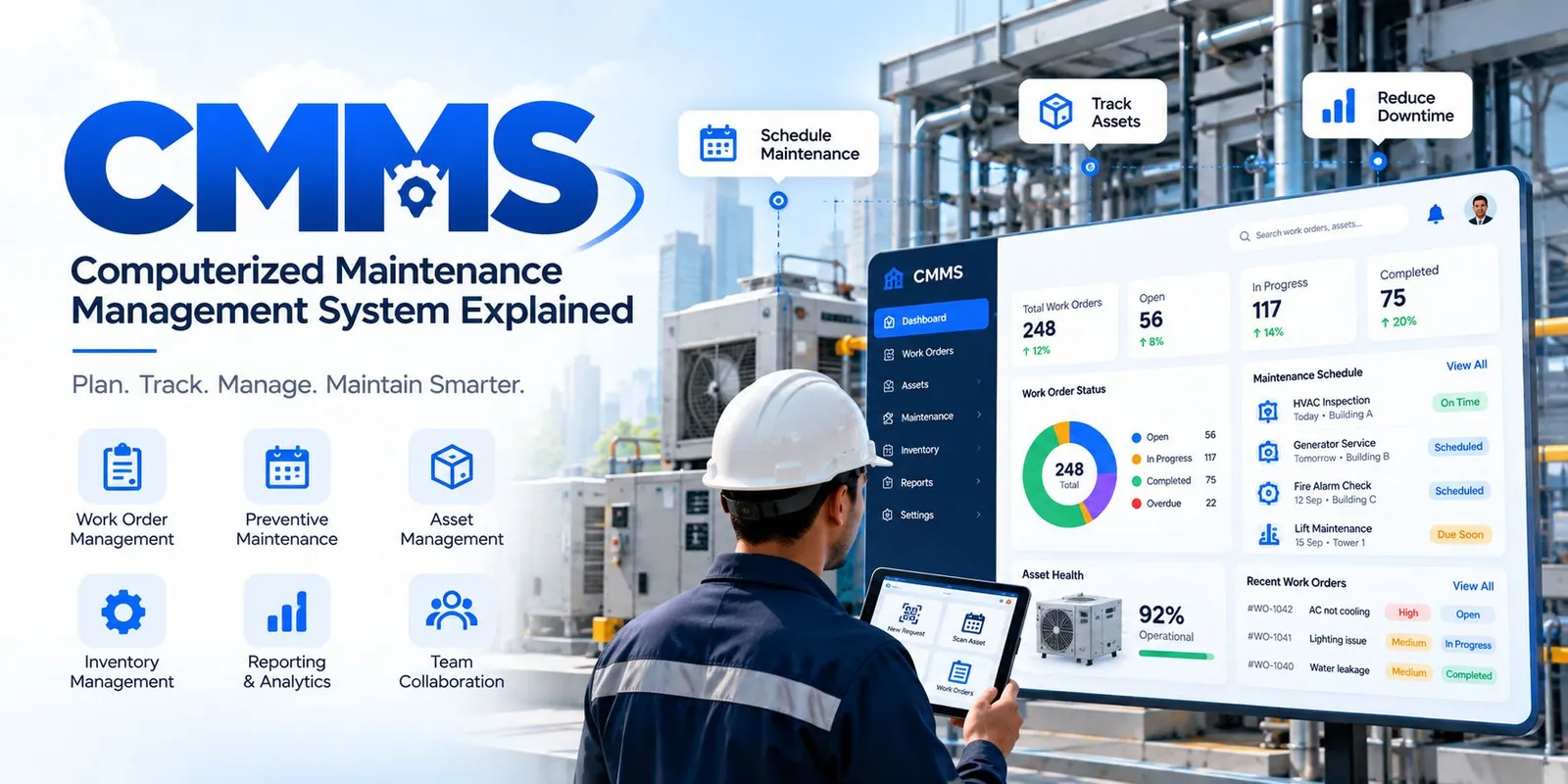
If you are wondering what is CMMS, the simple answer is this: a Computerized Maintenance Management System is software that helps an organization plan, assign, track, document, and analyze maintenance work.
Instead of keeping maintenance requests, equipment records, schedules, spare-parts information, and work histories in separate spreadsheets, notebooks, emails, or paper forms, a CMMS brings much of that information into one system.
For a maintenance team, that can make a basic question much easier to answer: What needs to be maintained, who is responsible for it, when should it happen, and what happened the last time?
What Is CMMS?
A CMMS, or Computerized Maintenance Management System, gives maintenance teams one digital place to organize their day-to-day work. Instead of relying on scattered notes, emails, or separate files, teams can keep important maintenance information together.
The system can hold details about equipment, maintenance requests, planned tasks, spare parts, technicians, and completed jobs. This makes it easier to see which tasks are pending, which assets need attention, and what maintenance has already been carried out.
In practical use, a CMMS works as a shared maintenance record. A team can log a problem, turn it into a work order, assign the job, record the repair, and keep the completed work linked to the relevant asset.
This also creates a useful history over time. When the same machine or building system develops another problem, technicians can check earlier work instead of starting with incomplete information.
For organizations looking after many assets or locations, having this information organized in one place can make routine maintenance easier to coordinate and easier to review.
What Does CMMS Stand For?
The acronym breaks down into four words:
· Computerized: Maintenance information and workflows are managed digitally.
· Maintenance: The system is built around maintaining equipment, facilities, and other operational assets.
· Management: It helps teams plan, assign, prioritize, track, and review maintenance work.
· System: The information and workflows are connected rather than kept in isolated documents.
In simple terms, CMMS means a digital system for organizing maintenance work and maintenance information.
How Does a CMMS Work?
The exact workflow differs between organizations, but a typical CMMS process looks like this:
Maintenance request → Work order → Assignment → Maintenance → Completion → Reporting
1. A maintenance request is created
Someone reports an issue, or a maintenance task becomes due according to a schedule.
For example, a facility employee may report that an air-conditioning unit is not cooling properly. A planned inspection may also generate a task automatically.
2. The request becomes a work order
The maintenance team records the job as a work order. The work order can contain information such as the asset, location, problem, priority, instructions, required parts, and expected completion date.
3. The work is assigned
A supervisor or planner assigns the work to a technician or maintenance team based on availability, skills, location, or priority.
4. Maintenance is performed
The technician carries out the work and records what was done. Depending on the CMMS, they may also record labor time, parts used, observations, readings, photographs, or inspection results.
5. The work order is completed
Once the job is finished, the work order is closed with the relevant completion details.
6. The information becomes useful data
Managers can then review completed work, overdue jobs, recurring failures, maintenance costs, downtime, preventive maintenance performance, and other KPIs.
This is one of the main differences between a CMMS and a simple task list: completed maintenance creates a record that can be used for future planning and analysis.
Key Features of CMMS
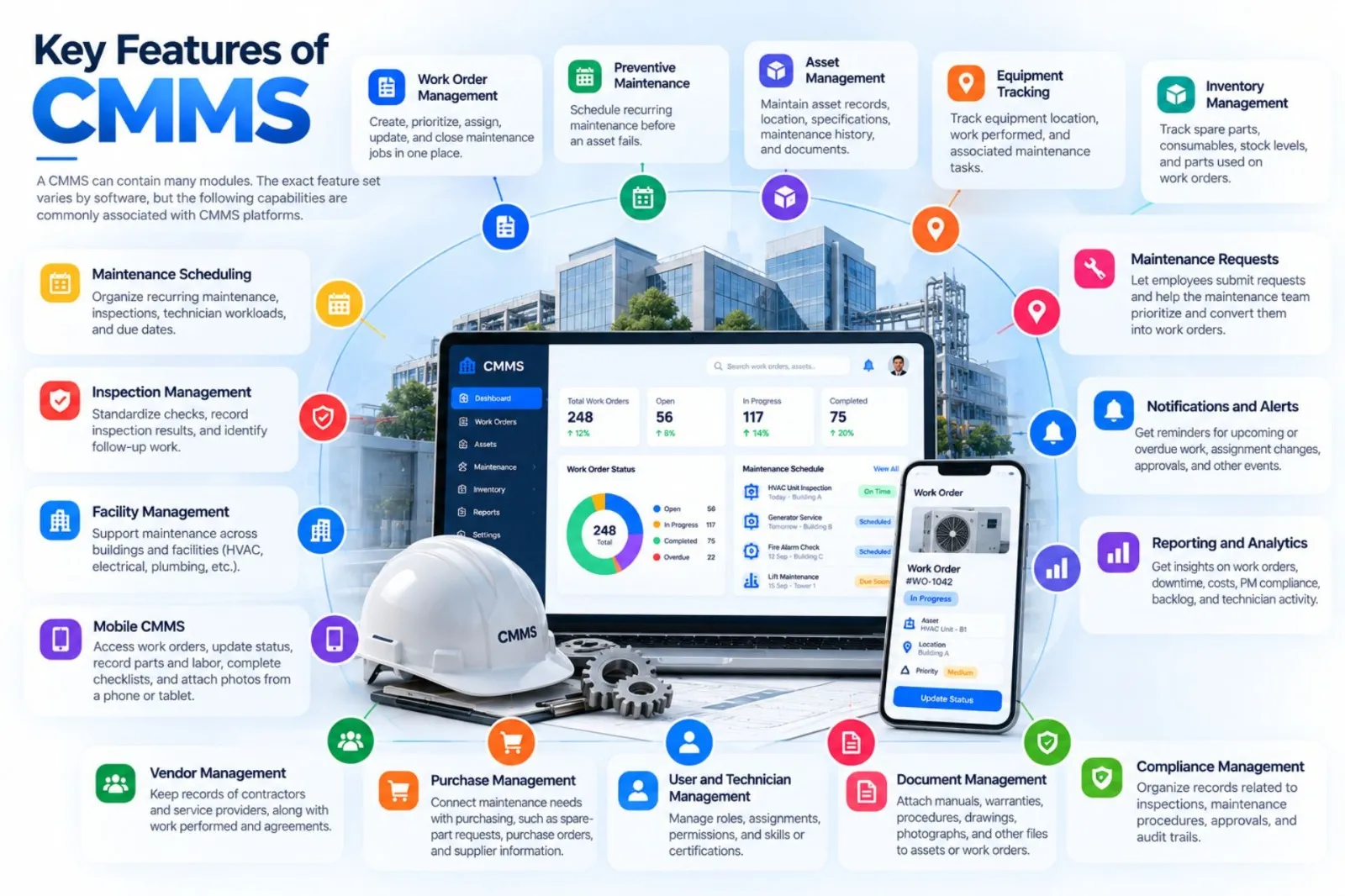
A CMMS can contain many modules. The exact feature set varies by software, but the following capabilities are commonly associated with CMMS platforms.
Work Order Management
Work order management is at the center of most CMMS workflows. Teams can create, prioritize, assign, update, and close maintenance jobs while keeping the related information together.
Preventive Maintenance
Preventive maintenance allows teams to schedule recurring maintenance before an asset fails. A task may be triggered by time, usage, meter readings, or another defined condition, depending on the system.
Asset Management
Asset management in a CMMS usually means maintaining records for equipment and other assets. Records can include asset identification, location, specifications, maintenance history, documents, and related work orders.
Equipment Tracking
Teams can track where equipment is located, what work has been performed on it, and which maintenance tasks are associated with it. This becomes especially useful when an organization manages many assets or multiple sites.
Inventory Management
A CMMS may track spare parts, consumables, stock levels, and parts used on work orders. This helps maintenance teams understand what is available and what needs replenishment.
Maintenance Scheduling
Scheduling tools help planners organize recurring maintenance, inspections, technician workloads, and due dates.
Inspection Management
Inspection workflows can standardize checks for equipment and facilities. Technicians can record inspection results and identify follow-up work when they find a problem.
Facility Management
Some CMMS platforms support maintenance across buildings and facilities, including building systems such as HVAC, electrical equipment, plumbing, and other maintainable assets.
Mobile CMMS
A mobile CMMS lets technicians access relevant information while working in the field. Depending on the software, they may view work orders, update status, record parts and labor, complete checklists, and attach photos from a phone or tablet.
Maintenance Requests
Employees or other authorized users can submit maintenance requests without directly contacting a technician for every issue. The maintenance team can then review, prioritize, and convert requests into work orders.
Notifications and Alerts
Notifications can remind users about upcoming or overdue work, assignment changes, approval requirements, or other events. The available alerts depend on the system configuration.
Reporting and Analytics
CMMS reporting turns maintenance records into operational information. Common reports cover work orders, downtime, maintenance costs, preventive maintenance compliance, backlog, and technician activity.
Vendor Management
Some systems keep records of contractors and service providers, along with work performed, agreements, or related maintenance activity.
Purchase Management
More extensive maintenance platforms may connect maintenance requirements with purchasing processes, such as spare-part requests, purchase orders, and supplier information.
User and Technician Management
CMMS platforms can manage user roles, technician assignments, permissions, and sometimes skills or certifications.
Document Management
Maintenance teams may attach manuals, inspection documents, warranties, procedures, drawings, photographs, and other files to assets or work orders.
Compliance Management
A CMMS can help organize records related to inspections, maintenance procedures, approvals, and audit trails. The software itself does not automatically make an organization compliant; compliance depends on the applicable requirements and how the system is configured and used.
Benefits of CMMS
A CMMS does not fix maintenance problems by itself. Its value comes from giving people a structured way to plan work, capture information, and follow maintenance processes.
Reduce Equipment Downtime
When maintenance requests and planned tasks are easier to track, teams can respond to issues and schedule work more systematically. Preventive maintenance can also help reduce avoidable failures.
Improve Preventive Maintenance
Recurring maintenance can be scheduled and tracked instead of relying entirely on memory or calendar reminders.
Extend Asset Life
Regular maintenance and better maintenance history can help teams make more informed decisions about how equipment is operated and maintained. Asset life is still influenced by equipment quality, operating conditions, usage, and maintenance practices.
Control Maintenance Costs
A CMMS can make labor, parts, and work-order information easier to track. This can help managers understand where maintenance resources are being used.
Improve Technician Productivity
Technicians can spend less time looking for previous records or waiting for job information when relevant work-order and asset details are available in one place.
Centralize Maintenance Records
A central maintenance history helps teams see what happened to an asset, when it happened, and what work was performed.
Improve Inventory Control
Tracking parts against maintenance work can provide better visibility into stock usage and replenishment needs.
Increase Operational Visibility
Managers can see open work, overdue tasks, maintenance backlogs, asset histories, and other operational information through dashboards or reports.
Support Compliance Activities
Structured records, inspection histories, approvals, and audit trails can make it easier to demonstrate that required maintenance activities were performed. The exact compliance requirements depend on the organization and industry.
Support Data-Driven Decisions
Historical maintenance data can reveal patterns such as frequently failing equipment, recurring work, high parts consumption, or persistent backlogs.
Types of CMMS
There is no single universal classification of CMMS types, but organizations commonly describe systems by how they are deployed or the environment they serve.
Cloud-Based CMMS
A cloud-based CMMS is hosted by the software provider and accessed over the internet. Organizations generally avoid maintaining the application's infrastructure themselves, although responsibilities vary by provider and contract.
On-Premise CMMS
An on-premise CMMS is installed and operated within an organization's own IT environment. This can give the organization more direct control over infrastructure and deployment, but it also brings additional administration responsibilities.
Mobile CMMS
A mobile CMMS emphasizes technician access through smartphones or tablets. Mobile access can be a capability of a broader CMMS rather than a completely separate category.
Enterprise CMMS
Enterprise-oriented CMMS platforms are designed to support larger maintenance operations, multiple locations, more users, complex workflows, or integrations.
Facility-Focused CMMS
These systems are designed around the maintenance needs of buildings and facilities, such as HVAC, electrical, plumbing, inspections, and building equipment.
Industry-Specific CMMS
Some CMMS platforms are configured for particular industries or asset types. The workflows and records may differ between manufacturing, healthcare, hospitality, education, utilities, and other environments.
Who Uses CMMS?
CMMS is used wherever an organization needs to manage recurring maintenance and maintain records about equipment or facilities.
Facility Management Companies
Facility teams can use CMMS to manage work requests, planned maintenance, assets, technicians, inspections, and multiple locations.
Manufacturing
Manufacturing maintenance teams use CMMS to manage production equipment, preventive maintenance, breakdowns, spare parts, and work history.
Hospitals and Healthcare
Healthcare facilities maintain critical building systems and equipment. A CMMS can help organize maintenance requests, inspections, service schedules, and records.
Hotels
Hotels can use CMMS to manage room-related maintenance, HVAC, electrical systems, plumbing, kitchen equipment, and common-area assets.
Educational Institutions
Schools, colleges, and universities can use maintenance software for campus buildings, classrooms, laboratories, utilities, and equipment.
Commercial Buildings
Building operators can manage maintenance tasks for HVAC systems, lifts, electrical systems, plumbing, safety equipment, and other facility assets.
Retail
Retail organizations with many stores can use CMMS to coordinate maintenance across locations and keep work histories in a central system.
Warehouses
Warehouses can use CMMS for material-handling equipment, building systems, inspections, and facility maintenance.
Real Estate
Property and facility teams can use maintenance software to coordinate work across buildings and manage requests from occupants or internal teams.
Government Facilities
Government organizations can use CMMS to maintain public buildings, infrastructure, equipment, vehicles, and other operational assets.
Data Centers
Data centers have demanding maintenance requirements for power, cooling, backup systems, and other infrastructure. A CMMS can help organize planned maintenance and service records.
CMMS Use Cases
CMMS can support different maintenance strategies and facility workflows.
Preventive Maintenance
Planned maintenance is scheduled before a known maintenance interval or trigger is reached.
Corrective Maintenance
Corrective maintenance addresses a problem that has been identified and needs to be repaired or corrected.
Emergency Maintenance
Emergency work addresses failures or conditions that require immediate attention. A CMMS can help record, assign, and document the work, although the response process itself depends on the organization's emergency procedures.
Facility Maintenance
Teams can use CMMS to manage routine building maintenance, inspections, repairs, and service requests.
HVAC Maintenance
HVAC assets can be tracked with preventive schedules, inspection tasks, service history, and work orders.
Electrical Maintenance
Electrical equipment can be included in asset registers and scheduled for inspections or planned maintenance.
Plumbing Maintenance
Plumbing issues can be reported as maintenance requests and converted into assigned work orders.
Asset Inspections
Inspection checklists can help technicians follow a consistent process and record findings.
Building Maintenance
A CMMS can bring different building maintenance activities into a common workflow, especially when several teams or locations are involved.
CMMS vs Other Systems
The boundaries between maintenance and facility software can vary by vendor. The safest way to understand the difference is to compare the primary scope of each system.
CMMS vs CAFM
CMMS is primarily centered on maintenance operations and maintainable assets.
CAFM, or Computer-Aided Facility Management, generally covers a broader range of facility-management activities. Depending on the product, this may include space, property, workplace, resource, and maintenance information.
The two can overlap, and some organizations use both.
CMMS vs EAM
EAM means Enterprise Asset Management. EAM generally has a broader lifecycle focus, covering assets from acquisition and installation through operation, maintenance, and retirement.
CMMS is more specifically focused on maintenance activities and maintenance information.
A CMMS can therefore be part of a broader asset-management strategy.
CMMS vs ERP
ERP, or Enterprise Resource Planning, is designed to manage broader business processes such as finance, procurement, human resources, supply chain, and other organizational functions.
A CMMS is focused on maintenance. An organization may integrate its CMMS with an ERP so that maintenance, inventory, purchasing, or financial information can move between systems.
CMMS vs FSM
FSM means Field Service Management. FSM generally focuses on coordinating service work performed in the field, including scheduling, dispatch, mobile work, customers, and service teams.
CMMS focuses on maintenance of assets and facilities. The two can overlap when technicians perform maintenance at customer or remote locations.
CMMS vs Facility Management Software
Facility management software is a broad term. Some products focus on maintenance, while others also cover visitors, space, workplace services, complaints, vendors, energy, or other facility processes.
A CMMS is specifically centered on maintenance management.
CMMS vs Spreadsheets
A spreadsheet can track assets, maintenance dates, or work orders, but it usually requires more manual updating and does not inherently provide maintenance workflows.
A CMMS is purpose-built for maintenance, with functions such as work orders, preventive schedules, asset history, permissions, notifications, and reporting.
CMMS vs Manual Maintenance
Manual maintenance relies on paper forms, phone calls, emails, notebooks, and individual records.
CMMS replaces much of that fragmented process with a structured digital workflow. The actual benefit depends on data quality, user adoption, and how well the system matches the organization's maintenance process.
CMMS Implementation
Implementing a CMMS is more than installing software. The organization also needs to prepare its maintenance information and processes.
1. Identify Maintenance Requirements
Start by documenting how maintenance works today. Look at work requests, preventive schedules, assets, technicians, spare parts, approvals, reports, and recurring problems.
2. Select a CMMS
Choose a system based on the organization's actual requirements rather than the number of features on a product page.
3. Prepare Asset Data
Create accurate asset records. Include useful information such as asset name, ID, location, manufacturer, model, serial number, maintenance requirements, and relevant documents.
4. Import Maintenance Records
Where practical, migrate useful historical information. Do not assume that every old record needs to be moved. Poor or duplicate data can make a new CMMS harder to use.
5. Configure Workflows
Set up request types, priorities, approvals, preventive schedules, user roles, notifications, and reporting according to the organization's processes.
6. Train Employees
Technicians, supervisors, requesters, and administrators need training appropriate to their roles.
7. Launch the System
A phased launch can help teams identify workflow or data issues before the system is expanded across every location.
8. Monitor and Optimize
After launch, review usage, overdue work, data quality, preventive maintenance compliance, and user feedback. A CMMS should be refined as maintenance processes change.
How to Choose a CMMS
Choosing a CMMS starts with understanding the maintenance problem you want the software to solve.
Consider the following:
· Features: Does it cover the work orders, preventive maintenance, assets, inventory, inspections, and reporting you actually need?
· Ease of use: Can technicians and other users understand the workflow without unnecessary complexity?
· Cloud accessibility: Do users need access from different locations or devices?
· Mobile application: Can technicians update work while they are away from a desktop?
· Integrations: Can the CMMS connect with systems you already use?
· Scalability: Can it support additional assets, users, sites, or workflows as your operation grows?
· Reporting: Can it provide the maintenance KPIs your managers need?
· Security: Does the provider explain access controls, data protection, backups, and other relevant safeguards?
· Customer support: What onboarding, training, documentation, and support are available?
· Pricing: Is the pricing structure understandable, and what is included?
· Customization: Can workflows and fields be configured without making the system unnecessarily difficult to maintain?
A practical approach is to test a CMMS with a small set of real assets and real maintenance workflows before making a wider rollout decision.
CMMS Cost
There is no single CMMS price because pricing models and implementation requirements differ.
What Determines CMMS Pricing?
Cost can depend on the number of users, assets, sites, modules, integrations, data migration requirements, support level, and deployment model.
Per-User Pricing
Some vendors charge according to the number or type of users. This can work well when the number of active users is relatively predictable.
Per-Asset Pricing
Some systems use asset counts as part of pricing. This can be relevant when the organization manages a large equipment portfolio.
Subscription Models
Cloud CMMS platforms commonly use recurring subscription pricing, although the exact billing structure varies.
Implementation Costs
Data migration, configuration, integrations, consulting, and other implementation services may add to the software subscription.
Training Costs
Training may be included, offered as a separate service, or handled internally. The important question is not just the training fee but whether users can confidently follow the new workflow.
When comparing CMMS costs, look at the total cost of ownership rather than only the advertised subscription price.
CMMS KPIs and Metrics
A CMMS becomes more useful when maintenance teams track a consistent set of metrics.
Equipment Downtime
Downtime measures how long equipment or operations are unavailable because of failures or maintenance, depending on how the organization defines the metric.
MTBF
Mean Time Between Failures, or MTBF, is commonly used for repairable equipment to measure the average operating time between failures.
MTTR
Mean Time To Repair, or MTTR, is commonly used to measure the average time required to repair equipment after a failure. Organizations should define exactly what start and end points they use.
Preventive Maintenance Compliance
This measures how consistently scheduled preventive maintenance is completed within the organization's defined timeframe.
Maintenance Backlog
Maintenance backlog represents outstanding maintenance work. Teams should define whether their backlog includes all open work or only overdue/planned work.
Maintenance Cost
Maintenance costs can include labor, spare parts, contractor services, and other costs, depending on the organization's accounting approach.
Work Order Completion Rate
This measures how many work orders are completed during a defined period relative to the organization's chosen work-order population.
Asset Availability
Asset availability measures the proportion of time an asset is available for intended operation. The exact calculation should be standardized within the organization.
CMMS Best Practices
Good CMMS results depend as much on process discipline as on software features.
Keep Asset Data Accurate
If asset names, locations, IDs, or maintenance requirements are wrong, reports and work orders become less useful.
Schedule Preventive Maintenance
Use actual manufacturer guidance, operating conditions, historical data, and organizational requirements when establishing maintenance schedules.
Standardize Work Orders
Use consistent fields, priorities, statuses, categories, and completion notes so that work-order data can be compared over time.
Track Spare Parts
Record important parts and their usage against maintenance work. This creates a better connection between maintenance activity and inventory.
Train Technicians
Technicians should know how to receive work, update status, record findings, and close jobs correctly.
Monitor KPIs
Do not collect metrics simply because the CMMS can produce them. Focus on KPIs that help answer real maintenance questions.
Review Maintenance Data Regularly
Look for recurring failures, overdue work, high-cost assets, frequent parts usage, and other patterns that can guide maintenance planning.
Also Read - What is CAFM Software? A Guide for Facility Managers
Frequently Asked Questions About CMMS
CMMS software is a digital system used to organize maintenance work and maintenance information. It commonly includes work orders, preventive maintenance scheduling, asset records, inventory tracking, reporting, and maintenance history.
CMMS stands for Computerized Maintenance Management System.
A typical CMMS workflow starts with a maintenance request or scheduled task, creates a work order, assigns the work, records the maintenance activity, closes the job, and stores the resulting information for reporting and future maintenance.
CMMS is used to manage maintenance activities for equipment, buildings, facilities, machinery, and other maintainable assets. Common uses include preventive maintenance, corrective maintenance, inspections, work-order management, asset history, and spare-parts tracking.

Syed Aadam
Syed Aadam is a software engineer with a Bachelor's and Master's in Information Technology with a specialization in Artificial Intelligence and Machine Learning. Having trained, and assisted in training foundational ML models for solving frontier scientific problems at the intersection of biodiversity and technology, Syed Aadam has been working to develop AI-enabled CMMS, ERP and CAFM softwares at Ufirm Technologies.
Talk to our team
Questions about facility management software? Leave your details and we'll get back to you within 24 hours.
