CAFM
What is CAFM Software? A Guide for Facility Managers Who Are Tired of Spreadsheets
September 23, 2026 · 6 min read
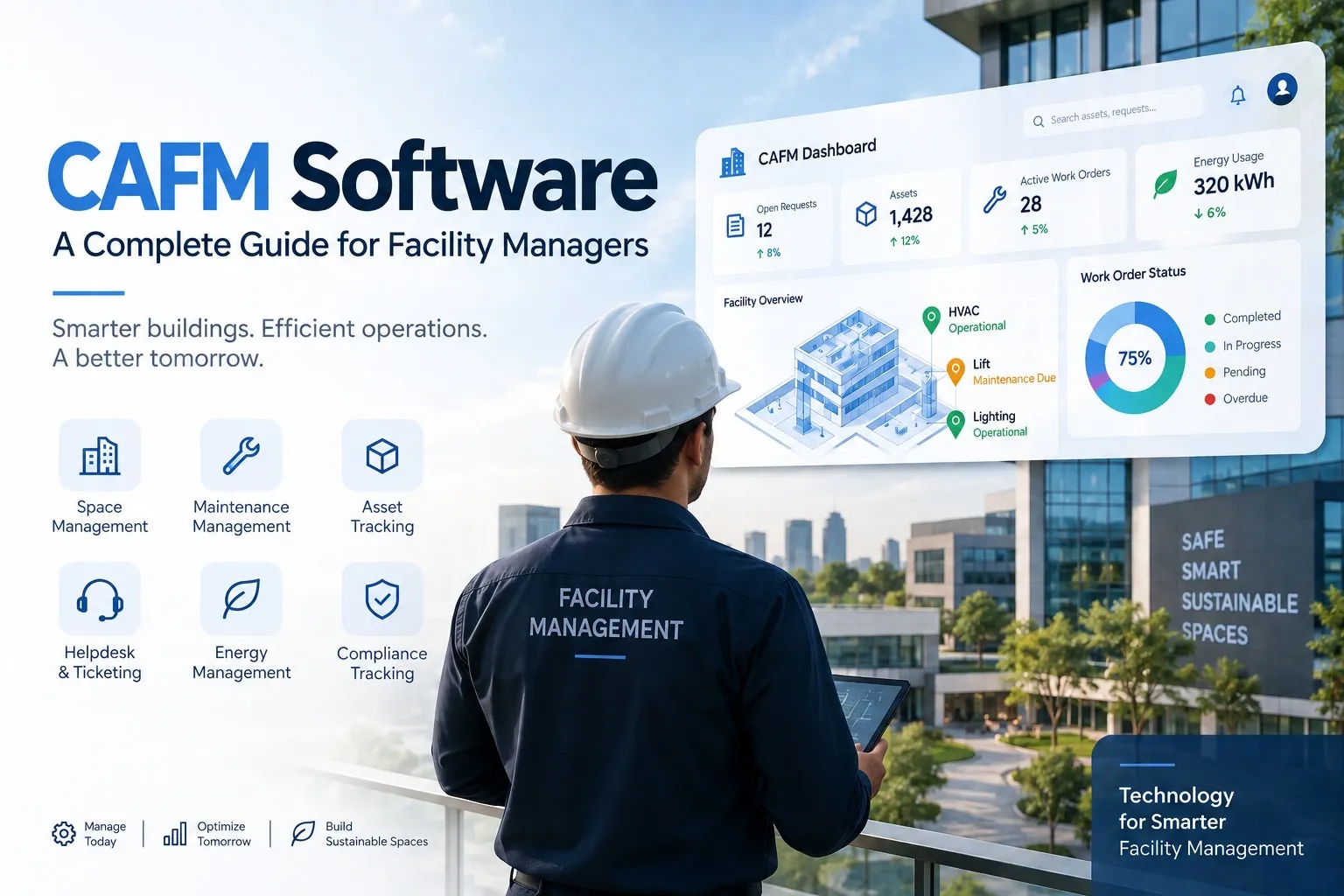
If you've spent an afternoon digging through spreadsheets trying to figure out which floor has empty desks, or which AC unit was supposed to be serviced last month, you already know the problem. A CAFM system — Computer-Aided Facility Management software — pulls building operations, assets, space, and maintenance into one place instead of scattered across paper logs, emails, and whatever tool someone set up three years ago and never updated.
How a CAFM Software Actually Works, Day to Day
Someone reports a compressor running hot on the production floor. That request becomes a ticket. The system routes it to whichever technician is qualified and nearby. Once it's fixed, it's logged — and just like that, the system has started building a maintenance history for that machine.
Do this a few hundred times over a year, and patterns start showing up on their own. Which equipment keeps failing. Which floors barely get used. Where energy spend is quietly creeping up. None of this requires anyone to dig through old email threads — it's already sitting on a dashboard.
The Modules You'll Actually See
Most platforms cover a similar core set, even if they package it differently:
Space management — who's sitting where, which rooms get booked, how much space is going unused
Maintenance management — preventive and reactive, so equipment gets serviced before it fails, not after
Asset tracking — every HVAC unit, generator, and major piece of equipment, with warranty and service history attached
Helpdesk and ticketing — a simple way for employees to flag issues, and for facilities teams to prioritize them
Energy management — where most of the measurable cost savings tend to show up
Compliance tracking — inspection records and certifications in one place, so an audit doesn't turn into a scramble
What You Actually Get Out of It
Nobody sees the ROI in week one — that's just how it goes. The savings show up from catching a maintenance issue before it becomes a five-figure breakdown, not from the software itself. Your team stops manually tracking things and starts actually fixing them. Compliance stops being a pre-audit panic and becomes something you can pull up in two minutes. And because everything's logged, decisions stop being guesses — you can actually tell whether you need that extra floor, instead of assuming.
CAFM vs CMMS vs IWMS vs EAM
This trips people up constantly, and honestly, the categories genuinely overlap.
A CMMS is maintenance-only — work orders, repairs, preventive schedules.
A CAFM system covers that, plus space management and broader facility operations.
An IWMS goes further still, adding lease management, capital projects, and sustainability reporting — think CAFM plus the real-estate and financial layer.
An EAM is built for asset-heavy operations — manufacturing plants, utilities — focused on getting the most lifecycle value out of expensive equipment across multiple sites.
In practice, vendors use these terms loosely, so don't get hung up on the label. IFMA's own glossary even notes CAFM gets called CMMS or IWMS interchangeably depending on how a vendor packages it. Focus on which modules you actually need, not what the category is called.
Who's Actually Using This CAFM Software
It's not industry-specific. Corporate real estate teams run it across multiple office locations. Hospitals use it to stay on top of equipment maintenance and health-and-safety compliance. Universities manage classrooms and dorms across sprawling campuses with it. Retail chains keep hundreds of locations consistent. Manufacturing plants use it to keep production equipment online — which, if you've ever had a line go down over a missed filter change, you already know is not optional.
The common thread isn't the industry. It's having more buildings or assets than a spreadsheet can reasonably keep up with.
Cloud vs On-Premise
Comes down to how much control your IT team wants versus how much setup time you're willing to spend.
Cloud-based is hosted by the vendor, works from anywhere, and gets you running fast since there's no server on your end. Updates happen automatically — convenient, but you're on the vendor's timeline.
On-premise lives on your own servers. More control, more customization — but your IT team now owns patches, security, and infrastructure cost.
Most teams go cloud simply because it's less to maintain. If your industry has strict data residency rules, on-premise or private cloud might be the safer call
How to Choose the Right CAFM System
Before comparing vendors, get honest about what's actually broken. Is it maintenance chaos? Space you can't account for? Compliance headaches every audit season? Don't pay for modules you'll never touch.
Check integration with what you already run — BIM files, ERP, IoT sensors if you have them. A system that can't talk to your existing stack just creates more manual work, not less.
Ask about mobile. Facility teams aren't sitting at desks. A clunky mobile app will kill adoption before it starts.
And talk to an actual customer, not just the sales rep. One honest reference call tells you more than any demo.
If you're evaluating platforms, Firmity is built around exactly these day-to-day workflows — maintenance, assets, space, and compliance in one system, without the bloat of modules you'll never use. Book a demo to see how it handles your specific setup.
What Does CAFM Implementation Actually Look Like?
It's never a flip-a-switch process, and treating it like one is usually why rollouts stall.
It starts with data migration — getting existing asset lists, floor plans, and maintenance records into the new system. If your current data is messy, this step alone can eat a few weeks.
Then configuration — workflows, permissions, ticket routing set up to match how your team actually works, not the vendor's default.
Then training, which is the step everyone underestimates. If staff don't know how to log a ticket or update a record, the system quietly turns into expensive shelfware nobody opens.
Most teams pilot with one building or department first. Catching problems early on one site beats discovering them across twenty.
How Much Does a CAFM System Cost?
No single number applies here — it depends on portfolio size, user count, and which modules you need. Most vendors price per user, per square foot managed, or via custom quote. Cloud is typically a recurring subscription; on-premise usually means a bigger upfront license plus ongoing maintenance. The only reliable way to get a real number is to request quotes directly — published price lists rarely reflect what larger organizations end up paying.
Choosing the Right One for Your Organization
There's no universal "best" CAFM system. A small office might only need basic space and maintenance tracking. A hospital network or university campus will need much deeper compliance and asset management. Rather than chasing a generic "top vendors" list, shortlist two or three platforms that actually specialize in your industry, and request a live demo using your own data before committing to anything.
Facility management as a discipline is guided by frameworks like ISO 41001, the global standard for facility management systems — worth a look if you're formalizing processes at scale.
Want to see how this works with your own building data? Get a free facility health assessment or book a quick demo with our team.
FAQs About CAFM Software
Not exactly — CMMS is maintenance-only, while CAFM adds space management, move management, and broader operations. That said, plenty of vendors use the terms loosely, so don't put too much weight on which label a product uses.
Not always. If you're running one small office, a spreadsheet can still get the job done. CAFM starts earning its keep once you've got multiple locations or enough assets that manual tracking starts causing real mistakes.
Most modern platforms support it, but the depth varies a lot by vendor — some integrations are genuinely deep, others are a checkbox feature. Worth pressure-testing this during evaluation rather than taking it at face value.
Reputable vendors follow standard practices — encryption, access controls. Still worth reviewing their actual compliance certifications yourself, especially if your industry has strict data rules.
Depends on data size and how many buildings are involved, but a phased rollout with a pilot usually lands in months, not weeks. Anyone promising a same-week rollout across a whole portfolio is probably oversimplifying.

Syed Aadam
Syed Aadam is a software engineer with a Bachelor's and Master's in Information Technology with a specialization in Artificial Intelligence and Machine Learning. Having trained, and assisted in training foundational ML models for solving frontier scientific problems at the intersection of biodiversity and technology, Syed Aadam has been working to develop AI-enabled CMMS, ERP and CAFM softwares at Ufirm Technologies.
Talk to our team
Questions about facility management software? Leave your details and we'll get back to you within 24 hours.
