CAFM
Cloud vs On-Premise CAFM Software: How to Choose the Right Fit for Your Facilities
· 17 min read
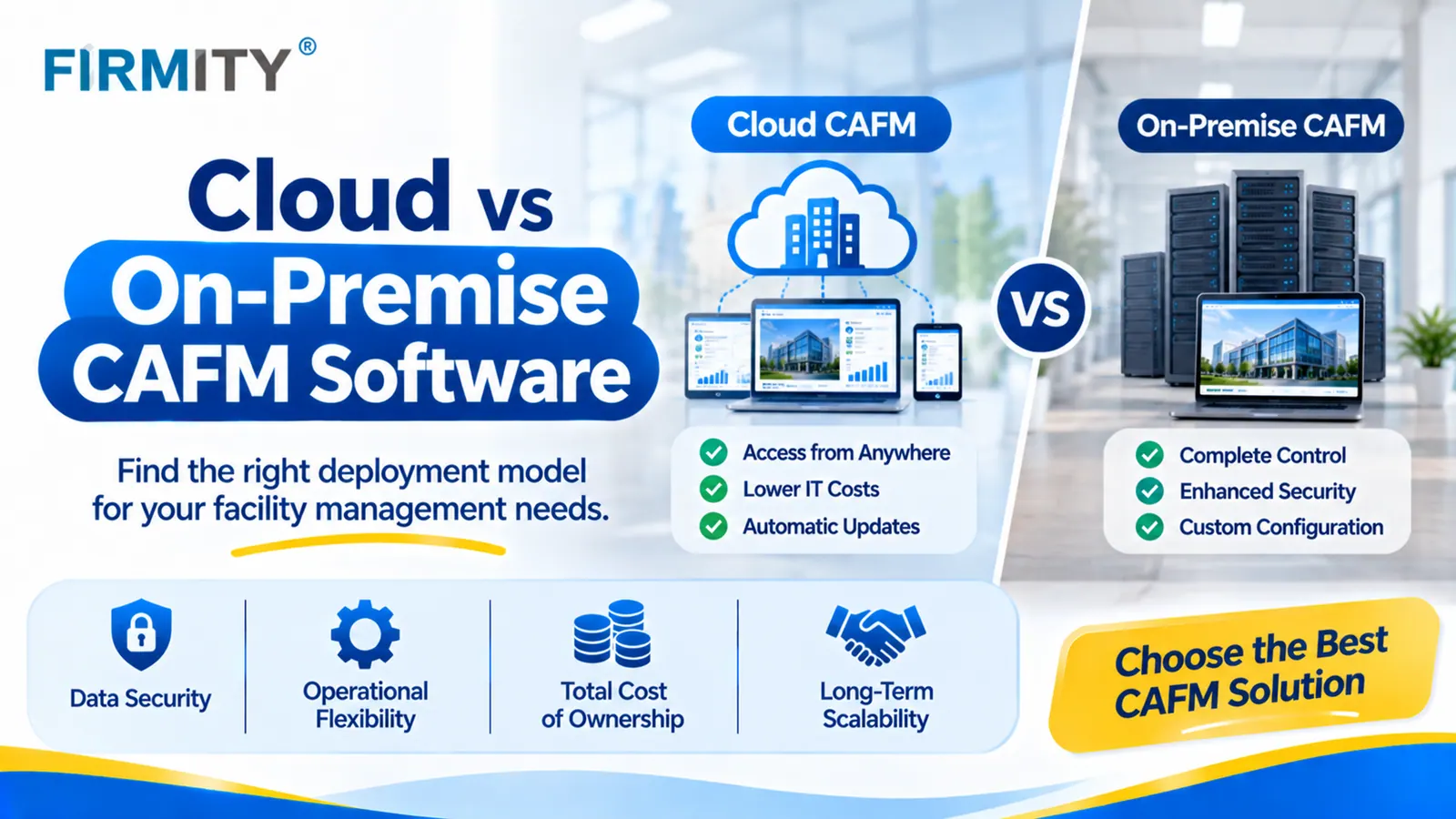
In the cloud vs on-premise CAFM software debate, cloud is the better fit for most facility teams because it costs less to start, needs no servers, and works from any phone or laptop. On-premise CAFM software makes sense mainly when strict data rules, isolated sites, or an existing in-house IT setup require you to keep the system on your own servers.
Picture this. You look after a dozen buildings, maintenance lives in spreadsheets, and complaints arrive over calls, emails and chat messages. You've finally convinced management to invest in proper software, and then your IT team asks a simple question: "Do we host it ourselves, or do we go cloud?" Suddenly the decision feels bigger than it did five minutes ago.
If you're new to the category and still wondering what is CAFM software, think of it as one system that brings your assets, maintenance, spaces and compliance into a single place. Once that's clear, the next real question is where the system should live. That choice shapes your costs, your security, how fast you go live, and how easily your technicians can use it out on the floor. It's worth getting right the first time, because switching later takes real effort.
In this guide, we'll walk you through both options in plain language. You'll see how they compare on cost, security, maintenance and mobile access, when each one genuinely makes sense, and the questions worth asking before you sign anything. By the end, you should be able to make the call with confidence rather than guesswork.
What Is Cloud-Based CAFM Software?
With cloud-based CAFM software, the vendor hosts the system and the data on their servers, and you simply sign in through a browser or a mobile app. There's nothing to install on your own hardware, so your team can start using it once the account is set up. You usually pay a subscription, often per user, per site or per month. The vendor looks after updates, backups and server security behind the scenes. In short, you get the software as a service, and someone else keeps the lights on.
How cloud CAFM works day to day
Let's say a technician spots a leaking valve in a plant room. They open the app on their phone, scan the asset's QR code, log the issue with a photo, and a work order is created on the spot. Back at the office, the facility manager sees it appear on the dashboard within moments, along with the asset's service history. If you manage several buildings, every site feeds into that same live view. That instant, shared visibility is the biggest reason teams pick cloud in the first place.
What Is On-Premise CAFM Software?
On-premise CAFM software is installed on servers your organisation owns or controls, either in your own server room or in a data centre you rent space in. Your IT team handles the installation, security patches, backups and upgrades. Instead of a simple subscription, you'll typically buy a licence upfront and pay an annual support or maintenance fee on top. The big appeal is control, because your data never leaves infrastructure you manage. The trade-off is that every responsibility that comes with running servers now sits with you.
On-premise vs self-hosted vs private cloud
These terms get mixed up a lot, so let's clear them up. On-premise and self-hosted usually mean the same thing: you run the software on infrastructure you control. A private cloud is a middle ground, where you get a dedicated environment that isn't shared with other customers, run by your own team or a provider. If you'd like a neutral reference, the NIST definition of cloud computing explains the main cloud deployment models, including public, private and hybrid. Whenever a vendor uses one of these labels, ask them to spell out exactly where your data sits and who manages it.
Cloud vs On-Premise CAFM Software: Side-by-Side Comparison
Here's how the two models stack up on the points facility teams usually care about most. Treat it as a general picture, because every vendor packages things a little differently.
Factor | Cloud CAFM | On-Premise CAFM |
|---|---|---|
Upfront cost | Low: setup and training | High: licence, servers, installation |
Ongoing cost | Subscription | Support fee, IT staff time, hardware, power |
Time to go live | Faster, no hardware to buy | Slower, needs procurement and installation |
Who maintains it | The vendor | Your IT team |
Software updates | Automatic, from the vendor | You plan and apply them |
Where data lives | Vendor's data centre | Your own servers |
Remote and mobile access | Built in | Usually needs a VPN or extra setup |
Internet dependence | Needed for most use | Only for users outside your network |
Adding sites or users | Usually a quick change to your plan | May need more hardware or licences |
Customisation | Configurable within the product | Deeper changes possible, at extra cost |
Security responsibility | Shared: vendor runs the platform, you manage access | Entirely yours |
Backups and disaster recovery | Handled by the vendor | You build and test them |
If you only skim one thing in this article, make it this table. Most of the decision comes down to one trade: cloud hands the hard technical work to the vendor, while on-premise hands you full control along with full responsibility. Neither is wrong. The right answer depends on your rules, your team and your budget, which is exactly what the next sections dig into.
Cost Comparison: Looking Beyond the Price Tag
This is where many buying decisions go wrong. It's tempting to put a monthly subscription next to a one-time licence fee and call it a day, but that only tells you part of the story. The fair way to compare is total cost of ownership over three to five years. That means adding up everything you'll spend to keep the system running, not just what you pay the vendor. Once you do that, the picture often looks quite different from the first quote.
What you pay for with cloud CAFM
With cloud, most of your spend sits in one predictable line: the subscription. On top of that, you'll usually pay for initial setup, data import and training, plus a reliable internet connection at each site. Upgrades, hosting, backups and routine security work are normally built into the fee. Because it's an operating expense rather than a big capital purchase, it's easier to budget for and easier to get approved. Just check what's included in your plan, such as user limits, storage and support levels.
What you pay for with on-premise CAFM
On-premise has more moving parts, and some of them are easy to miss. There's the software licence and the annual support fee, of course. Then come the servers, operating system and database licences, storage, backup tools, and the power and cooling to keep everything running. The biggest hidden cost is usually people: the IT time needed for patching, monitoring, troubleshooting and planning upgrades. Every few years, hardware also needs replacing, which brings another round of spending.
Cost item | Cloud CAFM | On-Premise CAFM |
|---|---|---|
Software | Subscription | Licence + annual support fee |
Servers and storage | Included | You buy, house and replace them |
Database and OS licences | Included | Often paid separately |
Backups and disaster recovery | Included | Your tools, your effort |
IT staff time | Minimal | Ongoing |
Upgrades | Included | Planned projects |
Setup and training | Yes | Yes, usually longer |
CapEx vs OpEx: what your finance team will ask
Your finance team will likely frame this as capital expense versus operating expense. On-premise usually means a large upfront investment that's depreciated over several years. Cloud spreads the cost into a steady monthly or annual payment that scales with how much you use. If you already own spare servers and have IT staff with free capacity, on-premise can look reasonable over a long horizon. For most growing facility teams, though, the predictable cloud model is the easier one to justify.
Security and Data Protection
Security is often the first worry people raise about cloud, and it's a fair question to ask. Here's the honest truth: where your data sits matters less than how well it's protected. A well-run cloud platform can be more secure than an in-house server that nobody has patched in months. Equally, a careless vendor is a real risk. So rather than asking "is cloud safe?", it's better to ask "is this particular vendor safe, and can they prove it?"
What to check in a cloud vendor's security
A trustworthy cloud CAFM vendor should be able to explain clearly how your data is protected. Ask whether data is encrypted in transit and at rest, how user roles and permissions work, and whether there's an audit trail of who changed what. It's also worth asking which security certifications or independent audits they hold, and how often they test their own systems. If a vendor gets vague or defensive on these questions, treat that as a warning sign, whatever deployment model they offer.
Data residency and compliance
Many organisations now have to follow data protection laws, such as the GDPR in the European Union, along with industry or contract rules about where data can be stored. CAFM systems often hold personal data, like visitor logs, staff attendance and contact details, so this matters more than you might expect. With cloud, ask the vendor which region your data is hosted in and whether that can be fixed in your contract. Some government, defence and highly regulated sites must keep data inside their own walls, and for them on-premise may be the only option.
Why on-premise isn't automatically safer
It's easy to assume that keeping data in your own building makes it safer. In practice, on-premise security is only as good as the team running it. Missed patches, weak passwords, untested backups and no disaster recovery plan are common problems, especially for smaller IT teams juggling many priorities. If you choose on-premise, someone needs to own security every single week. If nobody can, a reputable cloud vendor may actually give you stronger protection.
Implementation, Uptime and Maintenance
Cloud CAFM is usually much quicker to roll out, since there's no hardware to buy or install. The main tasks are setting up your sites, importing assets and training users, so many teams can go live within weeks. On-premise adds server procurement, installation, security setup and testing before anyone logs in, which can stretch the timeline. After go-live, cloud updates arrive automatically, while on-premise upgrades need planning and downtime. Over a few years, that ongoing effort adds up.
When you compare uptime, always look at the service level agreement rather than marketing claims. A 99.9% uptime commitment, for example, allows for roughly 8.8 hours of downtime in a year. With cloud, the vendor is responsible for meeting that number and keeping backups ready. With on-premise, your uptime depends on your own hardware, power, network and the people who look after them. Either way, ask how backups work and how quickly the system can be restored after a failure.
Mobile Access and Connectivity
Facility work rarely happens at a desk, so mobile access is a big deal. Technicians are in plant rooms, basements, rooftops and car parks, and they need to open tasks, scan assets and close jobs right where they are. Cloud CAFM is built for this, since the app connects directly to the vendor's platform from anywhere. With on-premise, letting people in from outside your network usually means setting up a VPN or other secure access. That's doable, but it adds cost and another thing for IT to manage.
Connectivity is the other side of the coin. Cloud systems need an internet connection for most tasks, so think about any sites where signal is weak or drops often. Some mobile apps can save work without a signal and sync later, while others can't, so ask each vendor how their app behaves in your toughest locations. On-premise systems keep running on your local network even if the internet goes down, though remote users will still be cut off. Test the app on site before you commit.
How Each Model Affects Your Everyday CAFM Work
It helps to look at the decision through the tasks your team handles every day. There are plenty of benefits of CAFM software, but how much of that value you actually get depends partly on where the system runs. The table below shows how each model typically affects your core modules.
Module | With cloud | With on-premise |
|---|---|---|
Preventive maintenance | Schedules and reminders reach technicians wherever they are | Works well on site; remote reminders need extra setup |
Work orders and helpdesk | Tickets raised by QR scan or app from anywhere | Easy inside your network, harder outside it |
Asset tracking | Every site has a single live record. | Multi-site access depends on your network setup |
Inventory and purchasing | Stock levels visible across locations in real time | Possible, but often split by site |
Visitors and attendance | Front desks and gates on one shared system | Each location must connect to your servers |
Reports and dashboards | Portfolio-wide view for managers on any device | Usually viewed on the office network |
AI, IoT and Integrations
Newer CAFM features, such as AI-assisted insights and sensor-based monitoring, usually rely on cloud computing power and constant data flow. Many vendors build these features cloud-first, and some on-premise versions offer fewer of them or none at all. Integrations follow a similar pattern, since connecting your CAFM to accounting, ERP or HR systems is often simpler between cloud platforms through ready-made connections. If these capabilities are on your roadmap, ask vendors whether the on-premise edition has the same features as the cloud one. You don't want to discover a gap after you've signed.
When Should You Choose Cloud CAFM Software?
For most facility teams, cloud is the practical default, and it tends to shine in a few clear situations. If any of these sound like you, cloud is probably your best bet:
You manage several buildings or sites and want one shared view of everything.
Your technicians work on the move and need a phone app that just works.
You have a small IT team, or none at all, and can't spare people to run servers.
You'd rather pay a predictable subscription than make a large upfront purchase.
You expect to add sites, users or modules as you grow.
You want access to newer features, such as AI insights and easy integrations, as they're released.
When Does On-Premise CAFM Still Make Sense?
On-premise isn't outdated, and for some organisations it's still the right call. It's worth a serious look if any of the following apply:
A law, regulator or client contract says your data must stay on your own infrastructure.
Your site is deliberately isolated from the internet, as with some defence or high-security facilities.
Internet access at your main site is unreliable, and most of your users work on the local network.
You already own suitable servers and have a skilled IT team with spare capacity.
You need deep custom changes that a standard cloud product can't support.
If on-premise is a firm requirement, raise it early with vendors and ask them to confirm it in writing. Many CAFM products today are cloud-only, so it can narrow your shortlist quickly. Also ask whether the on-premise edition includes every feature, mobile app and integration that the cloud version offers. Sometimes it doesn't, and that's far better to learn now than in the middle of a rollout.
What About Hybrid CAFM?
Some vendors offer a hybrid setup, which tries to give you a bit of both worlds. Usually that means sensitive data stays on your own servers while certain features run in the cloud, or you get a dedicated private cloud instance that isn't shared with other customers. It can work well for organisations with mixed requirements. The catch is that "hybrid" means different things to different vendors. Always ask exactly which parts run where, who maintains each part, and get that answer in writing.
Decision Checklist: 10 Questions to Ask Before You Choose
Before you speak to vendors, sit down with your facility, IT and finance leads and work through these questions together. Your honest answers will point you towards the right model faster than any sales pitch.
Do we have a written rule, law or contract that says where our data must be stored?
Who would look after servers, backups and security patches if we went on-premise?
How many sites do we manage today, and how many do we expect in three years?
How reliable is the internet at each of our sites, including basements and plant rooms?
Does our budget suit a steady subscription or a one-time capital purchase?
How soon do we need the system up and running?
How many of our users work on mobile devices, away from a desk?
Do we plan to use AI features, sensors or integrations with other business systems?
Does the vendor offer the same features in both models, or only in one?
If we leave the vendor, how and in what format do we get our data back?
If most of your answers point to multiple sites, mobile teams, limited IT and a need for speed, cloud is likely your answer. If strict data rules or an isolated site came up early, on-premise or hybrid deserves a closer look.
Moving From On-Premise or Spreadsheets to Cloud CAFM
Switching sounds daunting, but it's usually more manageable than people expect when you take it step by step:
Audit what you have. List your sites, assets, maintenance schedules and open tickets, and decide what's worth moving.
Clean your data. Remove duplicates and outdated records before importing, so you start fresh rather than carrying old mess into a new system.
Pilot one site. Roll out at a single location first, gather feedback from technicians, and fix any gaps.
Train your team. Short, hands-on sessions for technicians, supervisors and managers work far better than long manuals.
Go live and retire the old system. Once everyone is confident, move the remaining sites and switch off the old spreadsheets or servers.
Before you sign, ask the vendor how they help with data import and what export options you'll have later. Being able to take your data with you protects you from getting locked in.
Common Mistakes to Avoid
Choosing on-premise for security alone. Security depends on how well a system is managed, not just where it lives.
Comparing only the sticker price. Leave out servers, IT time and upgrades, and on-premise will always look cheaper than it really is.
Checking data rules too late. Talk to your legal or compliance team before you shortlist vendors, not halfway through a rollout.
Skipping a mobile test. Try the app in your worst-signal location before committing.
Ignoring exit terms. Make sure you know how to get your data back if you ever switch providers.
Where Firmity Fits
If cloud sounds like the right direction for your team, Firmity is worth a look. It's a cloud-based platform built for facility teams that run multiple buildings, whether that's factories, campuses or residential estates. Technicians use the Android and iOS apps to scan QR codes, open tasks and close jobs on site, while managers follow every building from one dashboard. Assets, maintenance schedules, tickets, inventory, visitors and attendance all share the same data, so nothing gets typed in twice.
Firmity is also an affordable option for teams that want proper control of their facilities without a heavy enterprise price tag or a long rollout. You don't need to buy servers, and you don't need a large IT team to keep it running. If you'd like to see how it would handle your own sites and equipment, you can contact the Firmity team and book a walkthrough built around the way you actually work.
Final Thoughts
Choosing between cloud and on-premise CAFM software really comes down to three things: your data rules, your IT capacity and how your team works day to day. For most facility teams juggling multiple sites and mobile technicians, cloud delivers faster results with less hassle and more predictable costs. On-premise still has its place where data must stay in-house or sites are isolated by design. Use the checklist above with your team, ask vendors the hard questions, and you'll land on the option that truly fits.
FAQs : Cloud vs On-Premise CAFM Software
For most facility teams, cloud is the better choice because it's quicker to set up, cheaper to start and easy to use from anywhere. On-premise is the better fit when strict data rules, an isolated site or an existing in-house IT setup require you to keep everything on your own servers.
It can be very secure, but it depends on the vendor. Ask about encryption, user permissions, audit trails, backups and any independent security certifications they hold. A vendor that answers clearly and openly is a good sign; one that avoids the questions is not.
Cloud usually costs less to start, and often less overall once you count servers, IT staff time, backups and upgrades on the on-premise side. On-premise can work out cheaper over a long period if you already own the hardware and have IT capacity to spare. Build a full cost comparison before deciding.
Yes, in most cases. It takes planning, a clean data export and a careful migration, but it's very doable. Ask any new vendor how they handle data import, and check your current vendor's export options before you start.
The web dashboard needs an internet connection. Some mobile apps let technicians record work without a signal and sync it later, but not all of them do. If you have sites with weak connectivity, ask each vendor to show you how their app behaves offline.
Author Bio

Syed Aadam
Syed Aadam is a software engineer with a Bachelor's and Master's in Information Technology with a specialization in Artificial Intelligence and Machine Learning. Having trained, and assisted in training foundational ML models for solving frontier scientific problems at the intersection of biodiversity and technology, Syed Aadam has been working to develop AI-enabled CMMS, ERP and CAFM softwares at Ufirm Technologies.