Payroll Management
9 Features of Payroll Software to Look For | Firmity
· 9 min read
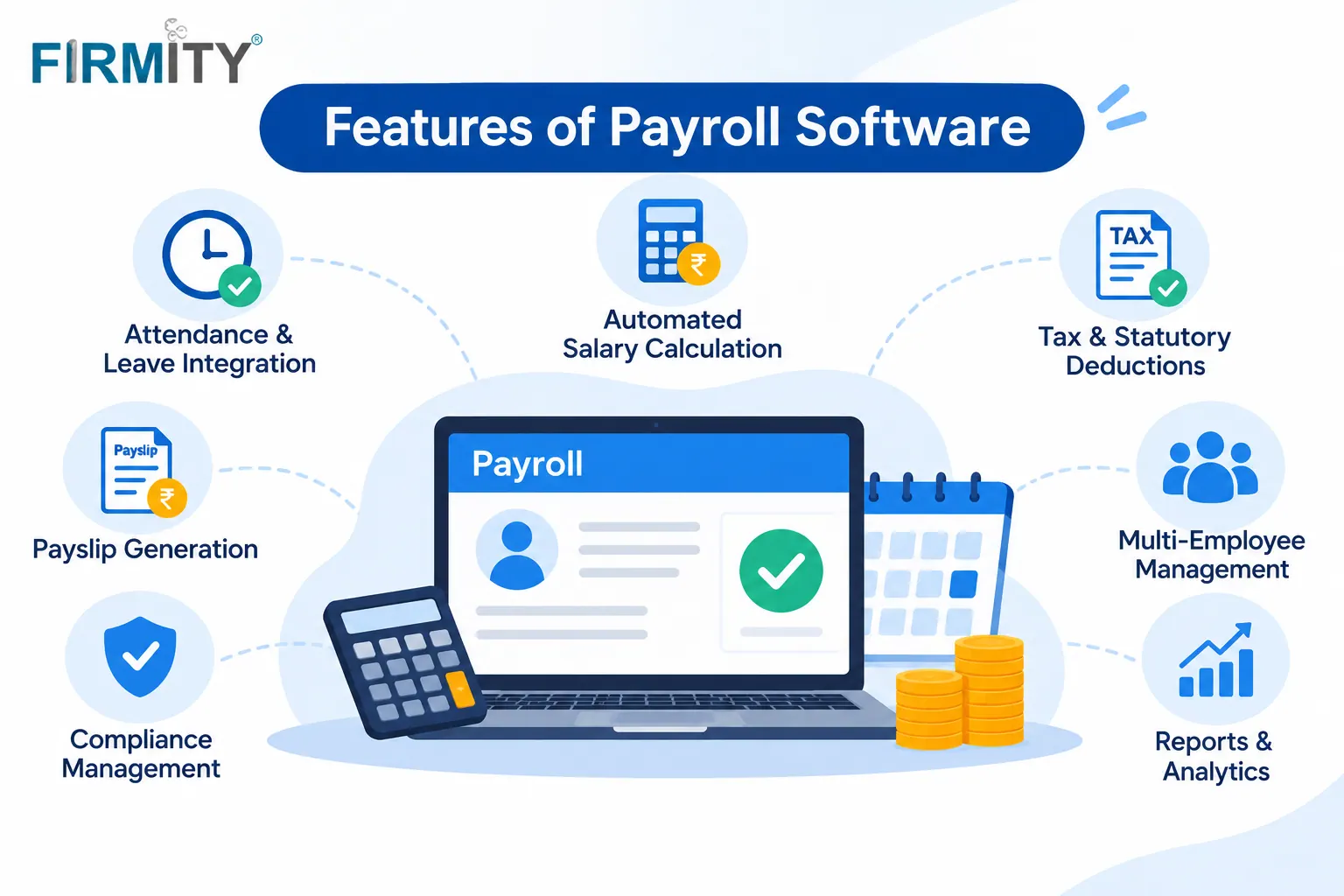
The features of payroll software worth looking for are salary structure setup, attendance and leave integration, loans, advances and reimbursements, automated salary calculation, statutory deductions, approval workflows with role-based access, payslips with employee self-service, salary payout support, and reports with an audit trail. That’s the full list, and no, you don’t need every one of them on day one. Some will matter a lot for your team and some will barely matter at all.
In this guide, we’ll walk through each feature in plain language, explain what it does for you and what to look for when you see it in a demo. If you’re still getting your head around the basics, our overview of what is payroll software is a good place to start, and you can come back here whenever you’re ready to go deeper.
How we grouped the features
Instead of dumping nine features in a random list, we’ve put them in the order a pay cycle actually runs. First come the inputs, which are the things payroll needs before anything can be calculated. Then comes the processing, where the software does the maths and applies the rules. Last come the outputs, meaning what your employees, your bank and your finance team actually receive. Seeing features this way makes it easier to spot where your current process hurts the most.
Think of this as a practical framework, not a product ranking. We haven’t trialled specific tools for this guide, so use it as a checklist when you’re looking at demos.
Before the run: the inputs
1. Salary structure and component setup
Everything in payroll starts with the salary structure. You define the pieces of pay once, like basic pay, allowances and deductions, and the software applies them to each person automatically. Look for the option to create different structures for different grades or departments, and to revise someone’s pay from a particular date without overwriting the history. With wage rules shifting recently, you’ll also want structures you can edit easily, not ones that get locked in at setup.
2. Attendance and leave integration
Pay depends on who showed up, so payroll shouldn’t live apart from attendance. This feature pulls days worked, leave taken and unpaid days straight into the salary calculation, so nobody is retyping a sheet at month-end. Check that leave balances, including things like comp-off, feed into deductions automatically. Also ask how attendance gets in: typed, imported from a file, or synced from your attendance system. If attendance drives pay at your site, test this one first.
3. Loans, advances and reimbursements
Salary isn’t always just salary. Someone takes an advance, another person repays a loan in instalments, and someone else claims travel expenses. A good payroll tool lets you record these once and handles the recovery or payout in the right months, instead of leaving you with sticky notes and side sheets. Look for approval steps on claims, and make sure every instalment shows clearly on the payslip, so employees can see where their money went.
During the run: the processing
4. Automated salary calculation
This is the engine of the whole system. It takes the structure, the attendance and the extras, and works out gross pay, deductions and net pay without a calculator in sight. The real test is the awkward cases: a mid-month joiner, someone leaving halfway through, unpaid leave, or arrears from a pay revision. Look for a preview or trial run so you can spot odd numbers before payslips go out. And if you’d like a refresher on how pay is put together, our guide on what is payroll covers the components.
5. Statutory deductions and compliance
In India, payroll comes with legal deductions such as provident fund, ESI, TDS on salary and, in some states, professional tax. Good software helps calculate these using rules you can configure, and keeps them current when the law changes. How much a tool handles varies, so ask each vendor exactly which deductions and statements it supports. Provident fund, for instance, is administered through the Employees’ Provident Fund Organisation, so check its official site for current requirements instead of trusting a brochure.
Rules have shifted lately. The new labour codes came into force in November 2025, and a new Income-tax Act took over from April 2026, so a tool that gets updated regularly matters more than ever. Ask how the vendor ships those updates and who tells you when something changes. We’ve left rates and limits out of this guide on purpose, because they change and you should always take them from official sources.
6. Approval workflows and role-based access
Payroll data is sensitive, and one wrong click can end up in everyone’s bank account. Role-based access makes sure only the right people can see salary details, while approval workflows add a second pair of eyes, often called maker-checker, before a run is finalised. For small teams it’s reassuring, and for bigger ones it’s close to essential. Look for clear permission levels, a record of who approved what, and enough flexibility to match how your HR and finance teams really work.
After the run: the outputs
7. Payslips and employee self-service
Payslips are the part your employees actually see. The software should generate them automatically for every pay cycle, and many tools let employees log in to view or download their own. That saves your team from answering “can you resend my payslip?” every month. Look for a clear breakdown of earnings and deductions, so most questions get answered by the payslip itself. If employees can reach it from their phones, even better.
8. Salary payout support
Calculating pay is half the job, and getting it into bank accounts is the other half. Many payroll tools can produce a bank transfer file or payment advice, so you upload one file instead of typing each payment, and some connect to payments directly. Check which formats your bank accepts before you commit, and ask how the tool handles failed or corrected payments. Even a simple export that your finance team can upload is a real time-saver.
9. Reports, registers and audit trail
When finance or an auditor asks, “What did we pay in March, and who changed what?”, you want an answer in minutes. Payroll reports and registers show salaries, deductions and payment history, and an audit trail records changes made to employee pay. Look for exports to Excel or PDF, filters by month, department or location, and history that stays available after people leave. It’s the feature people appreciate most during audit season, usually right after wishing they’d had it earlier.
Which features matter most for your team?
You don’t have to chase all nine at once. Most teams get the best result by starting with the few features that match their daily headaches. Here’s a quick guide to where to begin.
Team type | Put these first | Why |
|---|---|---|
Small single-site team | Salary structure setup, automated calculation, payslips | Keep it simple: accurate pay, on time, with easy payslips. |
Multi-site or facility teams | Attendance and leave integration, approval workflows, reports | Pay depends on attendance across sites, and you need one view with proper controls. |
Shift-heavy workforces | Attendance integration, automated calculation, reports | Hours and unpaid days change often, so calculation mistakes creep in easily. |
Growing businesses | Statutory deductions, role-based access, payout support | More people means more deductions to track and more hands near payroll data. |
Where does Firmity fit in?
If you’d like to see several of these features in one product, Firmity’s payroll management software is built around attendance-linked payroll. Salary structure and bank details sit on each employee’s master record, and attendance and leave data feed into pay runs, with leave and comp-off balances (CL, SL, EL) applied to deductions. You can run payroll across several properties from one platform, export payroll reports for finance or audits, and control who sees payroll data with role-based access.
Firmity is also an affordable option, which helps when you’re weighing payroll against other budget lines. It suits facility teams in manufacturing, education and residential estates, where attendance drives pay. If you need statutory details such as PF, ESI and TDS, ask about them directly during a demo. To see it run on one of your own pay cycles, get in touch through the contact page, and the team says it replies within 24 hours.
How to choose which features you need
Start with a handful of honest questions about your own business, then match the features to your answers. It works far better than ticking boxes on a comparison sheet.
Headcount: How many people are you paying, and how fast is that number growing?
Locations: One site or several? More sites make attendance integration and reports matter more.
Salary structures: Is everyone on a similar structure, or do you have grades, allowances and variable pay?
Attendance source: Where does attendance come from today, and can it feed the payroll tool without retyping?
Statutory needs: Which deductions and statements apply to you, and who is responsible for keeping up with changes?
Budget: What can you spend, and what exactly is included at that price?
Then test it properly. Ask each vendor to run one real pay cycle with your awkward cases: a mid-month joiner, someone on unpaid leave, an advance being recovered. Compare the results with what you’d calculate yourself. If you’re building a shortlist, our roundup of the top payroll software is a good start. And if you already use a tool, our guides on greytHR alternatives, Keka alternatives and Zoho Payroll alternatives show how other options compare.
Common mistakes when comparing payroll features
Paying for features you won’t use. A long feature list looks impressive in a demo, but half of it might never get opened. Go back to your own checklist and treat everything else as a bonus. If a vendor bundles extra modules into the price, ask what you’d pay without them.
Skipping a parallel run. Run your old method and the new software side by side for one pay cycle before you switch fully. If the numbers differ, you’ll find out while it’s still cheap to fix. It takes some extra effort for a month, and it saves a lot of stress afterwards.
Ignoring how updates are handled. Statutory rules change, and software that doesn’t keep up can quietly produce wrong deductions. Ask who is responsible for updates, how quickly they arrive and how you’ll be told. Ease of use matters too, because a tool your payroll team finds confusing usually ends up replaced by a spreadsheet.
The bottom line
The best payroll software isn’t the one with the longest feature list. It’s the one that handles your own pay cycle, with your attendance, your deductions and your awkward cases, without drama. Start with the few features that fix your biggest monthly headaches, test them on a real cycle and add the rest later. If you’d like to revisit the basics, browse our payroll management guides, and when you’re ready for a walkthrough, talk to the Firmity team.
FAQs : Features Payroll Software
The main features are salary structure setup, attendance and leave integration, loans, advances and reimbursements, automated salary calculation, statutory deductions, approval workflows with role-based access, payslips with employee self-service, salary payout support, and reports with an audit trail. Which ones you need depends on your team size and how complex your pay is.
For most teams it’s automated salary calculation backed by accurate attendance and leave data, because if those inputs are wrong, everything after them is wrong too. For Indian businesses, statutory deduction support comes close behind. Start with those two and add the rest as your needs grow.
Many tools can calculate or support them, but how much they handle differs from one product to another, and the rules change. Ask each vendor which deductions, statements and updates are covered, and check official sources such as EPFO for current requirements before you rely on any tool.
It’s not essential, but it’s very useful. It cuts down the “please resend my payslip” requests and lets employees check their own pay. A very small team can manage without it, but once headcount grows you’ll feel the difference.
Author Bio

Syed Aadam
Syed Aadam is a software engineer with a Bachelor's and Master's in Information Technology with a specialization in Artificial Intelligence and Machine Learning. Having trained, and assisted in training foundational ML models for solving frontier scientific problems at the intersection of biodiversity and technology, Syed Aadam has been working to develop AI-enabled CMMS, ERP and CAFM softwares at Ufirm Technologies.