CMMS
How Does a CMMS Work? A Step-by-Step Guide for Indian Facility Teams
· 9 min read
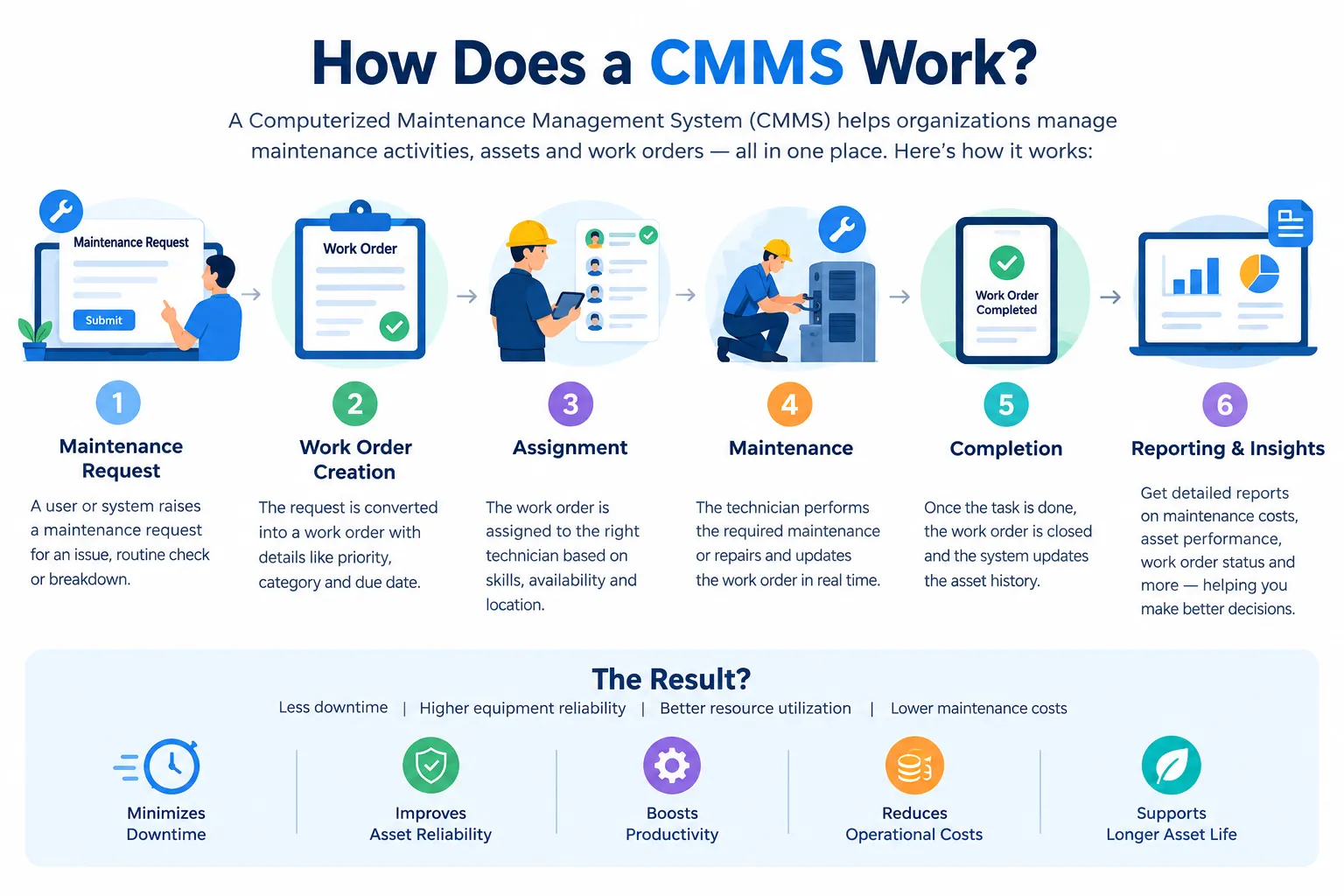
How does a CMMS work, and why do so many maintenance teams swear by it? In simple terms, a CMMS, short for computerized maintenance management system, keeps every asset, job and spare part in one connected record. When something breaks or comes due for service, the system turns that moment into a work order, sends it to the right person, and logs what happened. If you want the full definition first, our overview of what is CMMS software covers the basics. This guide walks through the actual flow, step by step, in everyday language.
A quick word on where this comes from. We read how several leading explainers describe the way a CMMS works and then checked how a real Indian CMMS describes its own workflow. Most guides list features, so we've tried to show the order in which things happen instead. Firmity is our product, so it gets a short, clearly labelled mention near the end.
The Big Idea: One System for Assets, Work, and Spare Parts
Before the steps, here's the idea that makes everything else click. A CMMS works by joining three things that are usually kept apart: your assets, the work done on them, and the spare parts used. When those three share one record, a job doesn't live in someone's head or a WhatsApp thread. It lives in the system, attached to the machine it concerns.
That shared record is what turns a CMMS from a fancy to-do list into something useful. The asset tells you what's being worked on, the work order tells you what's being done, and the parts record tells you what it used. Once those link up, you can finally answer questions like "How often does this pump fail?" without digging through old messages.
Step 1: Building the Asset Register
Everything in a CMMS starts with the asset register. You list each piece of equipment once, with details like its name, location, category, and any warranty information. Many systems also give each asset a QR code, so anyone can scan it and pull up the record. Think of this as the foundation, because every later step hangs off these records.
It pays to spend time getting this right. A complete asset register means that when a fault is reported, the system already knows the machine's history and what spare parts it uses. If your records are messy at the start, the CMMS will simply reflect that mess back at you. Start with your most important equipment and add the rest gradually.
Step 2: Raising a Maintenance Request
A maintenance request is how a problem enters the system. Someone notices a leaking pipe, a noisy motor, or a broken light and logs it. Depending on how the CMMS is set up, that might be a technician, a supervisor, or even a staff member using a simple form or app. The key point is that the problem gets recorded straight away instead of being mentioned in passing.
This step sounds small, but it removes a lot of friction. Without a CMMS, requests tend to arrive through phone calls, messages, and hallway chats, and some get lost. With one, every request has a timestamp and an owner. That means nobody has to wonder whether the issue was ever reported.
Step 3: Turning the Request Into a Work Order
This is the heart of how a CMMS works. A request becomes a work order, which is a digital job card with the details of what needs doing. It usually includes a description, a priority, a due date, the asset it concerns, and the person responsible. Work order management is often described as the main function of a CMMS for good reason.
Once the work order exists, it moves through clear stages: assigned, in progress, completed, and closed. Supervisors can see what's open and what's overdue at a glance. If a job stalls, it can be reassigned or escalated instead of quietly sitting in someone's inbox. That visibility is what turns scattered fixes into a managed process.
Step 4: Technicians Do the Work (Mobile Access)
Now the technician takes over. Using a phone or tablet, they open the work order, see exactly what's needed, and carry out the job. Many CMMS tools support QR scanning, so the technician scans the location or asset code to open the right task. They can tick off a checklist, add remarks, and attach photos as proof of the work.
Mobile access matters because maintenance doesn't happen at a desk. When updates are logged on the spot, the record reflects reality rather than someone's memory at the end of the day. It also means supervisors can follow progress in real time. That's a big step up from collecting paper slips at the end of a shift.
Want to See This Flow With Your Own Equipment?
Reading about work orders is one thing, and watching one move from request to closure is another. If your maintenance still runs on spreadsheets and chat messages, a short walkthrough can show you how the same jobs would look in a CMMS. Firmity's team can build the demo around the kind of equipment you actually maintain. Tell them what you're managing today, and they'll reply within 24 hours.
Talk to the Firmity team and book a walkthrough
Step 5: Spare Parts and Stock Handling
Most repairs need parts, and a CMMS keeps track of them too. When a work order is created, the system can link the spare parts that the job is likely to use. As the technician uses them, the stock level drops, and the usage is recorded against the asset. That connection between spare parts inventory and the asset is one of the quiet strengths of a CMMS.
Why does this matter? Because the classic maintenance headache is a repair that stalls while someone hunts for a part. With stock linked to jobs, you can see what you hold and what you're running low on. Over time, you also learn which parts each asset really consumes, which makes buying decisions smarter.
Step 6: Preventive Maintenance Schedules
This is where a CMMS earns its keep. Preventive maintenance means servicing equipment on a schedule so it doesn't break at a bad moment. Instead of someone remembering to check a calendar, you set the schedule once, by time or by usage. The system then generates the work orders on its own when each cycle comes due.
If a scheduled job is missed, it gets flagged as overdue so someone can act on it. That's a very different rhythm from fixing things only after they fail. Teams usually find that catching small problems early is cheaper and less disruptive than emergency repairs. A good preventive maintenance schedule is the difference between running maintenance and chasing it.
Step 7: Reports and Maintenance Data
Every step above leaves a trail of data, and the final step is putting it to use. A CMMS can show how many work orders are open, completed, and overdue, and how long jobs take. You can also see which assets fail most often and where your maintenance time goes. That information turns maintenance reporting from guesswork into something you can show a manager or an auditor.
This is also where records start to support bigger goals. Standards such as ISO 55000 describe good asset management principles, and tidy maintenance records are part of what makes those principles achievable. A CMMS doesn't do the thinking for you. It simply makes sure the facts are there when you need them.
A Simple Example: From Fault to Closed Work Order
Let's tie it together with a small story. Imagine a pump in a factory starts making a strange noise. A supervisor scans the pump's QR code and reports the issue, which instantly creates a request linked to that pump's record. The request becomes a work order, assigned to a technician with a high priority.
The technician opens the job on their phone, checks the pump's service history, and sees which spare parts it normally uses. They fix the problem, note what they found, and attach a photo. The parts used are deducted from stock, the work order closes, and the repair appears in the pump's history. Next time someone asks about that pump, the whole story is one click away.
Where Firmity Fits In
Since we've been describing the CMMS workflow, here's a short, honest mention. Firmity is a cloud-based CMMS and ERP platform for facility management in India, and its CMMS software follows the same flow. You raise and track work orders with an audit trail, set recurring maintenance cycles by day, week, or month, and let technicians scan a location QR code to open a task, complete the checklist, and attach photo evidence. Each asset keeps its own service history, warranty, and linked spare parts, and dashboards show total, completed, and overdue work orders across sites. It's built for facility teams in manufacturing, education, and residential estates.
Common Mistakes That Stop a CMMS Working Well
The software is rarely the problem. The most common issue is incomplete asset records, because a CMMS is only as good as the information put into it. Another is leaving work orders open after the job is done, which makes your reports unreliable. And a third is having nobody responsible for keeping the system current, so habits drift back to messages and notebooks.
A smaller trap is skipping training. If technicians find the system confusing, they'll avoid it, and the data gaps will grow. Involve your team early and keep the screens simple. A modest setup that people actually use beats an impressive one that sits idle.
Final Thoughts
So, how does a CMMS work? It records your assets, turns problems and schedules into work orders, tracks the work and the parts used, and turns all of it into reports. Start small with your most important equipment, keep the records clean and let the habit build. If you'd like to see this flow with your own equipment, the Firmity team is happy to walk you through it.
FAQs About How Does a CMMS Work
It keeps your equipment, jobs, and spare parts in one place. When a problem or a scheduled service comes up, it creates a work order, sends it to a technician, and records what was done.
Maintenance teams in factories, campuses, hospitals, residential estates, and many other places that look after equipment and buildings. Facility managers, supervisors, and technicians all use it differently.
A CMMS concentrates on maintaining current assets on a daily basis, such as work orders, preventive schedules, and spare parts. An EAM covers asset management more broadly across the whole asset lifecycle.
It doesn't have to, but mobile access makes it far more useful. Technicians can receive jobs, scan codes, and log work on the spot instead of back at a desk.
Author Bio

Syed Aadam
Syed Aadam is a software engineer with a Bachelor's and Master's in Information Technology with a specialization in Artificial Intelligence and Machine Learning. Having trained, and assisted in training foundational ML models for solving frontier scientific problems at the intersection of biodiversity and technology, Syed Aadam has been working to develop AI-enabled CMMS, ERP and CAFM softwares at Ufirm Technologies.
Talk to our team
Questions about facility management software? Leave your details and we'll get back to you within 24 hours.
More on CMMS
7 Top CMMS for Healthcare in 2026 (Compared for Hospitals and Clinics)
Looking for the top CMMS for healthcare? Compare 7 maintenance software options for hospitals and clinics.
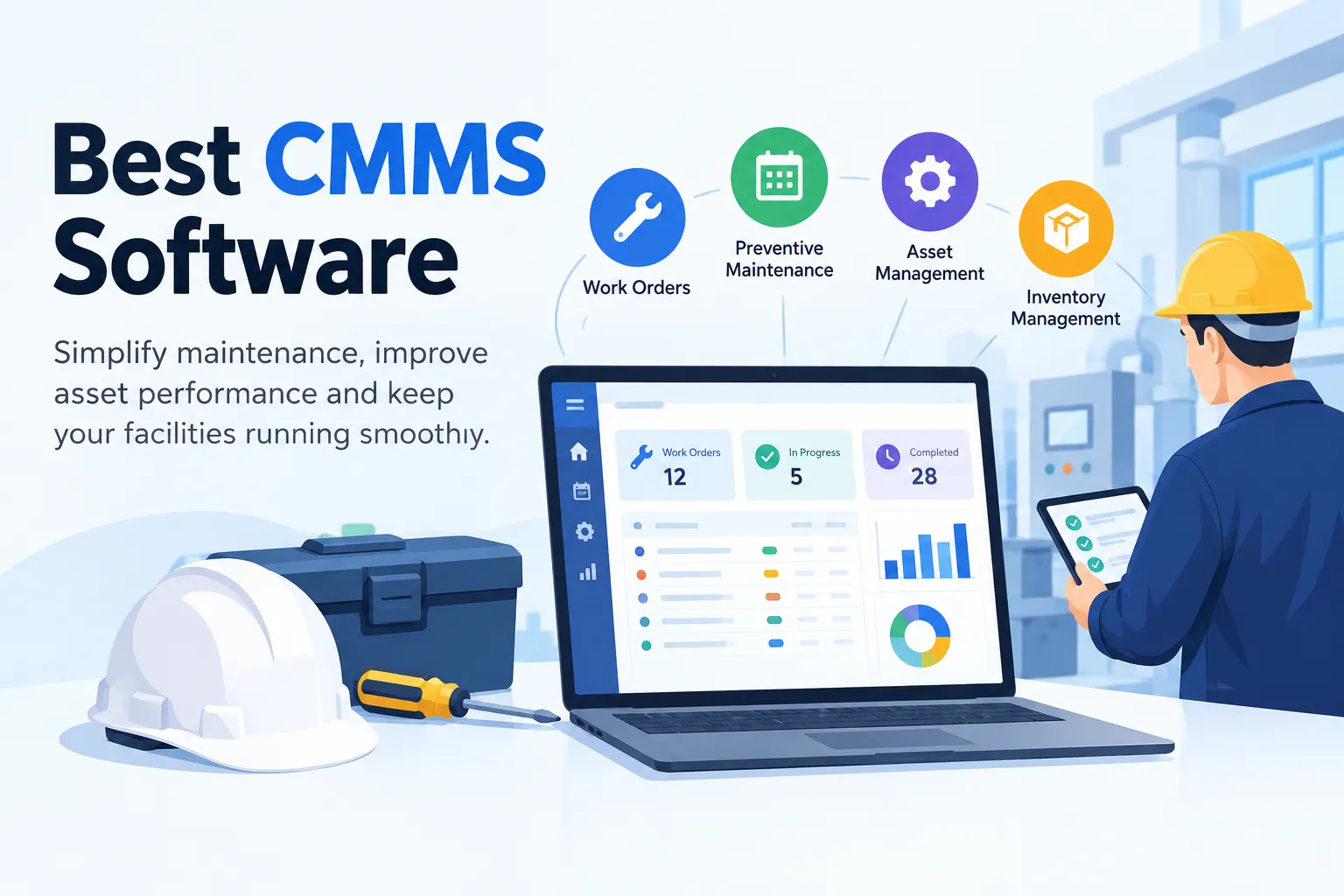
10 Best CMMS Software in 2026 (Compared for Indian Businesses)
What is CMMS software? Quick refresher before we compare anything. CMMS stands for computerized maintenance management system. If you're new to the…
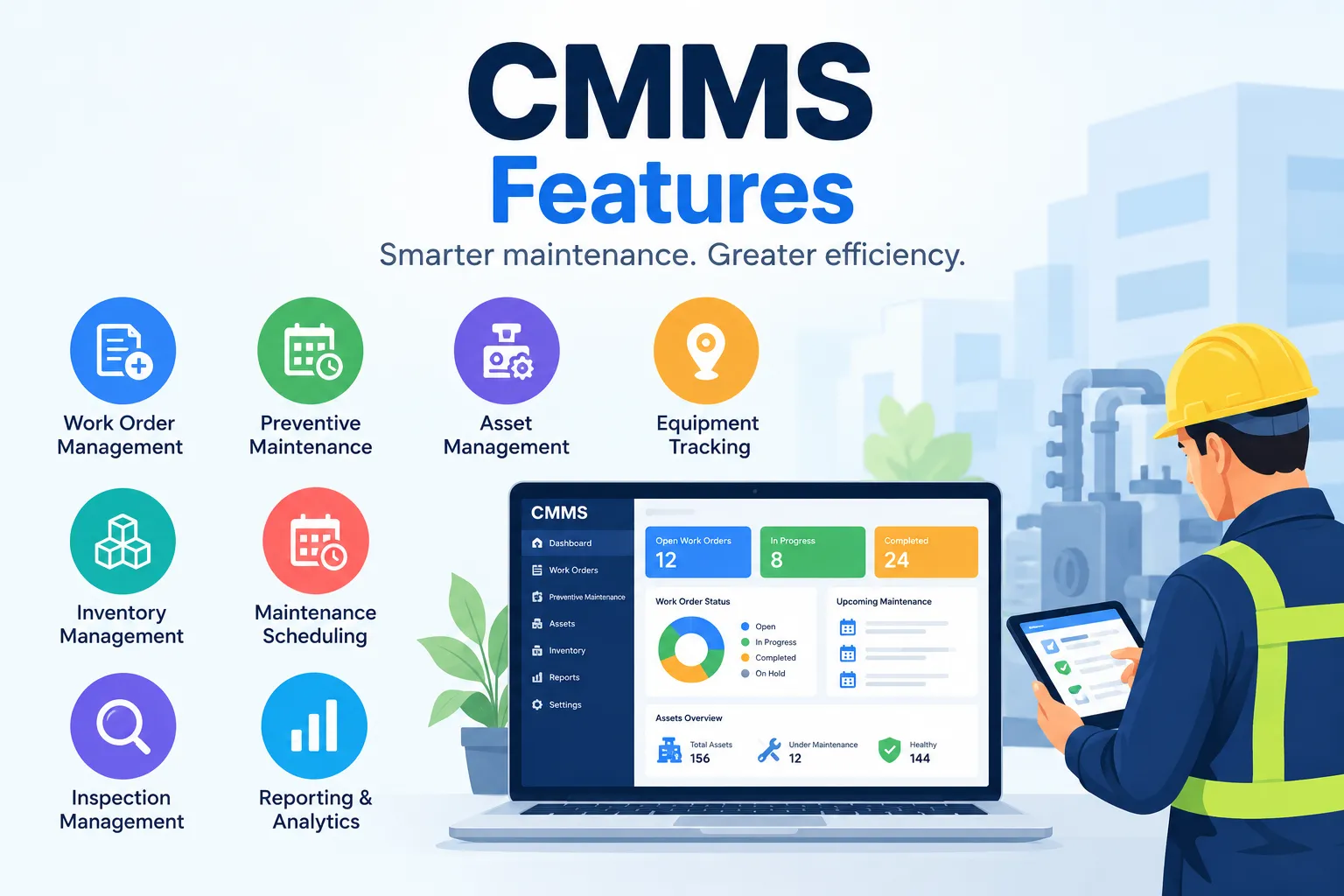
15 CMMS Features: Key Features of CMMS Software
key CMMS features, from work orders and preventive maintenance to asset tracking, inventory, inspections, reporting, mobile access, and integrations.
