CMMS
15 CMMS Features: Key Features of CMMS Software
October 1, 2026 · 7 min read
CMMS features are designed to help maintenance teams organize the work that keeps equipment, assets, and facilities running. A computerized maintenance management system brings maintenance information into one place instead of leaving teams to manage work through scattered spreadsheets, messages, paper records, or separate files.
At its core, a CMMS helps teams manage maintenance activities, record what was done, and make that information easier to find later. The U.S. Department of Energy describes a CMMS as management software that supports the management and tracking of operations and maintenance activities.
The exact feature set varies from one CMMS product to another. Some platforms offer optional capabilities such as IoT connections, predictive maintenance, or extensive integrations, while others focus on the fundamentals of work orders, preventive maintenance, assets, and reporting.
If you want to understand CMMS software at a broader level, start with the maintenance workflow first. The features below make more sense when you see how they fit into that workflow.
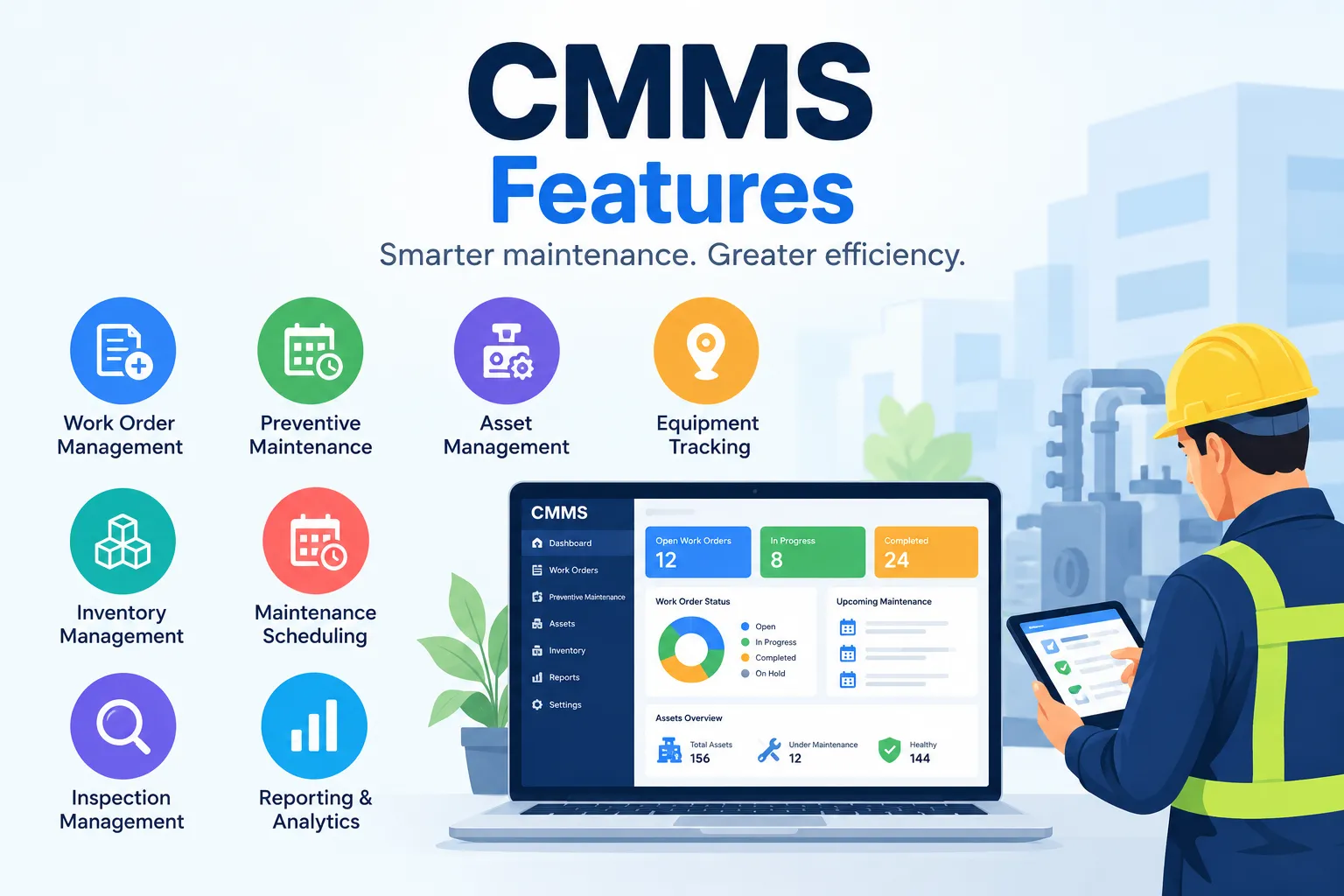
Key Features of CMMS Software
Work Order Management
Work orders are at the center of many maintenance workflows. A CMMS gives the team a structured place to create a task, assign it, follow its progress, and record the result.
· Create and assign work orders.
· Track status, priorities, and deadlines.
· Record labor, materials, notes, and completed work.
· Keep a searchable history of maintenance activity.
Preventive Maintenance
Preventive maintenance turns recurring maintenance requirements into planned tasks. A CMMS can help teams schedule this work and check whether it was completed.
· Set recurring maintenance schedules.
· Define maintenance intervals where supported.
· Generate reminders or scheduled work orders.
· Track completed, missed, or overdue preventive maintenance.
Asset Management
A CMMS can keep a structured record for each maintainable asset and connect equipment information with its maintenance activity.
· Store asset identification and basic details.
· Track location and status.
· Keep maintenance history.
· Link assets with work orders, inspections, and documents where supported.
Have Questions About CMMS?
Every maintenance operation has different workflows, assets, and reporting needs. If you want to discuss your requirements or learn more about CMMS for your organization, contact the Firmity team.
Maintenance Scheduling
Scheduling features help maintenance teams organize upcoming work around people, priorities, deadlines, and equipment availability.
· Plan maintenance activities.
· Assign tasks to technicians or teams.
· Use maintenance calendars.
· Identify overlapping or conflicting assignments.
Inventory and Spare Parts Management
Maintenance work can be delayed when a required spare part is unavailable. Inventory features help teams track parts used during maintenance.
· Track spare parts and stock quantities.
· Record parts issued for maintenance jobs.
· Set minimum or reorder levels where supported.
· Connect parts with work orders or assets.
· Review parts usage.
Inspection Management
Inspections can reveal problems before they become larger maintenance tasks. A CMMS can turn routine checks into repeatable digital workflows.
· Create inspection checklists.
· Schedule routine inspections.
· Record findings and observations.
· Add photos or notes where supported.
· Create follow-up work when an issue is found.
Maintenance Requests
Not every maintenance task is planned. A reported leak, faulty light, or equipment problem can enter the system as a maintenance request and then become a work order.
· Submit maintenance requests.
· Categorize and prioritize issues.
· Review requests when approval is required.
· Convert requests into work orders.
· Track requests through completion.
Technician Management
Technician-related features help supervisors understand who is handling each task and how work is distributed.
· Assign jobs to technicians or teams.
· View assigned and outstanding tasks.
· Track task completion.
· Record labor or activity where supported.
· Review workload when planning work.
Reports and Analytics
A CMMS collects maintenance data as work is created and completed. Reporting tools turn that information into useful maintenance insights.
· Work order reports.
· Preventive maintenance reports.
· Asset maintenance history.
· Maintenance cost information.
· Inventory and parts reports.
· Maintenance KPIs and dashboards where supported.
Mobile CMMS
Maintenance rarely happens at a desk. Mobile CMMS access can let technicians work with maintenance information while they are in the field.
· View assigned work orders.
· Update task status.
· Add notes or photos where supported.
· Review asset information on site.
· Receive maintenance notifications.
Notifications and Alerts
Alerts can reduce the need to rely on memory or manual spreadsheet checks for time-sensitive maintenance activities.
· Preventive maintenance reminders.
· Overdue work-order alerts.
· New request notifications.
· Task assignment alerts.
· Inventory alerts where supported.
Vendor and Contractor Management
Some maintenance is performed by external contractors. A CMMS may keep vendor information connected to the maintenance work they perform.
· Store vendor or contractor details.
· Record external maintenance work.
· Link service activity to assets or work orders.
· Keep contractor-related service history.
· Track vendor information where supported.
Document Management
Technicians may need manuals, procedures, warranties, drawings, or other documents while working on an asset. Document features can connect these files with maintenance records.
· Store maintenance documents.
· Attach manuals or files to assets.
· Link documents to work orders or inspections.
· Make reference information easier to retrieve.
Compliance and Audit Management
Maintenance records can be important when an organization needs to show that inspections, servicing, or other required activities were completed.
· Keep maintenance records.
· Track scheduled inspections.
· Maintain asset service history.
· Retrieve records for internal reviews or audits.
· Create maintenance reports.
CMMS Integrations
A CMMS may need to exchange information with other systems used by an organization.
· ERP integration.
· Accounting integration where required.
· IoT or monitoring connections where supported.
· API integrations.
· CAFM or other facility-management integrations.
Key Benefits of CMMS Features
The features above work together rather than operating as isolated tools. When maintenance information is captured consistently, teams can see what is planned, what is overdue, which assets need attention, and what work has already been completed.
· Reduce avoidable downtime through better maintenance planning.
· Improve visibility into preventive maintenance.
· Give technicians clearer task information.
· Keep asset and maintenance history organized.
· Improve visibility into spare-parts usage.
· Make maintenance records easier to retrieve and analyze.
These are potential operational benefits, not automatic results. The outcome depends on how well the CMMS fits the maintenance process and how consistently the team uses it.
How to Choose CMMS Features for Your Business
Identify maintenance requirements
List the maintenance activities your team performs and separate preventive work, reactive repairs, inspections, requests, and contractor work.
Consider the number of assets
Think about how many assets you maintain, where they are located, and how much history needs to be stored.
Evaluate mobile requirements
If technicians spend most of their time in the field, check the actual mobile workflow, including any offline or photo requirements.
Check reporting capabilities
Decide which maintenance metrics you actually need, such as overdue work, preventive maintenance, downtime, costs, or inventory.
Consider integrations and scalability
Check whether the system can connect with tools you already use and support additional sites, users, assets, or workflows.
Prioritize features based on actual workflows
Separate must-have capabilities from useful extras.
Conclusion
The most useful CMMS features are the ones that help a maintenance team move from a reported problem or planned task to completed work and a reliable maintenance record.
Work orders, preventive maintenance, asset records, scheduling, inspections, inventory, reporting, and mobile access form the foundation of many CMMS workflows. Other capabilities, such as vendor management, document storage, alerts, and integrations, can extend the system when the organization needs them.
The right feature set depends on the assets you maintain, the size of your operation, the way technicians work, and the information you need to track. Before selecting CMMS software, map the features to your real maintenance process instead of choosing based on a long feature list.
If you are researching CMMS software, compare the available features with your day-to-day maintenance workflow and the information your team needs to manage consistently.
FAQs About CMMS Features
CMMS software can differ based on how it is deployed and the features it provides. Common options include cloud-based and on-premises CMMS platforms. Some systems are designed mainly for maintenance teams, while others include features for assets, inventory, inspections, reporting, mobile work, and integrations.
The main purpose of CMMS software is to organize and manage maintenance activities in one system. It can help teams create work orders, schedule preventive maintenance, maintain asset records, track spare parts, record maintenance history, and generate reports for better visibility into maintenance operations.
Preventive maintenance is commonly organized into several approaches, including time-based, usage-based, condition-based, predictive, and prescriptive maintenance. The exact terminology can vary between organizations and maintenance frameworks. These approaches generally focus on performing maintenance before an equipment failure occurs, using schedules, usage data, condition information, or analysis to determine the appropriate action.
SAP is primarily an ERP (Enterprise Resource Planning) platform rather than a standalone CMMS. SAP provides business management capabilities across areas such as finance, procurement, supply chain, and asset-related operations. Its enterprise asset management and maintenance functionality can support maintenance processes, so organizations may use SAP for maintenance management within a broader ERP environment.

Syed Aadam
Syed Aadam is a software engineer with a Bachelor's and Master's in Information Technology with a specialization in Artificial Intelligence and Machine Learning. Having trained, and assisted in training foundational ML models for solving frontier scientific problems at the intersection of biodiversity and technology, Syed Aadam has been working to develop AI-enabled CMMS, ERP and CAFM softwares at Ufirm Technologies.
Talk to our team
Questions about facility management software? Leave your details and we'll get back to you within 24 hours.