CMMS
7 Types of CMMS Software Explained (and How to Choose)
· 9 min read
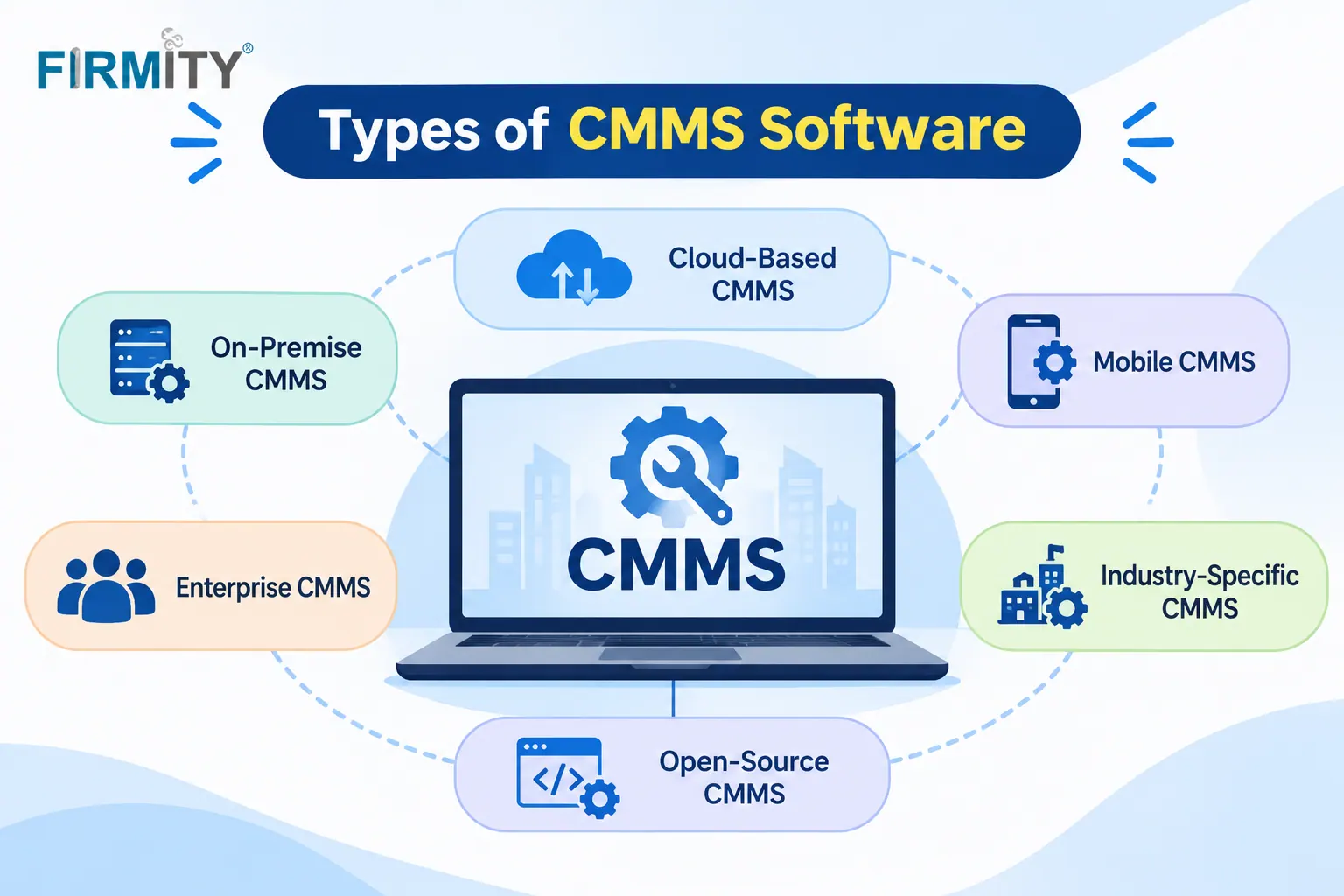
The main types of CMMS software are cloud-based, on-premise, open-source, mobile-first, industry-specific, enterprise asset management (EAM) and ERP-integrated systems. Which one fits depends on how you want to run it, how big your operation is and what you need it to cover.
If you're new to the topic, our guide on what is CMMS software covers the basics. This article walks through each type in plain language, with a short example and an honest note about the trade-offs. By the end, you should be able to tell which type deserves a place on your shortlist.
Quick context on how this was built. We read how well-known sources classify CMMS software, including BuildOps, Llumin and Clickmaint, and noticed they mix up deployment, cost model and scope in one list. So we've sorted the seven types into three clear groups. Firmity is our product, so it gets one short, clearly labeled mention near the end.
How We Sorted the Types
A CMMS can be described in several ways at once, which is why "types" gets confusing. Some labels describe where the software lives, such as cloud or on-premise. Others describe the way it's built or delivered, like open-source or mobile-first. And some describe how much it covers, like industry-specific tools or full enterprise systems.
So we've grouped the seven types by deployment, form and fit and scope. That lets you answer three simple questions in order: where do we want it to run, how will our technicians use it and how much do we need it to do? Most buyers end up combining one choice from each group, and that's perfectly normal.
Types of CMMS Software by Deployment
Deployment is about where the software runs and who looks after it. It's usually the first decision, because it affects cost, upkeep and access.
1. Cloud-Based CMMS
A cloud-based CMMS runs on remote servers and you reach it through a web browser or an app. The vendor handles hosting, updates and backups, so you don't need your own servers. It's easy to use from several sites and to add users as you grow. For most teams starting out today, this is the default choice.
Good to know: You need a reliable internet connection and a clear idea of what each plan includes, since pricing is usually a recurring subscription.
2. On-Premise CMMS
With an on-premise CMMS, the software is installed on your own servers or computers. Clickmaint describes the usual model as buying the software outright and paying for later updates and vendor support, with no ongoing subscription. That can suit organizations with strict rules about where data lives. It also means your IT team looks after the system.
Good to know: Setup and upkeep take real effort, and access from other sites can be harder than with a cloud system.
3. Open-Source CMMS
An open-source CMMS is one whose source code anyone can access and modify. The big attraction is freedom: you can bend the software to your own needs and avoid licence fees in some cases. It suits teams with technical skills in-house or a trusted partner. Think of it as a toolbox rather than a finished product.
Good to know: "Free" rarely means no cost, because you'll spend time or money on setup, hosting, support and updates.
Types of CMMS Software by Form
This group is about how your people actually use the system day to day, which matters a lot for maintenance work.
4. Mobile-First CMMS
A mobile-first CMMS is designed around phones and tablets rather than a desktop screen. Technicians can receive jobs, scan codes, tick checklists, add photos and close work orders from the site. Maintenance doesn't happen at a desk, so tools built for the field tend to get used more. Many cloud CMMS products now offer mobile apps, so this overlaps with the cloud type.
Good to know: Check how well the app works with a weak signal and whether the mobile version has the same features as the desktop one.
Not Sure Which Type Matches Your Team?
If you're comparing cloud, mobile and industry-specific tools, a short demo on your own equipment is the fastest way to see which one fits. Firmity's team can walk you through how a work order, a recurring task and an asset record would look for the kind of equipment you maintain. Tell them what you're managing today, and they'll reply within 24 hours.
Talk to the Firmity team and book a walkthrough
Types of CMMS Software by Fit and Scope
The last group is about how specialized or broad the system is, and it's where many buyers either under-buy or over-buy.
5. Industry-Specific CMMS
Some CMMS products are tailored to a particular industry, such as manufacturing, healthcare, hospitality or utilities. They come with templates, terminology and workflows that match how that industry works. That can save setup time and feel more natural for your team. The trade-off is that a tool built for one industry may be less flexible if your needs are broader.
Good to know: Ask whether the industry features are included in the plan you'd buy, or sold as add-ons.
6. Enterprise Asset Management (EAM)
EAM software covers the whole life of an organization's assets, from buying and maintaining to replacing and retiring them. G2 notes that EAM focuses on large companies with more complex maintenance needs, while a CMMS focuses on defining and managing maintenance work. Many sources treat EAM as a broader cousin of CMMS. Standards such as ISO 55000 describe good asset management principles, and EAM tools are often how large organizations put them into practice.
Good to know: EAM can be heavy for a small team, so make sure you need the extra reach before paying for it.
7. ERP-Integrated CMMS
Some organizations get maintenance features as a module inside a wider ERP system, which links maintenance to purchasing, inventory and finance. The big advantage is that data flows between departments without retyping. The trade-off is that a module inside a big system can feel less specialized than a dedicated CMMS. It makes the most sense when you already run the ERP and want everything connected.
Good to know: Ask how deep the maintenance features go, because they vary a lot between ERP products.
Types of CMMS Software at a Glance
Type | How it works | Best for | Common drawback |
|---|---|---|---|
Cloud-based | The vendor runs it; you log in online | Most teams, especially multi-site | Needs internet and a recurring plan |
On-premise | Lives on hardware you own and manage | Companies whose rules keep records on their own premises | Your team handles installation and maintenance |
Open-source | Source code you can modify | Groups with in-house technical know-how | Hidden costs in setup and support |
Mobile-first | Designed first for handheld devices | Field technicians | Can struggle where coverage is weak |
Industry-specific | Shaped around a single sector | Teams with standard industry workflows | Can feel limiting if your needs widen |
EAM | Looks after assets from purchase to retirement | Large, complex organizations | Heavy for small teams |
ERP-integrated | Maintenance tools bundled into a bigger ERP | Organizations already using that ERP | Less specialized than a dedicated CMMS |
Which Type Fits Your Team?
Here's a simple way to narrow it down. If you have a small or mid-sized team and want to start quickly, a cloud-based CMMS with a mobile app is usually the sensible choice. If you have strict rules about where data lives and an IT team to look after it, on-premise may suit you. If you have strong technical skills and want control, open-source is worth a look.
Then think about scope. A team with standard industry needs might enjoy an industry-specific tool. A large organization with complex assets may need EAM, and a business already running an ERP may prefer the maintenance module that comes with it. Many teams end up with a cloud tool that is also mobile-first, which is a combination of two types, and that's fine.
Where Firmity Fits In
Since we've covered the types, here's a short, honest mention. Firmity's CMMS software is a cloud-based system, and it's an affordable option for teams that want core maintenance features without a heavy enterprise setup, with the team ready to quote for your needs. You can raise and track work orders with an audit trail, set recurring maintenance cycles by day, week or month and let technicians scan a location QR code to open a task and attach photo evidence. Each asset keeps its own service history, warranty and linked spare parts, and dashboards show total, completed and overdue work orders across sites. It's built for facility teams in manufacturing, education and residential estates, so ask about regional needs such as data location and local rules during a demo.
How to Choose Between the Types
Start with a few facts about your team. How many technicians and sites do you have, and how technical are your IT resources? Then decide where you want the software to run, since that narrows the field quickly. Think about integrations too, such as accounting or ERP tools, and note any rules about where your data must be stored.
When you have two or three candidates, test each with one real maintenance job from start to finish. Raise a request, turn it into a work order, assign it, complete it on a phone and check the report afterwards. How natural that feels will tell you more than any feature list. For a closer look at what to expect from a system, see our guide on the features of CMMS.
Common Mistakes When Picking a Type
The most common mistake is buying more than you need. An EAM system on a small team means paying for reach and setup you won't use. The second is underestimating on-premise upkeep, since someone has to maintain the servers and apply updates. And the third is ignoring mobile access, which can leave technicians stuck with a tool that only works at a desk.
Another trap is treating "free" as "cheap" when it comes to open-source. The software may cost nothing, but setup, hosting and support still take time. A quieter mistake is forgetting the people who'll use it. Involve your technicians in the trial, because they'll spot usability problems first.
Final Thoughts
The types of CMMS software make a lot more sense once you sort them by where they run, how they're used and how much they cover. Start with the type that fits your team's size and skills, test a couple of options on a real job and expand later if you need to. If you'd like to see how a straightforward cloud CMMS handles your equipment, the Firmity team is happy to walk you through it.
FAQs : CMMS Software Types
The main types are cloud-based, on-premise, open-source, mobile-first, industry-specific, EAM and ERP-integrated systems. They differ in where they run, how they're used and how much they cover.
A cloud-based system is hosted by the vendor and accessed online, usually for a recurring fee. An on-premise system is installed on your own servers, and your team looks after it.
The software itself may be free to use, but setup, hosting, support and updates still cost time or money. Treat it as a different cost model rather than no cost.
A CMMS focuses on managing maintenance work, such as work orders and preventive schedules. EAM covers the wider asset lifecycle and is often used by larger organizations with more complex needs.
Author Bio

Syed Aadam
Syed Aadam is a software engineer with a Bachelor's and Master's in Information Technology with a specialization in Artificial Intelligence and Machine Learning. Having trained, and assisted in training foundational ML models for solving frontier scientific problems at the intersection of biodiversity and technology, Syed Aadam has been working to develop AI-enabled CMMS, ERP and CAFM softwares at Ufirm Technologies.