CMMS
10 Benefits of CMMS Software for Maintenance | Firmity Software
· 11 min read
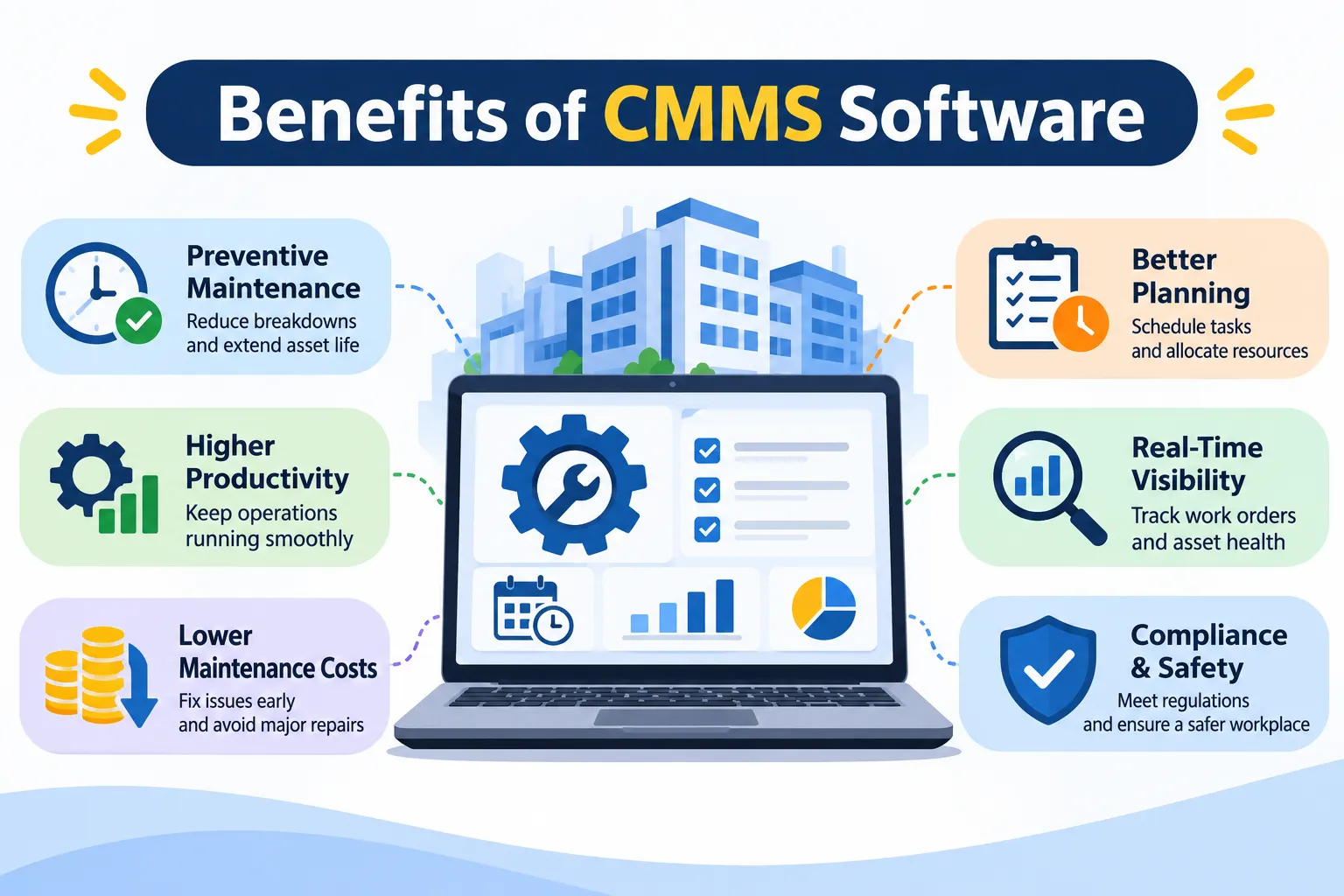
The benefits of CMMS come down to four things: fewer unplanned breakdowns, lower repair and parts costs, maintenance records you can show an auditor without panic, and a team that finally works from the same page. This guide breaks those into ten practical benefits, and for each one we’ll show you how to check whether it’s really happening on your site. If you’re brand new to the idea, start with our explainer on what is CMMS software, then come back here.
We’ve kept this guide about outcomes, not feature lists. If features are what you’re after, our guide to the features of CMMS has you covered.
The 10 benefits at a glance
Short on time? Here’s the whole list in one place, along with the number you’d watch to see if each benefit is showing up for you. You won’t find big percentage claims anywhere in this guide, because those usually come from vendors’ own marketing and results differ a lot from team to team.
Benefit | What changes | KPI to watch |
|---|---|---|
1. Fewer unplanned breakdowns | Preventive jobs run on schedule | Share of scheduled PM completed by due date |
2. Faster response to faults | A reported fault turns into a tracked task | Hours between a fault report and sign-off |
3. Longer asset life | Service history guides decisions | Yearly breakdown count for each machine |
4. Lower emergency costs | More planned, less rushed work | Planned vs emergency job ratio |
5. Smarter spare-parts spend | Stock bought from what jobs actually use | Jobs delayed by missing parts |
6. Clear cost per asset | Labour and parts tied to assets | Maintenance spend per machine and per task |
7. Audit-ready records | Timestamped jobs with proof | Time to pull one asset’s record |
8. Clear accountability | Every job has an owner | Late tasks by technician |
9. Less paperwork | Jobs closed from a phone | Admin hours, same-day closures |
10. Knowledge stays put | Past repairs stay linked to the machine | Time for a new joiner to work solo |
What changes: before and after a CMMS
Before we get into the benefits, picture a typical week without a CMMS. A fault gets reported on WhatsApp, someone scribbles it on a slip, the service due last month is remembered only when the machine stops, and the history of that machine lives in one person’s head. Nothing about that is lazy or unusual. It’s simply what happens when the tools aren’t built for the job. Here’s how the same week tends to look afterwards.
Area | Without a CMMS | With a CMMS |
|---|---|---|
Work orders | Verbal requests, WhatsApp messages, paper slips | One job with an owner, a priority and a status |
Preventive schedules | A calendar, or somebody’s memory | Recurring jobs created and flagged when overdue |
Asset history | Scattered across files and people | One record per asset |
Spare parts | Counted now and then, reconciled later | Linked to jobs and assets |
Reports and records | Compiled by hand when someone asks | Pulled on demand |
The 10 benefits of CMMS, one by one
1. Fewer unplanned breakdowns
Most breakdowns don’t come out of nowhere. A bearing runs dry, a filter clogs, or a service that was due last month simply got forgotten. A CMMS puts preventive maintenance on automatic schedules, so the next job gets created and assigned without anyone remembering it, and overdue ones get flagged. That won’t make breakdowns vanish, but it takes the avoidable ones off your plate. How to measure it: track how many scheduled preventive jobs finish on time, and count repeat breakdowns on the same asset.
2. Faster response to faults
When a fault is reported over a call or a WhatsApp message, the first ten minutes often vanish just working out who should deal with it. In a CMMS, the complaint becomes a work order with a priority, a named technician and a status everyone can see. The technician can also check the asset’s history before reaching the spot, which saves a lot of guesswork. How to measure it: note the time from report to assignment, and from assignment to closure.
3. Longer asset life
Equipment tends to last longer when it’s serviced on time and when you can see what’s been done to it. A CMMS keeps every asset’s service history in one place, so you can spot the machine that keeps failing and decide whether another repair is really sensible. Over a few years, that evidence leads to better repair-or-replace decisions. Keep your expectations realistic, though, because the gain depends on actually following the schedules. How to measure it: count failures per asset each year.
4. Lower repair and emergency costs
Emergency repairs usually cost more than planned ones, because you’re paying for rush parts, overtime or an outside technician at short notice. When more of your work is planned, more of it can happen in normal hours with the parts already on the shelf. A CMMS makes that shift visible by showing planned and emergency jobs side by side. Don’t expect savings overnight, since they build up as planned work grows. How to measure it: compare planned work orders with emergency ones, and watch your emergency repair spend.
5. Smarter spare-parts spending
Spare parts are a quiet budget drain. Keep too few and a repair stalls for days, keep too many and money sits unused on a shelf. A CMMS records which parts each job used and on which asset, so you stop guessing and start ordering from real usage. Minimum stock levels give you a nudge before you run out completely. How to measure it: count the jobs delayed by a missing part, and keep an eye on stock that hasn’t moved in months.
6. Clear cost per asset and per job
Ask most teams what they spend on maintaining one particular machine or building block, and you’ll get a shrug. When your team logs labour, parts and jobs against each asset in a CMMS, the answer becomes a report instead of a guess. That also helps when you’re asking for budget, because you can show which assets cost the most to keep running. How to measure it: look at maintenance cost per asset and cost per work order.
7. Audit-ready records with proof
When someone asks, “Was this lift serviced last quarter?”, a folder of paper slips isn’t a great answer. A CMMS keeps timestamped records of every job, and when checklists and photos are part of the workflow, technicians can attach proof as they work. When an auditor, client or residents’ committee asks, you search and show. Which rules apply depends on your industry, so check what your own auditors expect. How to measure it: time how long it takes to pull the full service record for one asset.
8. Clear accountability
Nothing slows a team down like “I thought you were doing that.” A CMMS shows who was assigned each job, when it was done and what was recorded. That isn’t about policing people. It’s about ending the arguments and spotting where jobs stall, like a technician carrying twice the load of everyone else. How to measure it: count overdue jobs per technician, and how often stalled jobs need reassigning.
9. Less paperwork, better coordination
Paper job cards and end-of-day updates eat time that technicians could spend fixing things. With a mobile app, they can open a job, tick a checklist, add a photo and close it on the spot, and a QR code on the asset can take them straight to the right task. Managers see progress without phoning around. If your site has patchy signal, check how the app behaves offline. How to measure it: compare weekly admin time and the share of jobs closed the same day.
10. Knowledge stays when people leave
Every team has that one senior technician who just knows, like which valve sticks and which motor runs hot in summer. When that person moves on, the knowledge walks out with them. A CMMS keeps history, notes and recurring issues tied to the asset and not to a person, so a new joiner can see what’s been done before. How to measure it: see how long a new technician takes to handle jobs on their own.
Which benefits matter most for your team?
You don’t need to chase all ten at once. Most teams get the most value by starting with the two or three that match their daily headaches. Use this as a quick guide to where to start.
Team type | Start with these benefits | Why |
|---|---|---|
Plants and factories | Fewer breakdowns (1), smarter spare parts (5), longer asset life (3) | Machines earn the money, so a stopped line costs more than the repair itself. |
Campuses | Faster response (2), accountability (8), less paperwork (9) | Lots of buildings and lots of small complaints need quick routing. |
Residential estates | Audit-ready records (7), faster response (2), cost per asset (6) | Committees and residents want proof and want to know where money goes. |
Multi-site teams | Cost per asset (6), accountability (8), knowledge stays put (10) | You need to compare sites and keep the same standards everywhere. |
What a CMMS won’t fix
A CMMS is a tool, not a miracle. It won’t service a pump on its own, and it can’t fix a team that never updates its jobs. The US Department of Energy’s Federal Energy Management Program describes well-practiced operations and maintenance as one of the most cost-effective ways to keep facilities reliable, safe and energy efficient. It also lists reactive, preventive, predictive and reliability-centered maintenance as the main approaches. A CMMS supports those approaches by making the work visible, but it doesn’t replace the discipline behind them.
So be honest with yourself before you start. The benefits above show up when people use the system consistently, when your asset list is reasonably clean, and when one person owns the process. Without those three, even the best software ends up as an expensive notice board.
How to measure results in your first 90 days
You don’t need a fancy ROI model to find out whether it’s working. Take a baseline before you switch the system on, even a rough one from the last couple of months, and then compare at 30, 60 and 90 days. Pick only a handful of numbers so the exercise actually gets done. These five cover most of the benefits above:
Preventive jobs done on time: the share of scheduled jobs finished by their due date.
Planned vs emergency work: how much of your workload is planned.
Time to close a job: from the moment it’s reported to the moment it’s signed off.
Overdue jobs: how many are sitting past their date, and with whom.
Parts-related delays: jobs held up because a part wasn’t available.
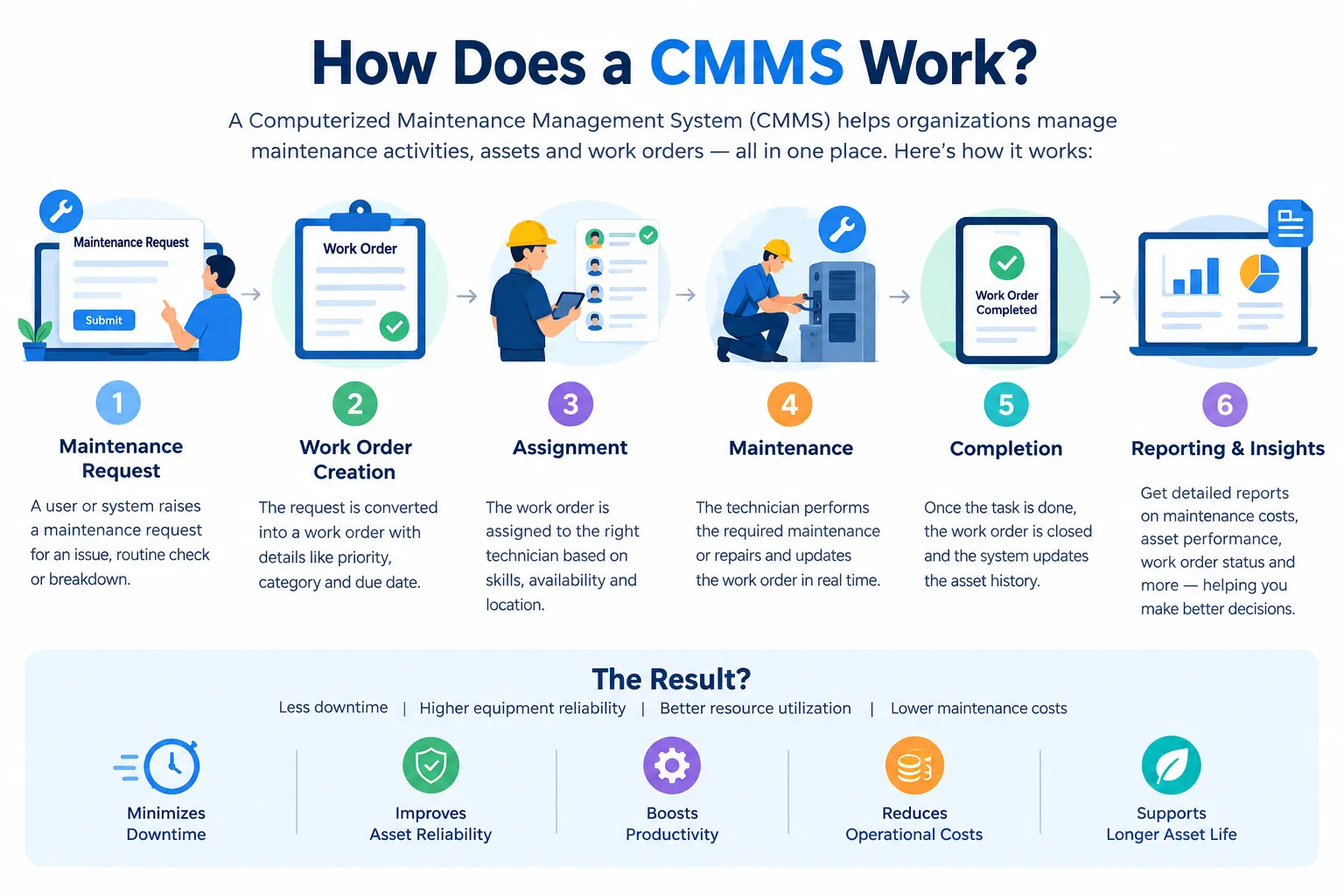
Some numbers will look worse at first, and that’s normal. Once everything is recorded, you’ll see overdue work you never knew about. Don’t panic, because that’s the system doing its job. If you’d like to understand the mechanics behind these numbers, our guide on how a CMMS works walks through the day-to-day flow step by step.
Where does Firmity fit in?
If you’d like to see how these benefits come to life in a real product, Firmity’s CMMS software is built around the same ideas. Work orders carry an audit trail, preventive maintenance runs on recurring cycles you set by day, week or month, and technicians scan a QR code to open a task, complete the checklist and attach photo evidence. Every asset keeps its own service history, jobs are assigned to technicians by category, and dashboards show total, completed, overdue and actionable work orders across your sites.
Firmity is also an affordable option, which helps when you’re trying to justify the spend. It’s built for facility teams in manufacturing, education and residential estates across India. If you’d like to see it handle one of your own jobs, get in touch through the contact page, and the team says it replies within 24 hours.
Ready to compare options?
Once you know which benefits matter to you, picking a tool gets much easier, because you’re scoring each option against your own list and not against a long brochure. Pick your top two or three benefits, ask each vendor to show them on one real job from your site, and see who makes it easiest. Our roundup of the top CMMS tools for Indian businesses is a handy place to start your shortlist.
The bottom line
The real benefit of a CMMS isn’t any single feature. It’s the shift from scrambling to planning, with every job, asset and record in one place. Start with the two or three benefits that match your biggest headaches, take a baseline, and check your numbers after 90 days. If you’d like a hand working out where a CMMS would help your team most, talk to the Firmity team and bring one real job from your site.
Want to see these benefits on your own sites? Tell the Firmity team what you manage today, and they’ll walk you through what fits. They say they reply within 24 hours. Contact Firmity.
FAQs : CMMS Software Benefits
The main benefits are fewer unplanned breakdowns, lower emergency repair and parts costs, audit-ready maintenance records, clearer accountability, and less paperwork for your team. Most of them come from one shift: moving from reacting to faults to planning the work in advance.
Often, yes, as long as you have recurring maintenance or enough assets that spreadsheets are starting to creak. Even a small team can gain from automatic schedules and a proper service history. If you only have a handful of simple jobs, a shared checklist may be enough for now.
Quick wins, like clearer job tracking and fewer missed tasks, can show up within weeks. Bigger ones, like fewer breakdowns and lower costs, take months because they depend on planned work building up. Be a little wary of any vendor who promises an exact timeline.
It can, mainly by turning emergency work into planned work and by tightening how you buy spare parts. It doesn’t cut costs on its own, though. What it gives you is the data to act on, and the savings come from what your team does with it.
A spreadsheet stores information, while a CMMS works with it: it schedules jobs, assigns them, flags overdue ones, keeps history per asset and builds reports. Spreadsheets are fine at the start, but they strain as your jobs, assets and people grow.
Author Bio

Syed Aadam
Syed Aadam is a software engineer with a Bachelor's and Master's in Information Technology with a specialization in Artificial Intelligence and Machine Learning. Having trained, and assisted in training foundational ML models for solving frontier scientific problems at the intersection of biodiversity and technology, Syed Aadam has been working to develop AI-enabled CMMS, ERP and CAFM softwares at Ufirm Technologies.