Inventory Management
What Is Inventory Management? Process, Types & Methods
· 12 min read
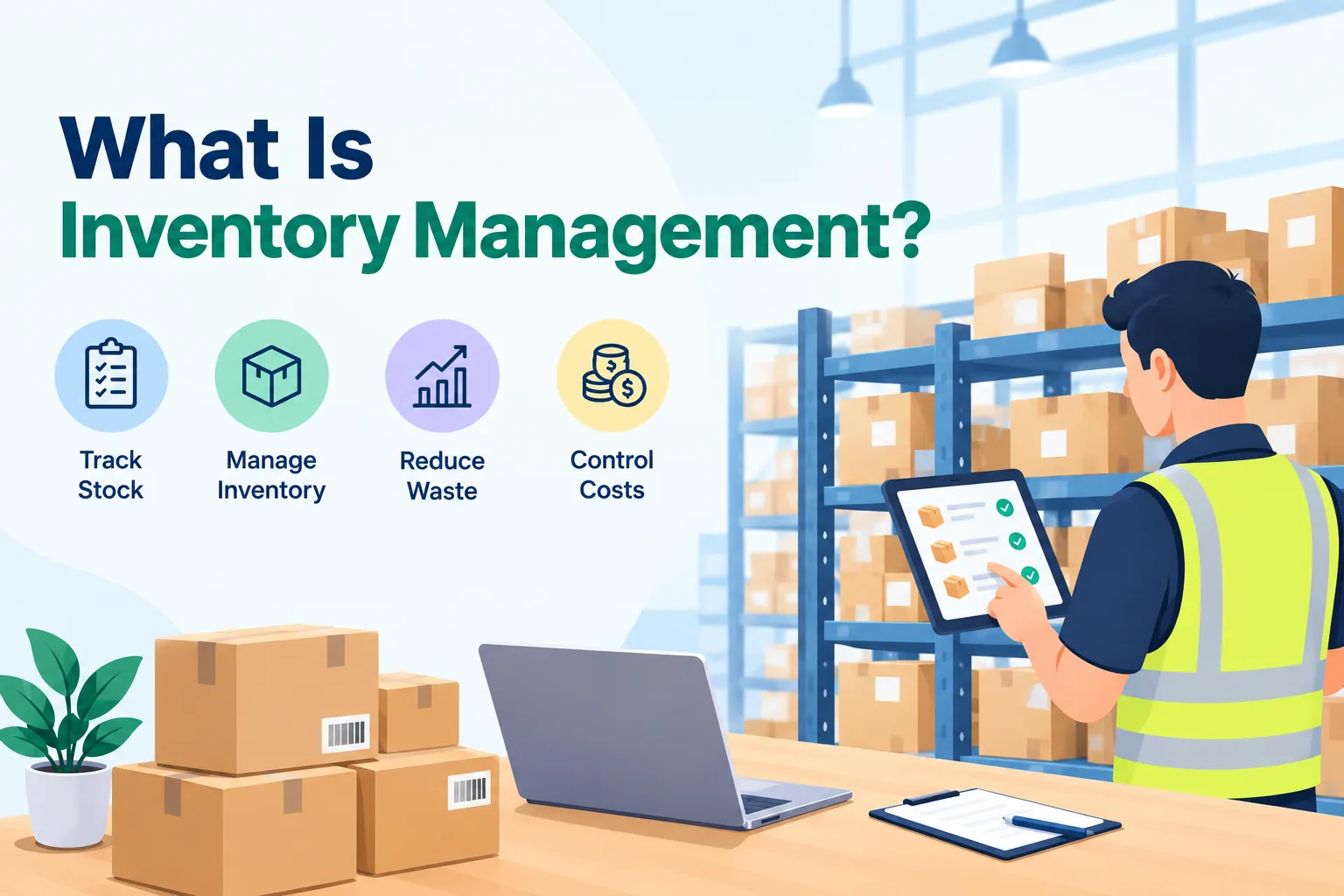
So, what is inventory management? It’s the way a business keeps an eye on what it has in stock, what’s on its way in, and what’s heading out, so the right items are always available at the right time. Picture a shop owner who knows exactly how many boxes are on the shelf, or a maintenance manager who reorders a spare part before the last one is gone. That’s the whole idea. Let’s walk through how it works, step by step.
Don’t worry if you’re new to this. We’ll keep the language simple, use a small example with real numbers, and skip the heavy jargon. By the end, you’ll know the main types, the common methods, and how to tell whether your current way of tracking stock is helping you or quietly costing you money.
Why inventory management matters
Here’s the thing about stock: it sits in an awkward spot. Hold too much, and your cash is stuck on shelves instead of working for you. Hold too little, and you can’t serve customers or finish jobs when it matters. Good inventory management is really just the art of finding the middle ground, enough to keep things running, but not so much that you’re paying to store things nobody needs.
Let’s look at the overstock side first. Extra stock costs you in storage space, handling, and sometimes spoilage or damage. Some items simply go out of date before anyone buys or uses them, and that unsold stock is often called dead stock. It quietly eats into your profit month after month, and it’s easy to miss if you’re not tracking it closely.
Now the other side. When you run short, orders get delayed, customers get annoyed, and many of them simply go somewhere else. In a factory or a facility, a missing spare part can even stop work altogether, and rush orders to fix the gap usually cost more. So a stockout isn’t just a small hiccup. It can hit your sales, your reputation, and your budget all at once.
Types of inventory
Before you can manage inventory, it helps to know what kind you’re dealing with. Most businesses handle some mix of these three:
Raw materials: the basic inputs or components you buy to make something, like steel, fabric, or ingredients.
Work in progress (WIP): items that are partly made but not ready to sell yet.
Finished goods: products that are complete and ready for customers.
Not every business has all three. A shop that resells products only deals with finished goods, while a manufacturer handles all of them. Many teams also keep spare parts and consumables on hand, such as filters, bulbs, or tools. These are often called MRO supplies, short for maintenance, repair and operations. They aren’t for sale, but running out of them can still bring your day to a halt.
How inventory management works, step by step
The details change from one business to another, but the basic cycle looks pretty similar everywhere:
Order. You buy what you need from suppliers, then check that what arrives matches what you asked for, in both quality and quantity.
Store. Items go to the right place. Things that spoil need to be used first, and fast-moving items should be easy to reach.
Track use. As materials are used or items move, you record it, so you know how quickly stock is going down.
Sell or issue. When stock is sold or handed out, the count is updated straight away so everyone sees the real number.
Restock. Using what you learned in the earlier steps, you reorder before you run out, without overbuying.
Along the way, you’ll also record details like quantities, costs, dates, and sometimes batch or serial numbers. It sounds like a lot of paperwork, but once the routine is set, it becomes second nature. And the better your records, the easier it is to spot problems early, before they turn into expensive surprises.
Types of inventory management systems
How you record all of this matters just as much as what you record. Most businesses track stock in one of three ways, and each fits a different stage of growth:
Manual: You count items by hand and write the numbers on paper or in a spreadsheet. It’s cheap and simple, which is why many small businesses start here. The catch is that it’s slow, and mistakes creep in easily.
Periodic: You count stock at set times, such as weekly or monthly, often with barcode scanners feeding a basic tool. It’s a step up, but your numbers are only as fresh as your last count.
Perpetual: Stock is updated every time something is received, moved, sold, or used, usually through barcodes or other automated tracking. You get a near real-time picture, which is the big advantage.
So which one should you pick? If you only handle a few dozen items, a neat spreadsheet can do the job for now. But once you add more locations, more suppliers, or fast-moving items, a perpetual system begins to pay for itself in time and money saved. . Most businesses move along this path as they grow, and that’s perfectly normal.
Also Read - Best Inventory Management Software in India
Common inventory management techniques
Beyond the system itself, there are a handful of well-known methods that help you decide what to order and when. You don’t need all of them. Think of them as tools in a toolbox, and pick the ones that match your business.
Method | What it means in plain words | Works well for |
|---|---|---|
ABC analysis | Sort items by value. A items are high value and few in number, C items are low value and plentiful, so you watch A items most closely. | Businesses with a wide range of items |
Economic order quantity (EOQ) | A formula that finds the order size that keeps ordering and holding costs low. | Steady, predictable demand |
Just in time (JIT) | Stock arrives only when it’s needed, so you hold very little. | Businesses with dependable suppliers |
First in, first out (FIFO) | The oldest stock gets sold or used first. | Perishable or expiring items |
Last in, first out (LIFO) | The newest stock is counted as sold first. | Mainly an accounting choice, where it’s permitted |
Safety stock | An extra buffer kept aside for surprises like delays or sudden demand. | Almost every business |
Minimum order quantity (MOQ) | The smallest amount a supplier will sell you at once. | Something to factor in when buying, rather than a method you choose |
A quick heads-up on LIFO. The international accounting standard for inventory, IAS 2, doesn’t allow it, as KPMG’s comparison of IFRS and US GAAP inventory accounting explains. Rules differ from country to country, so it’s worth checking with your accountant before choosing a costing method. For day-to-day stock handling, FIFO is usually the simpler place to start.
When you’re just getting started, don’t overcomplicate it. Set a minimum level for each item, keep a little safety stock, and use FIFO for anything that can expire. Once that feels comfortable, bring in ABC analysis so you can focus your attention on the items that matter most to your money.
Inventory management vs inventory control vs inventory planning
These three terms get mixed up a lot, and honestly, some people use them to mean the same thing. They do have slightly different focus areas, though, and knowing the difference makes conversations with vendors and teams much easier.
Term | What it focuses on | Quick way to remember |
|---|---|---|
Inventory planning | Deciding how much stock you should hold, based on the demand you expect | “What should we have?” |
Inventory management | The overall process of making sure the right stock is in the right place at the right time | “Is it all working together?” |
Inventory control | The day-to-day handling of stock you already own, like receiving, moving, issuing, and recording it | “What’s on hand right now?” |
In short, planning sets the target, management keeps everything on track, and control handles the daily work. They’re all connected, and a solid process uses all three together. If one of them is weak, you’ll usually feel it in the others, so it’s worth giving each a little attention.
Benefits of good inventory management
When inventory is under control, you’ll notice the difference fast. Orders go out on time because you know what’s actually available. You spend less on storage and emergency purchases. And your cash isn’t locked up in items that sit around, which gives you more room to pay suppliers, invest in growth, or simply breathe a little easier.
There’s a quieter benefit too. Good records show you patterns, like which items move quickly, which ones barely move, and when demand goes up. That helps you plan purchases more confidently, and it can even help you work better with suppliers, since you can tell them what you’ll need ahead of time. Over time, those small improvements add up to a real edge.
Challenges to expect
Let’s be real, it doesn’t always go smoothly.The most common problem is plain old data errors. When counts are typed in by hand, small slips like a wrong number or a missed entry can snowball into stock records that don’t match reality. Tracking items across several storerooms or sites makes it harder still, because nobody has the full picture in one place.
Demand is another curveball. A sudden rush or a slow patch can throw off even the best plans. On top of that, new systems take time and money to set up, they may need to connect with your purchasing or accounting tools, and your team has to learn how to use them. None of this is a reason to avoid good inventory management. It just helps to plan for it from the start.
Signs your inventory management needs fixing
Not sure if your current method is working? These red flags can help you tell:
Stock counts rarely match. The sheet says 50, the shelf says 38, and this keeps happening.
Your data is always out of date. By the time you see a number, it’s already changed.
Orders are slipping. You’re late or short on orders more often than you’d like.
Disruptions hit hard. A single late delivery can throw things off for days.
If two or more of these sound familiar, it’s probably time to tighten your process.You don’t need to change everything overnight . Start with your biggest pain point, whether that’s counting more regularly, setting reorder levels, or moving off scattered spreadsheets, and build from there.
Inventory management examples
Seeing it in real life makes it click. Here’s how it plays out in a few different settings:
Retail: A store tracks how many units of each product sit in the shop and the warehouse, and reorders popular items before they sell out.
Manufacturing: A factory monitors raw materials as they’re used, so production doesn’t pause because one component ran out.
Restaurants: Kitchens keep a close eye on fresh ingredients with short shelf lives, using the older stock first to cut waste.
Facilities and campuses: Maintenance teams track spare parts and consumables, so a broken pump or a blown fuse can be fixed quickly instead of waiting on a purchase.
Different settings, same goal: the right items, in the right place, at the right time. The only thing that changes is what “right” looks like for your business, and that’s something you’ll figure out as you go.
A quick illustration: working out when to reorder
Let’s try a small example with simple numbers. It’s not a real business, it just shows the idea. Say you sell 20 units of an item every day, your supplier takes 5 days to deliver, and you like to keep 40 units as a safety buffer. Here’s how you’d work out your reorder point:
Daily sales × delivery time = 20 × 5 = 100 units
Add safety stock: 100 + 40 = 140 units
So when your stock drops to 140, it’s time to place the order. Over the 5 days it takes to arrive, you’ll sell about 100 units, which leaves you with that 40-unit buffer. Without the buffer, you’d reorder at 100 and hit zero on the day the delivery lands, and any delay would mean empty shelves. Small numbers, but it shows why safety stock earns its place.
Common inventory management mistakes to avoid
Even careful teams slip up now and then. These are the usual culprits:
Skipping regular counts. Without checks, small errors pile up unnoticed.
Having no minimum levels. If nobody sets a reorder trigger, you only notice a shortage when it hits.
Ignoring slow-moving stock. Items that barely sell tie up cash and space.
Buying without approvals. When anyone can order anything, you lose track of what was bought and why.
Not matching deliveries to orders. If a delivery isn’t checked against its purchase order, it’s easy to pay for things that never arrived.
The fix is usually simple: a clear routine, defined reorder levels, and records that link orders, deliveries, and stock. Get those right, and most of the mistakes above tend to disappear on their own.
What to look for in inventory management software
Once spreadsheets start to creak, many teams look at inventory software to take over the heavy lifting. A good tool replaces scattered registers with one place where everyone sees the same numbers. It should make daily work easier, not add extra steps. Here’s what to look for:
Real-time stock levels for every item
Item categories, with a minimum level set for each
Low-stock alerts, so you’re warned before something runs out
Purchase orders with an approval step
Goods receipt recorded against the original order
A history of every stock movement
Simple reports you can actually read
Where inventory management is headed
Technology is changing how stock is handled. Barcodes, RFID tags, and sensors make tracking faster, and AI tools are starting to help forecast demand. These are useful, but they work best on top of solid basics. If your counts are off or your reorder levels aren’t set, fancy tools won’t fix that. Get the foundation right first, then add automation as your business needs it.
Want an easier way to manage your stock?
If you’re tired of chasing stock levels across spreadsheets and registers, we’d love to show you how Firmity can help. Firmity is a cloud-based CMMS and ERP platform for facility management in India, and its inventory module covers item catalogues with minimum stock levels, vendor-wise rate cards, purchase orders with approvals, goods receipts, low-stock alerts, and a stock ledger that tracks transfers across stores and properties. It’s built around facility operations, so it’s a particularly good fit for spare parts and consumables.
Curious how it would work for your team? Book a demo with the Firmity team and tell us a bit about your setup. We reply within 24 hours, and the demo is a personalised 30-minute walkthrough followed by a Q&A with facility experts.
FAQs About What Is Inventory Management
It’s the process of tracking and controlling your stock, from the moment you buy it to the moment you sell or use it. The aim is simple: have enough to meet demand without tying up too much money in storage.
Order, store, track use, sell or issue, and restock. Then the cycle starts again.
Manual, periodic, and perpetual. Manual relies on hand counts, periodic counts stock at set intervals, and perpetual updates automatically as stock moves.
Management is the overall approach to having the right stock at the right time. Control is the day-to-day handling of stock you already hold, like receiving, moving, and recording it.
Yes. You don’t need fancy tools on day one, but even a simple, regularly updated record with minimum levels helps you avoid stockouts and overbuying.
Author Bio

Syed Aadam
Syed Aadam is a software engineer with a Bachelor's and Master's in Information Technology with a specialization in Artificial Intelligence and Machine Learning. Having trained, and assisted in training foundational ML models for solving frontier scientific problems at the intersection of biodiversity and technology, Syed Aadam has been working to develop AI-enabled CMMS, ERP and CAFM softwares at Ufirm Technologies.
Talk to our team
Questions about facility management software? Leave your details and we'll get back to you within 24 hours.
More on Inventory Management
7 Best TallyPrime Alternatives in 2026 (Compared for Indian Businesses)
Looking for TallyPrime alternatives? Compare 7 accounting and ERP options for Indian businesses, with clear notes on who each one suits best.
Zoho Inventory Alternatives: Best Inventory Management Software to Consider
Compare the best Zoho Inventory Alternatives, including Firmity, TallyPrime, ERPNext, Odoo, SAP Business One, and more to find the right inventory software.
Best Inventory Management Software in India
Inventory Management Software in India helps businesses track stock, purchases, transfers, spare parts, and multiple locations. Compare the best inventory software and features to choose the right solution for your business.
