Payroll Management
7 Types of Payroll Software Explained | Payroll (and How to Choose)
· 9 min read
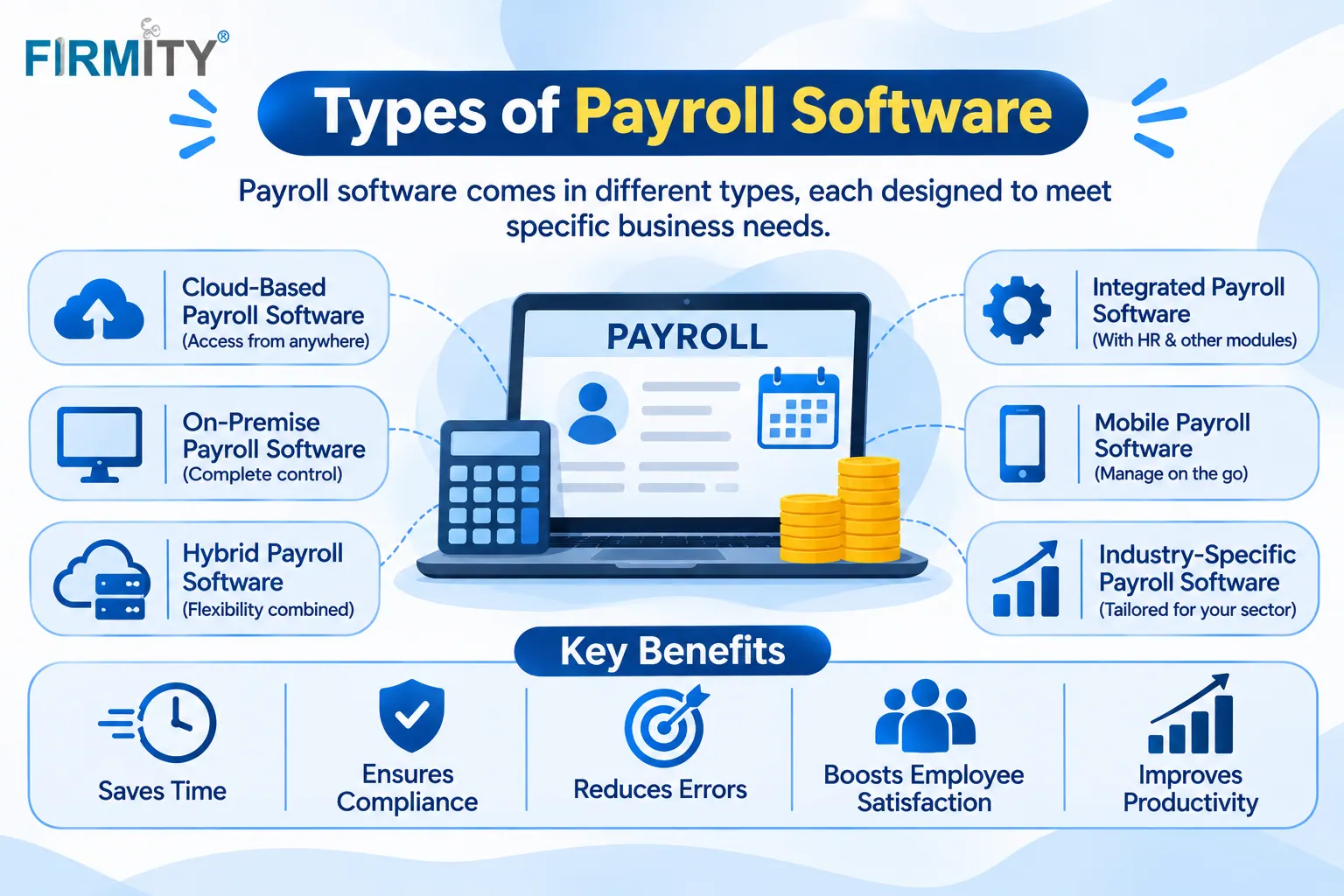
The main types of payroll software are cloud-based, on-premise, standalone, payroll as a module, industry-specific, global and payroll software with managed services. Which one suits you depends on where you want it to run, how much it needs to cover and how much help you want.
If you're still getting comfortable with the idea, our overview of payroll software explains what these tools do before you compare them. This guide walks through each type in plain language, with a short note on who it suits and where it can let you down. By the end, you should be able to tell which type deserves a place on your shortlist.
Here's how this was put together. We read how sources such as People Managing People, HiBob and Merchant Maverick sort payroll software, and noticed they mix up deployment, scope, industry and service in one list. So we've grouped the seven types more clearly. Firmity is our product, so it gets one short, clearly labeled mention near the end.
How We Sorted the Types
Payroll software can be described in several ways at once, which is why "types" gets confusing. Some labels say where the software runs, like cloud or on-premise. Others describe how much it covers, such as a payroll-only tool versus payroll inside a wider system. And some describe the kind of business or level of service it's built for.
So we've grouped the seven types into three questions. Where does it run? How much does it cover? And how much help do you want with the work? Most businesses end up choosing one answer to each, and that's perfectly normal. A small team might pick a cloud tool that's standalone, while a growing one might want payroll inside its HR software.
Types of Payroll Software by Deployment
Deployment is about where the software lives and who looks after it. It's usually the first decision, because it shapes cost, upkeep and access.
1. Cloud-Based Payroll Software
Cloud-based payroll software runs on the vendor's servers and you use it through a web browser or an app. The vendor handles hosting, backups and updates, so you don't need your own servers. It's easy to use from several locations and to add users as you grow. For most teams starting out today, this is the default choice.
Worth knowing: You need a reliable internet connection, and pricing is usually a recurring subscription, so check what each plan includes.
2. On-Premise Payroll Software
On-premise payroll software is installed on your own computers or servers, and your team looks after it. Companies have used this model for decades, and it still suits organizations that want direct control over where payroll data lives. The trade-off is that someone has to handle installation, updates and security. Access from other sites can also be harder than with a cloud system.
Worth knowing: Upkeep takes real effort, so make sure you have the in-house skills before choosing this route.
Types of Payroll Software by Scope
Scope is about how much the software covers beyond calculating pay.
3. Standalone Payroll Software
Standalone payroll software focuses purely on payroll processing: calculating pay, deductions and payslips. It tends to do that job in depth, including different pay types like bonuses and commissions. If you already have other tools for HR and attendance, a standalone tool can slot in neatly. The risk is that you may need to connect it to other systems yourself.
Worth knowing: Ask how it receives attendance and leave data, since typing it in by hand defeats part of the purpose.
4. Payroll as a Module Inside HR Software or ERP
Many HR, accounting and ERP systems include payroll as one module among several. That means your employee records, attendance and pay sit in the same place, so data flows without retyping. It's convenient for businesses that want one system for several jobs. The trade-off is that a payroll module may be less specialized than a dedicated payroll tool.
Worth knowing: Check how deep the payroll features go, because they vary a lot between products.
Not Sure Which Type Matches Your Team?
If you're comparing standalone tools with payroll that sits inside a bigger system, seeing a real month processed is the quickest way to decide. You can book a free demo and see how Firmity links attendance, leave and salary records using your own sample data. Tell the team how you run payroll today, and they'll reply within 24 hours.
Types of Payroll Software by Fit and Service
The last group is about how specialized the software is and how much help comes with it.
5. Industry-Specific Payroll Software
Some payroll software is built for particular industries, such as construction, restaurants or recruitment agencies. It comes with pay rules, reports and workflows that match how that industry works. That can save setup time and feel more natural for your team. The trade-off is that a tool built for one industry may be awkward if your needs are broader.
Worth knowing: Ask whether the industry features come with the plan you'd buy or cost extra.
6. Global Payroll Software
Businesses with employees in several countries face a harder problem, because pay rules, currencies and reporting differ from place to place. Global payroll software is built to handle multiple countries, often through local partners or built-in country rules. It can simplify life if you operate across borders. It's usually more than a single-country business needs.
Worth knowing: Ask exactly which countries it supports and how compliance updates are handled.
7. Payroll Software With Managed Services
Some providers combine software with payroll services, where their team runs parts of the process for you. That can take a lot of work off your plate, particularly if you have no dedicated payroll staff. The trade-off is less direct control and ongoing service fees. It's worth understanding that outsourcing and software are different things, even when they're sold together.
Worth knowing: Clarify who is responsible for what, especially when it comes to compliance and corrections.
Types of Payroll Software at a Glance
Type | How it works | Best for | Common drawback |
|---|---|---|---|
Cloud-based | Hosted online, so the vendor looks after the servers | Most teams, especially across several sites | Needs internet and a recurring plan |
On-premise | Installed on your own machines | Teams that want direct control of data | Your team handles setup and upkeep |
Standalone | Focuses purely on payroll | Teams with other HR and attendance tools | Has to be linked up with your other tools |
Payroll as a module | Part of an HR, accounting or ERP system | Teams wanting one connected system | Payroll depth may trail a dedicated product |
Industry-specific | Built around one industry's pay rules | Businesses with standard industry needs | Harder to stretch beyond its industry |
Global | Supports pay runs for employees in different countries | Firms with employees in several countries | Overkill for a team in one country |
With managed services | Software plus a team that runs parts of payroll | Teams without payroll staff | Day-to-day control shifts to the provider, and fees recur |
Which Type Fits Your Business?
Here's a simple way to narrow it down. If you have a small or mid-sized team and want to start quickly, a cloud-based tool is usually the sensible choice. If you want payroll tied closely to attendance and other people data, look at payroll as a module. If your pay rules are very industry-specific, an industry tool may save time.
Then think about geography and help. If you employ people in several countries, global payroll is worth a look. If you don't have anyone to run payroll, managed services may be the right fit, and if you do have skilled staff and want control, standalone or on-premise might suit. Many businesses combine two types, such as cloud and standalone, and that's perfectly fine.
Where Firmity Fits In
Since we've covered the types, here's a short, honest mention. Firmity's payroll software fits the "payroll as a module" type, and it's an affordable option for teams that want attendance-linked payroll without buying a large HR suite, with the team ready to quote for your setup. Attendance, leave and salary records sit on the same employee record, leave and comp-off balances feed into deductions and you can run payroll across several properties and export reports. Access can be limited by role so salary data stays with the right people. It isn't a standalone or multi-country payroll tool, so ask about regional compliance during a demo.
How to Choose Between the Types
Start with a few facts about your business. How many employees do you have, and how many locations or countries? Then decide where you want the software to run, since that narrows the field quickly. Think about integrations with attendance, HR and accounting tools, and about who will actually run payroll each month.
Pay rules differ by country, and international standards such as those listed by the International Labour Organization on wages give a global backdrop, but local requirements decide what your software must handle. So ask each vendor exactly how they support the places you operate in. When you have a shortlist, test each tool with one real payroll cycle, and compare options in this roundup of the top payroll software.
Common Mistakes When Picking a Type
The most common mistake is buying a standalone tool when you actually need payroll tied to HR and attendance. You end up retyping data between systems, which is where errors creep in. The second is paying for global payroll when you operate in one country, which adds cost and complexity you don't need. And the third is underestimating on-premise upkeep, since someone has to maintain it.
A smaller trap is skipping a parallel run. Before you switch, run your old and new methods side by side for one cycle and compare the results. It's also easy to forget the people who'll use the tool every month. Involve your payroll team in the trial, because they'll spot problems first.
Final Thoughts
The types of payroll software make a lot more sense once you sort them by where they run, how much they cover and how much help you want. Start with the type that fits your size and skills, test a couple of options with a real payroll cycle and add more later if you need to. If you'd like to see how attendance-linked payroll would work with your data, you can book a free demo with the Firmity team.
FAQs : Types of payroll Management software
The main types are cloud-based, on-premise, standalone, payroll as a module, industry-specific, global and payroll software with managed services. They differ in where they run, how much they cover and how much help they include.
Cloud-based software runs on the vendor's servers and is used online, usually for a recurring fee. On-premise software is installed on your own machines, and your team looks after it.
Not always. A module keeps payroll connected to your other people data, while standalone tools often go deeper on payroll itself. The better choice depends on how much you value connection versus depth.
Only if you employ people in more than one country. If you operate in a single country, a standard payroll tool for that country is usually enough.
Author Bio

Syed Aadam
Syed Aadam is a software engineer with a Bachelor's and Master's in Information Technology with a specialization in Artificial Intelligence and Machine Learning. Having trained, and assisted in training foundational ML models for solving frontier scientific problems at the intersection of biodiversity and technology, Syed Aadam has been working to develop AI-enabled CMMS, ERP and CAFM softwares at Ufirm Technologies.