Guide
Barcode Inventory Systems: How They Work and How to Choose One
· 9 min read
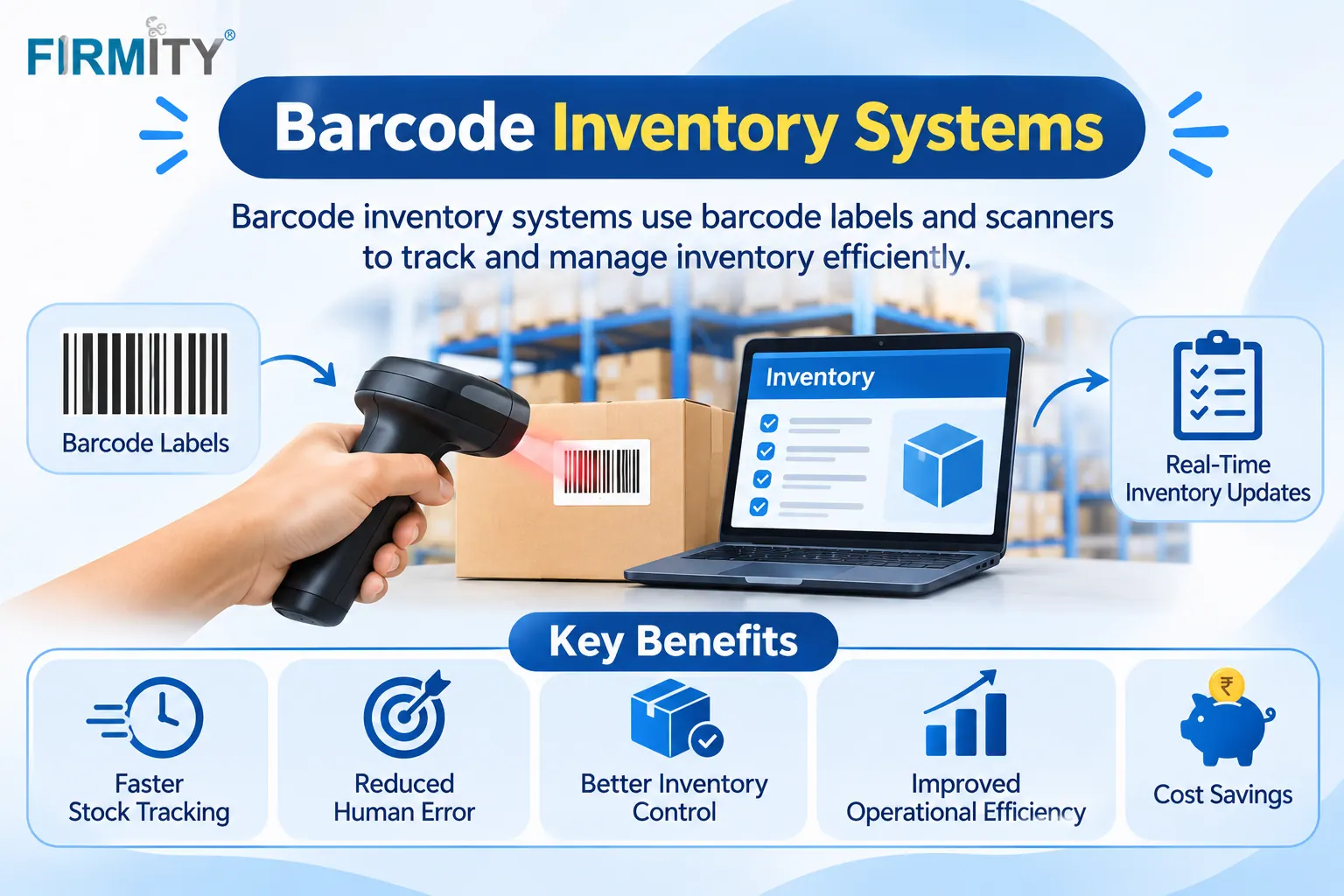
A barcode inventory system is a setup of barcodes, scanners and software that records stock movements when you scan an item instead of typing it in. That means fewer mistakes, faster counts and a stock record you can trust.
Behind every scan sits inventory management software, which matches the code to an item and updates the numbers. In this guide, we'll break the system into its three parts, show how it works day to day and explain the different types. By the end, you should know what you need to get started and what to ask before you buy.
A quick note on how this was built. We looked at how sources such as SelectHub, MRPeasy and Inbound Logistics explain barcode systems, and noticed that many mix up the hardware, the software and the process. So we've separated them. Firmity is our product, so it gets one short, clearly labeled mention near the end.
What Is a Barcode Inventory System?
A barcode inventory system has three parts that work together. The first is the barcode itself, a printed code that stands for an item, a shelf or a location. The second is the scanner or reader, which captures the code, whether that's a handheld device, a phone or a fixed reader. The third is the software, which links each scan to the right record and updates your stock.
It helps to think of it as a way to move from a periodic approach, where you count stock now and then, to a continuous one. When every receipt, issue and transfer is scanned as it happens, your records stay close to reality. That's why SelectHub describes barcode systems as a type of perpetual inventory system.
How a Barcode Inventory System Works
Here's how it looks in an ordinary week. Goods arrive, and someone scans each item or box, which adds it to stock and records where it's stored. When an item leaves, whether it's sold, issued to a technician or moved to another site, another scan removes it from that location. At any time, you can open a report and see what's on hand.
Counts get easier too. Instead of writing numbers on a sheet and retyping them later, you scan items and shelves, and the system compares what it sees with what it expects. Differences are flagged, so you can investigate and fix them. The loop keeps repeating, and each scan keeps the data a little more accurate.
Types of Barcodes Used in Inventory
Not all barcodes look the same, and the type you choose affects what you can store and what you can scan. The most familiar are 1D barcodes, the classic lines you see on products, which hold a short number or code. 2D barcodes, including QR codes and Data Matrix, store more data in a small square and can be read from different angles.
You'll also hear about product codes versus internal codes. Product codes, such as UPC and EAN, are standard identifiers printed on many consumer goods. GS1, a not-for-profit organization, develops and maintains these barcode standards, and you can find more on GS1's website. Many businesses also create their own internal codes for items, shelves and assets, which is perfectly fine for tracking stock inside your own walls.
Types of Barcode Inventory Systems
Barcode systems differ in how they're built, and two splits matter most. The first is standalone versus integrated. A standalone system uses scanners to update basic records or spreadsheets, while an integrated system builds barcode scanning into wider inventory or operations software. Integrated systems usually offer more automation, but they take more setup.
The second split is where the software runs. Cloud-based systems run on remote servers and are reached through a browser or an app, which makes them quick to deploy and easy to use across sites. On-premise systems run on your own servers, which gives you more control but also more upkeep. If you'd like to see how these fit into the wider picture, it helps to understand the different types of inventory management systems.
Barcode Hardware You May Need
The hardware side is simpler than most people expect. You'll need something to read codes, such as a handheld scanner, a mobile device with a scanning app or a fixed reader at a receiving point. You'll also need a way to create labels, usually a label printer and suitable label stock. Good labels matter more than people think, because a scanner can only read what's clear.
Choose hardware to match where the work happens. A warehouse with long aisles may want rugged handheld scanners, while a small storeroom might be fine with phones. Always check that your software works with the scanners you plan to buy before you commit. A short trial with a couple of devices saves expensive surprises.
Benefits of a Barcode Inventory System
The benefits show up in small, daily moments. Scanning replaces typing, which cuts the errors that creep into manual entry. Counts take less time because items and shelves are recorded quickly. You also get a clearer picture of stock, and for a deeper look at the gains, see the benefits of inventory management software more broadly.
There's a traceability benefit too. Because each movement is recorded against an item and a place, it's easier to find where something went. That helps with audits, recalls and simple questions like "who took this?". Combined with real-time stock tracking, barcodes turn guesswork into records.
Want to See How Scanning Would Work With Your Own Items?
It’s easier to judge a barcode setup when you can see your own stock in it. If you’re weighing up scanners, labels and software, you can book a free demo and see how Firmity’s inventory records work with your own item list. Tell the team what you’re tracking today, and they’ll reply within 24 hours.
Limits and Challenges
Barcode systems aren't magic, and it's better to know the limits up front. Setup takes time, because you need to clean your item list, create codes and label things. Labels can fade, tear or get dirty, and a damaged label can't be scanned. And people sometimes skip scanning when they're busy, which creates gaps in your records.
Hardware is a cost too, though a modest one for small teams. The good news is that most of these problems can be managed with a bit of planning. Use durable labels, make scanning part of the normal routine and check your records regularly. A pilot in one area will show you where the problems are before you roll out everywhere.
Barcode System vs Manual Entry vs RFID
Method | How it works | Best for | Drawback |
|---|---|---|---|
Manual entry | People type or write stock changes | Very small, simple operations | Mistakes and lag build up as volume rises |
Barcode system | Scan printed codes to record movements | Most small and mid-sized operations | Needs labels, scanners and clean item data |
RFID | Radio tags are read without line of sight | Larger or high-value stock | Higher setup cost |
RFID is a related technology that reads tags by radio rather than by sight, which can speed up counting. It usually costs more to set up, so many businesses start with barcodes and consider RFID later. Neither replaces good software, because both depend on a system that turns scans into records.
Who Benefits Most?
Barcode inventory systems suit almost any business that handles physical items. Retailers use them to track products on shelves, warehouses use them to speed up picking and receiving, and manufacturers use them to follow materials and parts. Facility teams use them for spare parts and consumables, so technicians can find the right item quickly.
A simple test: if your item list runs past a few dozen, , if more than one person moves stock or if counts are painful, a barcode setup is worth considering. If you only have a handful of items and one person, a spreadsheet may do for now. The goal is to remove friction, not to add equipment for its own sake.
Where Firmity Fits In
Since we've covered how barcode systems work, here's a short, honest mention. Firmity's inventory software is an affordable option for teams that want strong stock control without paying for a full ERP, and the team can quote for your setup. It keeps stock, spare parts, purchase orders, vendor rate cards, goods receipts and a stock ledger in one cloud platform, and QR codes can open asset records with a scan. Its public pages don't spell out barcode scanning or label printing for stock, so ask about scanner and label support during a demo. It's built for teams in manufacturing, education and residential estates, where spare parts and consumables matter.
How to Set Up a Barcode Inventory System
A step-by-step approach makes setup far calmer. Here's a simple checklist:
Define your needs: note how many items, locations and people are involved.
Clean your item data: remove duplicates, fix names and fill in gaps.
Choose your codes: decide whether to use product codes, internal codes or both.
Pick hardware: match scanners and printers to where the work happens.
Run a pilot: start with one storeroom or one type of item.
Train the team: show people how scanning makes their work easier.
Review regularly: check counts, fix label problems and adjust.
Don't try to do everything at once. A staged start lets you learn what works before it affects everyone. And keep your item list tidy, because a barcode system only speeds up good data, it doesn't fix bad data.
How to Choose the Right System
Start with a few facts: how many items you hold, how many locations you manage and how many people record movements. Then decide whether a standalone setup is enough or whether you need scanning built into wider software. Check hardware compatibility, integrations with accounting or ERP tools and how the system handles several sites.
When you reach a shortlist, test each with a small sample of your own items and a couple of scanners. Receive a delivery, issue some stock and run a count. How natural it feels will tell you more than any brochure. For a wider look at what's out there,
Common Mistakes
The most common mistake is poor labels. Low-quality printing, the wrong label material or codes placed where they get scuffed can all make scanning unreliable. The second is skipping the clean-up of item data, which means the system scans quickly but records the wrong things. And the third is skipping a pilot, so problems show up everywhere at once.
A smaller trap is forgetting the people. If scanning feels slower than the old way, staff will skip it. Choose comfortable devices, place scanners where work happens and ask your team what's getting in the way. A system people actually use beats a clever one they work around.
Final Thoughts
A good barcode inventory system comes down to three things: clear labels, a reliable scanner and software that turns scans into records you can trust. Start small, keep your data clean and train your team. If you'd like to talk through how this might look for your stock, you can reach out to the Firmity team.
FAQs : What is Barcode System
It's a setup of barcodes, scanners and software that records stock movements by scanning items, keeping stock records accurate and up to date.
You need software that can link scans to item records. Many inventory management tools include barcode support, though standalone options exist for simpler needs.
A traditional barcode is a 1D code that holds a short number, while a QR code is a 2D code that stores more data in a square and can be read from different angles.
Often yes, once more than one person handles stock or counts take too long. For a very small list, a spreadsheet may be enough for now.
Author Bio

Syed Aadam
Syed Aadam is a software engineer with a Bachelor's and Master's in Information Technology with a specialization in Artificial Intelligence and Machine Learning. Having trained, and assisted in training foundational ML models for solving frontier scientific problems at the intersection of biodiversity and technology, Syed Aadam has been working to develop AI-enabled CMMS, ERP and CAFM softwares at Ufirm Technologies.