Asset Management
What Is Enterprise Asset Management (EAM) Software? Meaning, Features and Benefits
· 13 min read
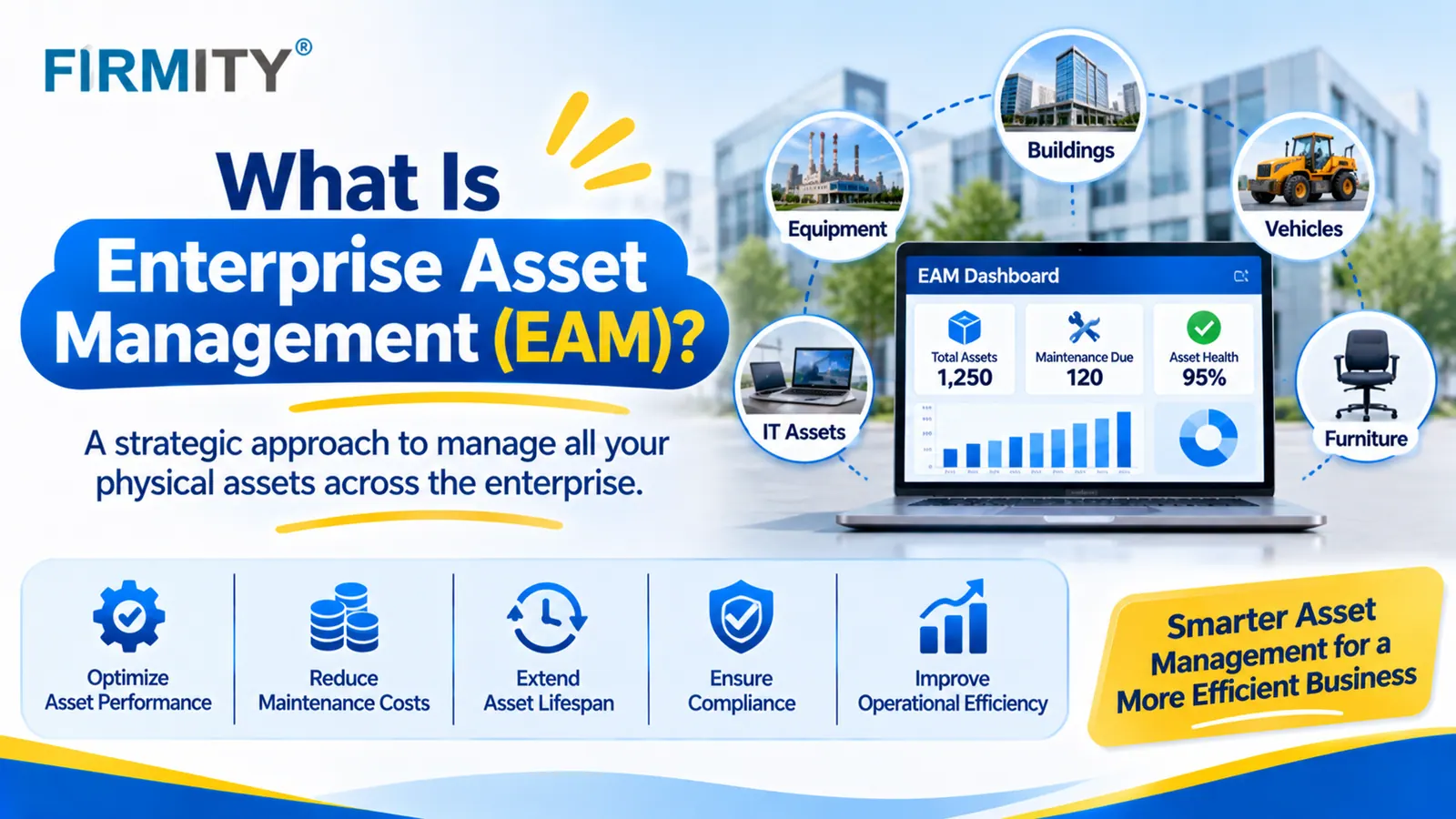
Enterprise asset management (EAM) software helps organizations track, maintain and manage physical assets from purchase to disposal, across every location.
Think about how many physical assets a business really runs: machines, buildings, vehicles, tools, IT equipment, spread across several sites and departments. Keeping up with where each one is, when it was last serviced, what it costs and when it should be replaced gets messy fast, especially in spreadsheets. EAM software pulls all of that into one system, so you can improve asset performance, cut avoidable costs and make better decisions. In this guide, we’ll explain how.
What Is Enterprise Asset Management (EAM) Software?
In simple terms, EAM software is a system that keeps track of everything about your physical assets, from the day you plan to buy them to the day you retire them. It records what each asset is, where it sits, who looks after it, what work has been done on it and what it has cost. The “enterprise” part means it’s designed to work across many assets, teams and locations, not just one workshop.
That gives you visibility into location, condition, maintenance history, costs and how much each asset is used. And that visibility leads to practical gains: assets that break down less, maintenance that’s planned instead of rushed, and clearer answers when someone asks whether to repair or replace. It’s as much about running operations smoothly as it is about record keeping.
If you like a formal frame of reference, ISO 55000 defines the vocabulary and principles of asset management and says it applies to all types of assets and all sizes of organization. It’s not a software standard, but it’s a handy reminder that managing assets well is an approach first, and EAM software is the tool that supports it.
What Is the Asset Lifecycle in Enterprise Asset Management?
Every asset goes on a journey, and EAM software is built around it. Here are the six stages most organizations recognize, with what happens at each one.
Asset Planning and Acquisition
It starts before you buy anything. You work out what you need, set a budget, compare options and choose a supplier. EAM software records the purchase details, such as cost, supplier and warranty, so the asset starts life with a complete record instead of a blank row.
Asset Installation and Deployment
Once an asset arrives, it gets installed, tagged and assigned to a location and an owner. Labels or QR codes make it easy to find later. Recording this properly on day one saves a lot of detective work when someone asks where something is.
Asset Operation and Utilization
While an asset is in use, you want to know how much it’s used and whether it’s available when people need it. Tracking utilization shows which assets are working hard, which sit idle and where you may have too many or too few.
Asset Maintenance and Repairs
Planned servicing and unplanned repairs both happen here. EAM software schedules preventive work, manages repair jobs and keeps the full history together. When something breaks, the people fixing it can see what’s been done before, which speeds things up.
Asset Performance Monitoring
Over time, you watch how an asset behaves: how often it fails, how much it costs to keep running and how its condition changes. That information helps you spot problem assets early and decide when keeping one stops making sense.
Asset Disposal and Replacement
Eventually, every asset reaches the end of its useful life. Retiring it properly means recording the disposal, whether it’s sold, scrapped or replaced, and planning what comes next. How disposals are treated in your accounts is a question for your accountant.
How Does Enterprise Asset Management Software Work?
Behind the scenes, EAM software follows a simple workflow. You register your assets, organize and tag them, track where they are, schedule and run maintenance, watch performance and costs, and use reports to decide what to do next. Here’s the flow in eight steps.
Step | What happens | Why it matters |
|---|---|---|
1. Asset registration and data collection | Each asset is recorded with its details | One reliable starting record |
2. Categorization and tagging | Assets are grouped and labeled | Easy to find and compare |
3. Location and assignment tracking | You record where each asset is and who looks after it | No more “where is it?” |
4. Maintenance scheduling | Recurring servicing is planned | Fewer surprises |
5. Work order management | Jobs are created, assigned and closed | Work is tracked end to end |
6. Performance monitoring | Condition and failures are watched | Problem assets stand out |
7. Cost and lifecycle tracking | Spend is recorded across the asset’s life | Clearer repair-or-replace choices |
8. Reporting and analysis | Data is turned into dashboards and reports | Better decisions |
Key Features of Enterprise Asset Management Software
Products differ, but most good EAM systems cover the same ground. Here are the ten features you’ll see most often, and what each one actually does for your team.
Centralized Asset Database
This is the foundation: one place that holds every asset record, with details, location, documents and history. When everyone reads from the same database, you stop arguing over whose spreadsheet is right.
Asset Tracking and Monitoring
You can see where assets are and what state they’re in. QR or barcode labels make it quick to look one up, and status updates show whether something is working, under repair or out of service.
Preventive Maintenance Scheduling
Recurring jobs, such as monthly checks or yearly services, are created automatically on a schedule. Overdue ones get flagged, which is where small problems usually start, so nothing depends on someone’s memory.
Work Order Management
Faults and planned jobs become work orders with a priority, an owner and a status. Everyone sees what’s open, what’s overdue and what’s done, and the record stays attached to the asset.
Asset Lifecycle Management
The system follows each asset from purchase to retirement, so you can see its full story in one place. That makes it much easier to judge when an asset has cost enough and it’s time to replace it.
Inventory and Spare Parts Management
Keeping the right spare parts on hand matters, because a missing part can stall a repair for days. EAM software links parts to assets and jobs, shows what’s in stock and flags what’s running low. Some systems cover this themselves, while others connect to dedicated inventory management software for deeper stock control.
Asset Inspection and Audit Management
Checklists and inspection records make routine checks repeatable and provable. When an auditor or client asks what was checked and when, you can show the record instead of searching for it.
Vendor and Warranty Management
Warranty dates, service contracts and supplier details live with the asset. That means you can claim under warranty before it lapses and see which vendors are reliable and which keep letting you down.
Asset Cost and Performance Reporting
Reports show what each asset costs to run, how often it fails and how it compares with similar ones. These are the numbers that help you justify a replacement or spot a money pit.
Multi-Location Asset Management
For organizations with several sites, this feature gives one view across all of them while still letting each site see its own assets. It’s often the reason a business moves beyond basic tools.
Benefits of Enterprise Asset Management Software
The benefits of EAM software tend to build over time, as records improve and habits settle. Here are the eight gains organizations most often look for.
Improves Asset Visibility
You can finally answer basic questions quickly: what do we own, where is it and what condition is it in? Having one trusted record removes a lot of guesswork and duplicated effort.
Reduces Maintenance Costs
Planned work usually costs less than emergency repairs, and clear records help you avoid repeating fixes that don’t work. Costs don’t drop overnight, but they tend to become more predictable.
Extends Asset Lifespan
Equipment generally lasts longer when it’s serviced on time and you can see what’s been done to it. EAM keeps that history and schedule in place, so care becomes routine instead of occasional.
Minimizes Equipment Downtime
Preventive schedules, faster work orders and better spare parts planning all help cut the number of surprise failures. It won’t remove every breakdown, but it makes the avoidable ones much rarer.
Improves Maintenance Planning
With history and schedules in one place, you can plan workloads, book technicians and order parts ahead of time. Planning gets calmer, and urgent jobs stop crowding out important ones.
Enhances Asset Utilization
When you can see which assets are heavily used and which sit idle, you can move equipment where it’s needed or stop buying more than you need. That’s often money back in your pocket.
Supports Better Decision-Making
Reports on costs, failures and age turn gut feelings into evidence. Repair-or-replace and budget conversations become easier because you’re looking at the same numbers.
Simplifies Compliance and Audits
Inspection records, service history and documents are easy to pull up on demand. Which rules apply depends on your industry and country, but good records make any audit far less stressful.
Types of Assets Managed Through EAM Software
EAM isn’t limited to one kind of equipment. Most organizations manage several categories side by side, and good software handles them in the same system.
Physical Equipment and Machinery
Production machines, pumps, generators, compressors and similar equipment are the classic EAM assets. They’re expensive, they wear out and their downtime is costly, so careful tracking pays off quickly.
Buildings and Facilities
Buildings come with plenty of systems to look after, like lifts, air conditioning, fire safety equipment and electrical panels. EAM helps schedule inspections and keep records for each one.
IT and Office Equipment
Computers, printers and network equipment can be tracked too, with details like ownership, location and warranty. Some organizations use a separate IT asset tool for deep IT needs.
Vehicles and Fleet Assets
Vans, trucks and other vehicles need servicing, inspections and records. EAM helps schedule these and keep the history together, which also helps when it’s time to sell.
Tools and Maintenance Equipment
Small tools go missing easily, and some are expensive. Check-in and check-out tracking shows who has what, and where the tool should be returned.
Infrastructure and Utilities
Pipelines, power systems, water networks and similar infrastructure also need planned care. EAM gives these long-lived assets a clear record and a regular inspection routine.
Who Uses Enterprise Asset Management Software?
Any organization with valuable physical assets can benefit, but some sectors rely on EAM more than others. Here’s a quick look at who uses it and why.
Who | How they use it |
|---|---|
Facility management teams | Schedule building maintenance and track equipment across properties |
Manufacturing industries | Keep machines running and plan servicing around production |
Hospitals and healthcare facilities | Track medical equipment, servicing schedules and inspection records |
Educational institutions | Maintain buildings, labs and equipment across campuses |
Hotels and hospitality | Look after guest-facing equipment and building systems |
Warehouses and logistics | Manage handling equipment, spare parts and asset movement |
Government and infrastructure organizations | Maintain long-lived public assets and keep audit-ready records |
Multi-location businesses | Get one view of assets and maintenance across every site |
Enterprise Asset Management (EAM) Examples
Here are a few simple, illustrative examples of how different organizations use EAM software in practice.
A manufacturing company schedules maintenance on its machines and tracks failures, so it can service the worst performers first.
A hospital keeps a record of its medical equipment, with maintenance schedules and inspection history ready for audits.
A facility management team tracks assets across several buildings and sees overdue jobs for every site in one place.
A warehouse manages its handling equipment and spare parts, and records when assets move between areas.
A company monitors asset costs and warranties, so it knows when a replacement makes more sense than another repair.
Enterprise Asset Management (EAM) vs CMMS
A computerized maintenance management system, or CMMS, focuses on running maintenance work: work orders, preventive schedules, asset records and spare parts. EAM covers the same ground, then widens the view to the whole asset lifecycle, including purchasing, costs, planning and disposal. In short, a CMMS keeps equipment running, while EAM helps you manage assets as an investment.
Area | CMMS | EAM |
|---|---|---|
Primary purpose | Run and track maintenance work | Manage assets across their whole life |
Maintenance management | A core strength | Included, as one part of a wider system |
Lifecycle and financial depth | Mostly maintenance and parts costs | Capital planning, costs and replacement decisions |
Scope | Often one or a few sites | Often the whole organization |
Most EAM platforms include CMMS functionality, which is why the CMMS vs EAM question is really about how much beyond maintenance you need. If your pain is mostly day-to-day maintenance, a CMMS may be enough. If you also need lifecycle, cost and planning visibility across many sites, EAM becomes more attractive.
How to Choose the Right Enterprise Asset Management Software?
Start with your own situation, not the feature list. These ten checks will help you compare options fairly, and they work well as a scorecard during demos.
Asset tracking: can you record, label and find assets easily?
Lifecycle management: does it cover purchase through disposal, not just maintenance?
Preventive maintenance: can it create recurring jobs by time or usage?
Work orders: is it quick to raise, assign and close jobs, including from a phone?
Reporting and analytics: does it show the numbers you actually use?
Multi-location management: can you see all sites together and each site separately?
Integrations: can it connect with your finance, inventory or other systems?
Scalability: will it cope as you add assets, users and sites?
Ease of use: will your technicians genuinely use it?
Cost and implementation support: what’s included in the price, and what help do you get at rollout?
We haven’t printed prices, because plans change often and published figures vary widely. Give every vendor the same brief and compare total cost, including setup and training. Then test your shortlist on a real job from your own sites before you commit.
Common Challenges Without Enterprise Asset Management Software
If you’re wondering whether you need EAM, look at the problems you face today. These are the ones that tend to show up when assets are managed with spreadsheets, paper and memory.
Poor asset visibility: nobody is quite sure what you own or where it is.
Unplanned breakdowns: servicing slips, so failures arrive as surprises.
Inaccurate asset records: duplicates, missing details and out-of-date entries.
High maintenance costs: rushed repairs and repeated fixes add up.
Difficulty tracking assets across locations: each site keeps its own version of the truth.
Missing maintenance history: past work lives in notebooks or people’s heads.
Inefficient spare parts management: the right part is rarely on the shelf.
Difficult audits and reporting: pulling records together takes days.
Where Does Firmity Fit In?
If you’re weighing up tools, Firmity’s asset management software covers a lot of what EAM teams look for on the asset side. Each asset sits in a centralized database with its manufacturer, model, location, warranty, annual maintenance contract and documents, and QR tags make it quick to look one up. Service alerts and scheduling keep servicing on track, spares link back to each asset, and check-in and check-out tracking shows who has what.
Firmity is also an affordable option, which helps when you want strong asset control without an enterprise-sized budget. To be fair, it isn’t a full enterprise EAM suite, so very large, asset-intensive operations with heavy capital planning may still need one. To see how it would handle your own assets, book a free demo, and the team says it replies within 24 hours. Check regional needs too, such as where data is stored and which local rules apply.
The Bottom Line
Enterprise asset management software gives you one trusted record of every physical asset, from the day it’s planned to the day it’s retired. Start by listing the problems you face today, check which features would fix them and test a shortlist on a real job.
FAQs : Enterprise Asset Management (EAM)
It’s the practice of managing physical assets across their whole life, from planning and purchase through use, maintenance and disposal. EAM software supports that practice by keeping records, schedules, costs and history in one system across all your locations.
It’s used to track assets, schedule and run maintenance, manage spare parts, record costs and warranties and produce reports. The goal is to keep assets performing well, cut avoidable costs and give managers better information for decisions.
A CMMS focuses on maintenance work, such as work orders, preventive schedules and spare parts. EAM includes that and adds wider lifecycle, cost and planning management across the organization. Most EAM platforms contain CMMS functionality.
The main benefits are better asset visibility, more planned maintenance, fewer surprise breakdowns, longer asset life, clearer costs and easier audits. Results build over time and depend on how consistently your team keeps the records up to date.
Author Bio

Syed Aadam
Syed Aadam is a software engineer with a Bachelor's and Master's in Information Technology with a specialization in Artificial Intelligence and Machine Learning. Having trained, and assisted in training foundational ML models for solving frontier scientific problems at the intersection of biodiversity and technology, Syed Aadam has been working to develop AI-enabled CMMS, ERP and CAFM softwares at Ufirm Technologies.