Asset Management
Asset Management Software vs Spreadsheet: Which Is Right for Your Business?
· 7 min read
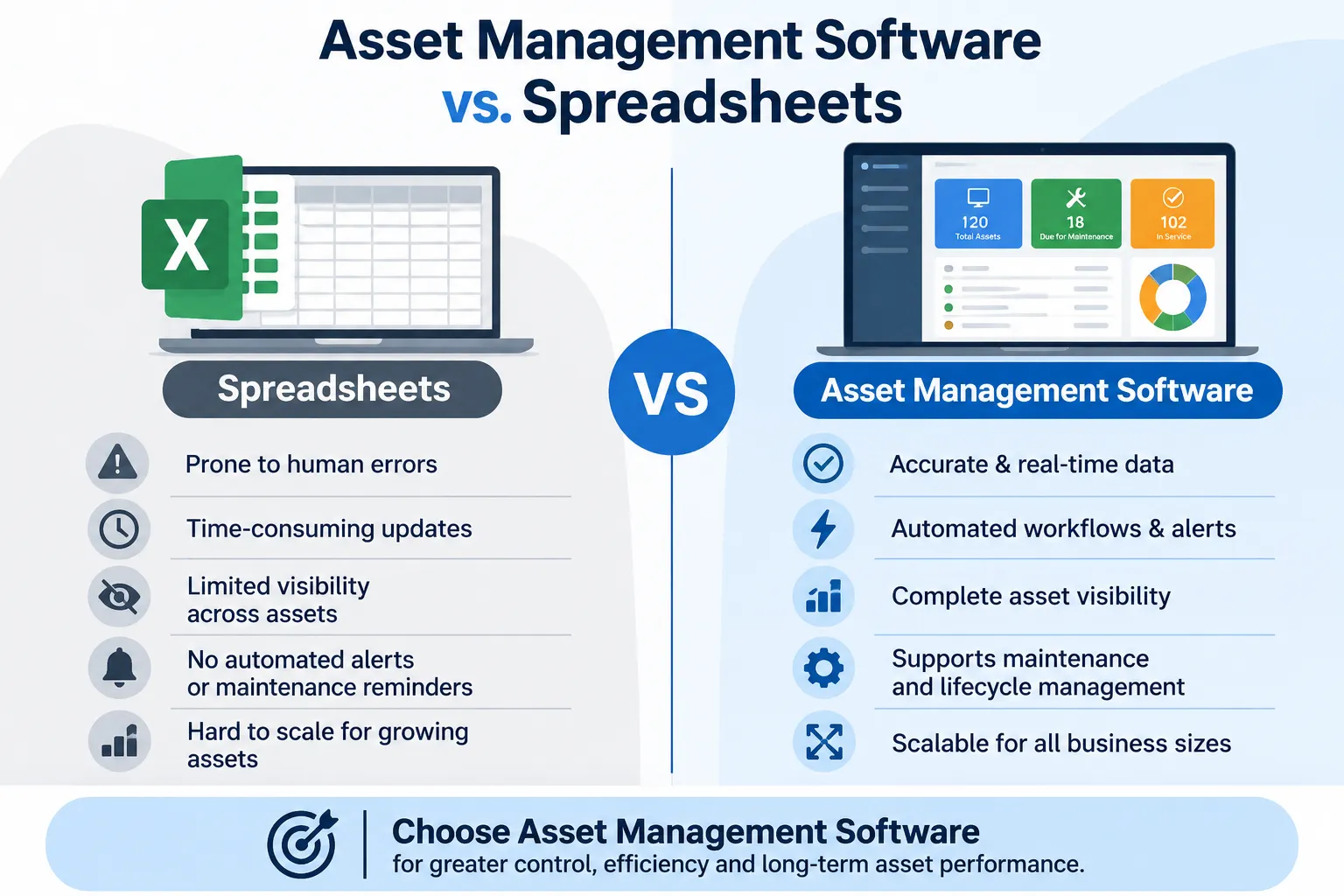
Asset management software vs. spreadsheets is one of those debates where both sides have a point, and the honest answer depends on how many assets you look after. A spreadsheet is free, familiar, and flexible, which is why almost every team starts with one. Software costs money, but it can save hours and catch things a sheet never will. This guide compares the two fairly, tells you when a spreadsheet is perfectly fine, and shows the signs that it's time to move on. No pressure, just plain talk.
Here's how we approached it. We read how several well-known vendors and ITAM blogs compare the two, including Itemit, Lansweeper, and Asset Panda, and noticed most of them lean hard towards software. So we've tried to keep the balance, including the cost question they tend to skip. Firmity is our product, so it gets one short, clearly labeled mention near the end.
Why So Many Teams Start With Spreadsheets
There's a good reason spreadsheets are the default. Everyone already has one; nobody needs training, and you can set up an asset list in an afternoon. You decide which columns to include, which makes a spreadsheet feel tailor-made. For a handful of items and one person in charge, it genuinely works.
The trouble is that a spreadsheet is a general tool, not an asset tool. It doesn't know what an asset is, so it can't remind you of anything or track what happened to an item over time. It's also only as good as the last person who updated it. That's fine early on, but the cracks tend to appear as you grow.
The Weak Spots of Spreadsheet Tracking
The first problem is that records go stale. Every time an asset moves, gets repaired or changes hands, someone has to remember to update the sheet. If they forget, the spreadsheet quietly stops matching reality. Then there are the duplicate files, with names like "assets_final_v3", where nobody is quite sure which one is current.
The second problem is what a spreadsheet can't do. It can't send a reminder when a service is due or a warranty is about to end. It doesn't keep a timestamped history for each item, and it's hard to see who changed what. When an auditor asks for the story of a particular asset, you end up piecing it together by hand.
What Asset Management Software Adds
Think of asset management software as a spreadsheet that has learned how assets work. Each item gets its own record with details like location, status and ownership, plus a history of everything that happened to it. Many tools add QR codes, so anyone can scan an item and see its record instantly. Service dates, warranty and AMC expiry can trigger reminders, so nothing depends on memory.
The other big gain is that everyone works from the same live record. Several people can update it at once, and every change leaves a trail. If you're new to the idea, our explainer on what is asset management software covers the basics step by step.
Curious What Your Asset List Would Look Like in Software?
If your assets live in a sheet today, the easiest way to judge the difference is to see your own items in a proper system. Firmity's team can walk you through how a record, a QR code and a service reminder would work for the kind of equipment you actually track. Tell them what you're managing now, and they'll reply within 24 hours.
Talk to the Firmity team and book a walkthrough
Asset Management Software vs Spreadsheet: Side by Side
Factor | Spreadsheet | Asset management software |
|---|---|---|
Starting cost | No extra cost, since you already have one | Paid, usually by users or assets |
Accuracy | Stays right only while somebody keeps entering changes | Each edit lands in a single master entry the whole team sees |
Scalability | Becomes unwieldy as the list lengthens | Designed to cope as you add assets |
Multiple users | Prone to clashes and duplicate files | Whole teams can update together |
Audit trail | Difficult to tell who edited a row | Changes are recorded with a history |
Reminders | No built-in alerts unless you add your own | Automatic prompts for services and warranties |
Reporting | Charts and totals are put together by hand | Standard reports are generated for you |
The Real Cost Question
Here's the part many comparisons rush past: software isn't free, and a spreadsheet is. Itemit, for instance, openly says the main drawback of software against a spreadsheet may be price, and that your return might not be instant. That's fair. If you have a small list and little risk, paying for software may not make sense yet.
But a spreadsheet has a cost too, it just hides in time. Hours spent updating, checking and searching add up, and so does the cost of a missed service or a lost item. We haven't printed prices here, because plans change often and vary by vendor. When you compare, ask what's included and how the cost changes as your assets or users grow.
When a Spreadsheet Is Still Enough
Let's be fair to spreadsheets, because there are real cases where they're the right tool. If you track a few dozen items, one person looks after the list and nothing needs scheduled servicing, a sheet can do the job. The same goes for a one-off project or a short-term inventory. Adding software in those situations can be more hassle than help.
If you're in that camp, you can still make your spreadsheet better. Use clear column names, keep one master file and agree who's allowed to edit it. Add a date column so you can see when each row was last checked. Just keep an eye on the warning signs below, because they tend to show up gradually.
Signs It's Time to Switch
Here's a quick checklist. If two or three of these sound familiar, it's probably time to look at software:
More than one person updates the asset list, and edits sometimes clash or get lost.
You've lost track of an item, or found something you didn't know you owned.
Service dates and warranty expiries slip because nobody gets reminded.
Audits take days because you have to rebuild each item's history.
You manage assets across more than one location.
No single one of these is a crisis. But when several appear together, the time you spend working around the spreadsheet starts to cost more than a tool would. That's usually when teams make the move.
Where Firmity Fits In
Since we've been comparing the two, here's a short, honest mention. Firmity's asset management software gives each asset a single record covering its category, location, status, value and ownership type, and a QR code can open that record with a scan. Service due dates, warranty and AMC expiry and movement history are tracked against each asset, and maintenance tasks and spare parts link back to it. It's built for facility teams in manufacturing, education and residential estates. If you only track a handful of items, a spreadsheet may still be enough for now.
Making the Jump From Sheet to System
Moving is easier when you do it in steps. Start by cleaning your spreadsheet: remove duplicates, fix naming, and fill in missing details, because messy data just travels with you. Then import a small batch into the new tool to see how your columns map to its fields. Run the old and new side by side for a full cycle, and compare results before you retire the sheet.
Records also matter beyond day-to-day convenience. Standards such as ISO 55000 describe good asset management principles, and tidy, consistent records are part of what makes those principles achievable. You don't need to chase a certificate to benefit. Clean data simply makes every later step easier. For a wider view of the market, see our roundup of the top asset management software in India.
Mistakes to Avoid When Changing Tools
The most common mistake is importing messy data. If the spreadsheet is full of duplicates and old entries, the new system will be too, only harder to spot. The second is skipping training, because a tool nobody understands quickly gets abandoned. And the third is having no owner, so records slowly drift out of date again.
A smaller trap is switching everything at once. It's usually calmer to start with one site or one category, learn what works and then expand. Involve the people who update records every day, since they'll notice problems first. A modest rollout that people actually use beats a grand one that fades.
Final Thoughts
The asset management software vs spreadsheet question really comes down to size and risk. Keep the spreadsheet while your list is small and simple, and move to software when records, reminders and audits start to strain it. If you'd like to see how your own assets would look in a proper system, the Firmity team is happy to walk you through it.
FAQs : Asset Management Software vs Spreadsheet
For growing teams, usually yes, because it keeps one live record with history and reminders. For a very small, simple list, a spreadsheet can be perfectly adequate.
Many tools let you import data from a spreadsheet, though how well your columns map varies. Ask each vendor how their import works and clean your sheet first.
It can be, if you have few assets, one person managing them and no scheduled servicing. When more people, locations or service dates get involved, software starts to pay off.
It depends on how many assets you have and how tidy your data is. Plan for at least one cycle of running both side by side before you retire the spreadsheet.
Author Bio

Syed Aadam
Syed Aadam is a software engineer with a Bachelor's and Master's in Information Technology with a specialization in Artificial Intelligence and Machine Learning. Having trained, and assisted in training foundational ML models for solving frontier scientific problems at the intersection of biodiversity and technology, Syed Aadam has been working to develop AI-enabled CMMS, ERP and CAFM softwares at Ufirm Technologies.
Talk to our team
Questions about facility management software? Leave your details and we'll get back to you within 24 hours.
More on Asset Management
7 Best ManageEngine AssetExplorer Alternatives | 2026 Guide
Looking for ManageEngine AssetExplorer alternatives? Compare 7 asset management options and find the right fit for your team.

7 Best Zoho Creator Alternatives in 2026 (Compared for Indian Businesses)
Looking for a Zoho Creator alternative? Compare 7 options, from low-code builders to ready-made tools, and find the right fit for your team.
Benefits of Asset Management Software: 10 Ways It Helps Your Business
Wondering about the benefits of asset management software? See 10 practical advantages, from time and cost savings to better audits and decisions.
