Inventory Management
7 Best Odoo Inventory Alternatives for Business
· 9 min read
People start hunting for Odoo Inventory alternatives for a fairly practical reason: they want solid stock control, and they're not sure they want to run a whole ERP to get it. Odoo's inventory app is well regarded. It treats every stock movement as a transfer between locations, and it covers receipts, deliveries, counts, lot and serial tracking and multi-warehouse setups. But it lives inside a much larger suite, and some teams simply don't need everything around it. If that sounds like you, the seven options below are worth a look.
Here's where this list comes from. We checked how pages like G2, TechnologyCounter, and ITQlick present the alternatives, then read each vendor's own description. We haven't tested every product ourselves, so every entry finishes with a point to confirm during a demo. Firmity is our product, which is why it comes first, and we've said clearly who it suits and who it doesn't.
What Makes Teams Look Past Odoo Inventory
Switching stock software is rarely about one big failure. It's usually a handful of small frustrations that pile up over a few quarters. The configuration takes longer than anyone planned, a feature turns out to sit in a different edition, or the person who understood the setup moves on. Eventually somebody says, "Surely there's a simpler way to track our stock," and the search begins.
These are the themes that come up most often:
The setup and customisation effort feels large for a team that mostly needs stock tracking.
You'd like clarity on which features sit in which edition before you commit.
A simpler, stock-only tool would do the job with less to learn.
Keeping the system running takes more time than your team can spare.
How We Compared the Options (Inventory Only)
We kept the comparison narrow on purpose. For each tool, we asked how clearly it records stock and every movement, how it handles purchasing and vendors, and whether it supports batches or serial numbers when you need them. We also looked at how it copes with more than one location and how much effort it takes to get started.
You won't find prices here. Vendors change plans often, and many charge by user, module, or order volume, so a figure printed today can be wrong within weeks. Use the last column in the table below as your list of demo questions instead. What a vendor tells you live is worth more than any number on a web page.
Odoo Inventory Alternatives at a Glance
Option | Good fit when | Inventory strengths | Ask in the demo |
|---|---|---|---|
Firmity | You track stock and spare parts across several sites | Stock, spare parts, purchase orders, vendor rate cards, goods receipts, stock ledger | What the quote covers as sites and users grow |
Zoho Inventory | You want a budget-friendly cloud tool for basic needs | Inventory, orders, purchase orders, warehouse management | How plan limits fit your order volume |
Fishbowl Inventory | You manufacture and need stock tied to production | Manufacturing-oriented inventory control | India support and how it handles your tax setup |
Sortly | You want simple, visual stock tracking | Easy item records with photos and labels | How it copes as your item count grows |
CaptainBiz | You're a small business that wants billing and stock together | Billing and inventory for small businesses | Which inventory features your plan includes |
Increff | You run retail operations | Retail-focused inventory and operations | Whether it suits non-retail stock |
Unleashed | You're a growing business that wants clear reporting | Inventory reporting and analytics | Fit for your industry and region |
The 7 Best Odoo Inventory Alternatives
1. Firmity
If your stock sits in storerooms and you're mostly worried about spare parts and consumables, inventory software from Firmity is designed around that picture. Items, spare parts, purchase orders, vendor rate cards, goods receipts and a running stock ledger all live in one cloud platform. That means a storekeeper in one building and a manager in another read the same numbers. Purchase approvals follow a set path and leave a timestamped record you can export later. Stock reports can cover several locations at once, so you get a single view instead of a pile of separate sheets.
It's a good fit for manufacturing units, schools and residential estates, where spare parts and consumables matter as much as finished goods. It isn't aimed at online stores with thousands of product listings, and a retail-focused tool will probably suit that job better. When you talk to the team, ask what the quote covers as locations and users grow, and bring your own item list to the demo.
2. Zoho Inventory
Zoho Inventory is one of the names that comes up most often when people compare Odoo with something simpler. ITQlick describes it as a budget-friendly choice for smaller businesses with basic inventory needs, and Capterra lists it as covering inventory, order and purchase order management and warehouse management. It's a natural fit if your team already uses other Zoho apps. The question to ask is how its plan limits match your order volume and number of users. Our guide to Zoho Inventory alternatives goes deeper if you want to compare further.
3. Fishbowl Inventory
Fishbowl Inventory shows up on both G2's and TechnologyCounter's lists, and ITQlick describes it as tailored for manufacturing. That focus is useful when your stock moves because you build things and raw materials need to line up with finished goods. If you only store and issue spare parts, it may be more than you need. It's also an international product, so ask about India support and how it handles your tax setup before you invest time in a trial. Treat those two questions as the first items on your demo list.
4. Sortly
Sortly sits at the lighter end of this list and is known for visual, easy-to-follow stock tracking, with photos and labels attached to each item. It appears on TechnologyCounter's list of Odoo Inventory alternatives. Teams that find a big system overwhelming often like how quickly people pick it up. The trade-off is that it's lighter on deeper purchasing and warehouse features, so match it to a straightforward need. Ask how it behaves as your item count grows.
Want One Place for Your Stock and Spare Parts?
If your team spends month-end recounting shelves, chasing approvals and reconciling a few different sheets, the software usually isn't the first thing to blame. The real problem tends to be how many places your stock records live. Firmity keeps stock, spare parts, purchase orders, vendor rate cards and goods receipts together in one cloud workspace, so every location works from the same figures. Tell the team what you're tracking today, and they'll reply within 24 hours.
Talk to the Firmity team and book a demo
5. CaptainBiz
CaptainBiz is on TechnologyCounter's list of Odoo Inventory alternatives and is positioned for small businesses that want billing and inventory in one place. That pairing suits a team whose stock moves mostly because it sells things and issues invoices. Public detail on its inventory depth is limited, so we'd rather be careful than guess. The sensible step is to ask which inventory features come with your plan and how stock updates when you bill. A short trial with your own items will tell you the rest.
6. Increff
Increff is another name from TechnologyCounter's list, and it's associated with retail operations and inventory. If you run a retail business and your main challenge is keeping stock accurate across selling points, it deserves a conversation. It's less obviously a match for teams managing spare parts or facility consumables. As with the others, public detail is limited, so a demo is the way to find out. Bring a description of how your stock actually moves and see how it responds.
7. Unleashed
Unleashed markets itself as an Odoo alternative for growing businesses and highlights inventory reporting and analytics on its own page. Those are vendor claims, so it's worth checking them against independent reviews and a trial. It tends to suit teams that value clear stock reporting as they scale. Ask whether it fits your industry and region, and how its plans change as your order volume grows. If the answers line up, it earns a place on your shortlist.
Do You Need Inventory Software or a Full ERP?
Here's a simple way to decide. If your biggest problems are stock accuracy, purchasing and vendor tracking, a focused inventory tool will usually get you there faster. If you also want sales, accounting, manufacturing and HR joined up in one system, a full ERP like Odoo starts to make sense. The mistake is buying the bigger system for a smaller problem, then living with the extra setup for years.
A good test is to write down the three questions your team asks most about stock each week. If every one of them can be answered by a focused tool, you probably don't need the rest. If you find yourself wishing stock could talk to sales and accounts automatically, that's your sign that an ERP deserves a proper look.
How to Choose the Right Odoo Inventory Alternative
Begin with the basics: how many items you hold, how many locations you manage and how many people record movements. Then decide whether you need batch or serial tracking, since that rules some tools in or out quickly. Check how purchasing and goods receipts work, because that's where many teams lose track of what's really on the shelf. To compare tools side by side, our roundup of the top inventory management software in India is a handy companion read.
Valuation is worth a quick look too. The international accounting standard for inventories, IAS 2, allows FIFO or weighted average for interchangeable items and doesn't permit LIFO. Indian reporting follows its own standards, so confirm the details with your accountant. Whatever you pick should support the method your finance team uses. Finally, test your shortlist with your own item list, not a demo dataset.
Switching From Odoo Without Losing Stock Data
A staged move is far safer than a sudden switch. Export your item list, stock balances and vendor details first, and store a safe copy. Choose a quiet time for the change, ideally right after a physical count so you begin from verified figures. If you can, run the old and new systems side by side for one full cycle. Compare balances line by line before you switch the old system off.
Final Thoughts
Choosing among Odoo Inventory alternatives gets easier once you know whether you need a focused stock tool or a full ERP. Name your biggest stock headaches, shortlist two or three options and test each with your own items. If you manage stock and spare parts across several sites, a conversation with the Firmity team will show you whether a focused tool is the simpler route.
FAQs : Odoo Inventory Alternatives
It depends on your setup. Zoho Inventory is a common pick for budget-friendly cloud stock tracking, Fishbowl suits manufacturers, and Firmity is worth a look if you track stock and spare parts across several sites.
Some options are lighter and may cost less, such as Zoho Inventory and Sortly, but plans change often. Check each vendor's current plans, and count setup and support time in the total cost.
Usually you can export items, balances and vendor details and import them into another tool. Ask each vendor how their import works before you commit, since support varies.
Not always. If your needs are stock accuracy, purchasing and vendor tracking, a focused tool may be enough. An ERP makes more sense when you want stock connected to sales, accounting and production in one system.
Author Bio

Syed Aadam
Syed Aadam is a software engineer with a Bachelor's and Master's in Information Technology with a specialization in Artificial Intelligence and Machine Learning. Having trained, and assisted in training foundational ML models for solving frontier scientific problems at the intersection of biodiversity and technology, Syed Aadam has been working to develop AI-enabled CMMS, ERP and CAFM softwares at Ufirm Technologies.
Talk to our team
Questions about facility management software? Leave your details and we'll get back to you within 24 hours.
More on Inventory Management
7 Best SAP Business One Alternatives for Inventory | 2026
Looking for SAP Business One alternatives for inventory? Compare 7 options on stock tracking, purchasing and multi-site control.
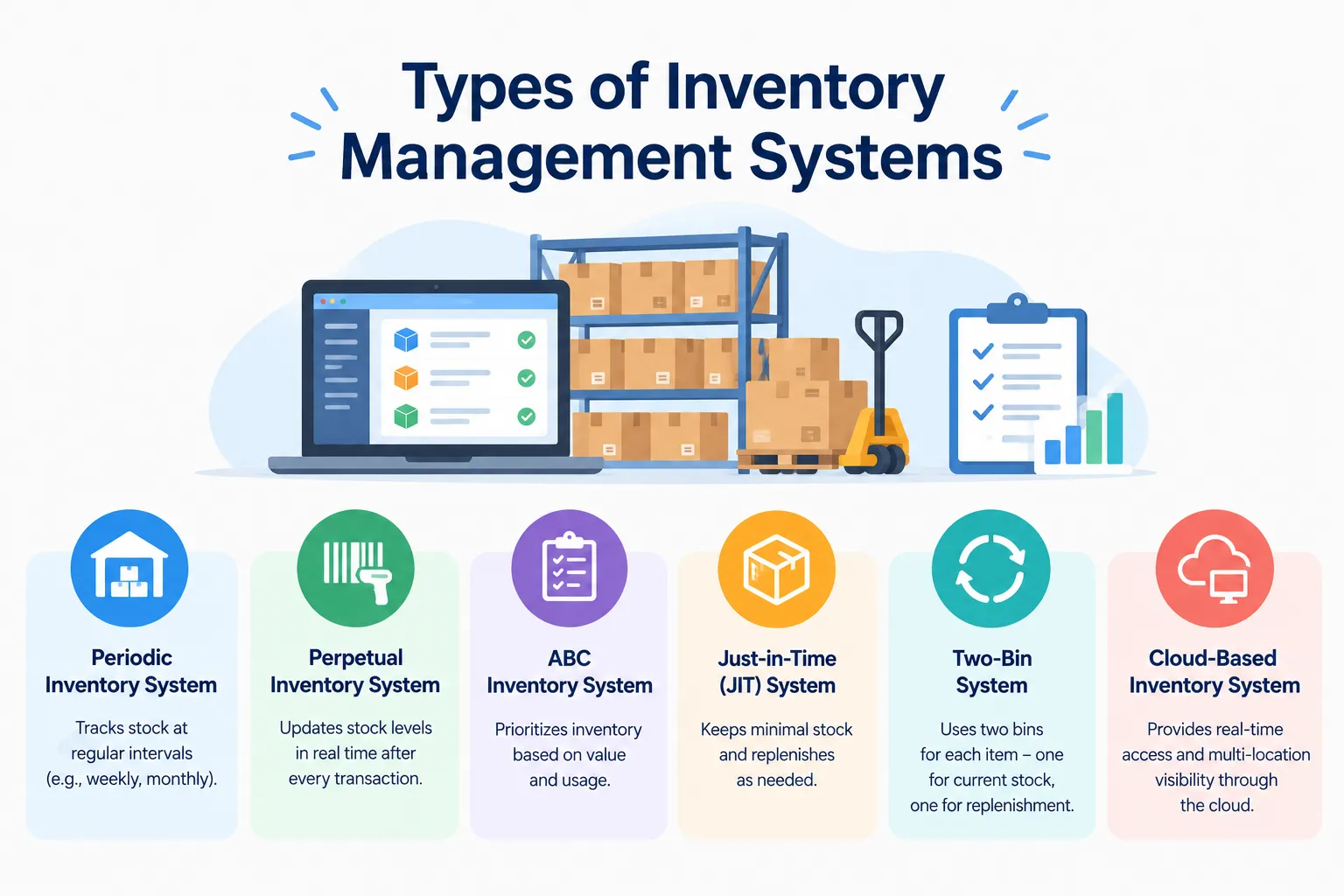
Types of Inventory Management Systems: Explained With Examples and When to Use Each
Confused by the types of inventory management systems? See the main types explained simply, with examples and tips on choosing the right one.
7 Best ERPNext Alternatives for Inventory in 2026 (Affordable Options for Indian Businesses)
Looking for ERPNext alternatives for inventory? Compare 7 budget-friendly stock management options and see which one fits your team best.
