Inventory Management
7 Best SAP Business One Alternatives for Inventory | 2026
· 10 min read
Searching for SAP Business One alternatives usually starts with one honest question: do we really need a full ERP just to keep our stock in order? Stock control is one of SAP Business One’s stronger areas, and independent comparison sites tend to rate its inventory features highly. The catch is that all of it arrives inside a much larger system, and plenty of teams only ever touch the stock side. If that sounds familiar, the seven options below are worth a look. We've kept the focus strictly on inventory, so you won't wade through finance or manufacturing features you'll never use.
Here's how the list was built. To put this list together, we checked how the main comparison sites describe SAP Business One and kept just the stock questions: item tracking, purchasing, stock counts and multi-location handling. Our notes on each tool draw on the vendors’ own pages and public listings like Capterra, and we’ve marked the points worth confirming on a demo call. and how several locations are handled. Details on each tool come from the vendors' own descriptions and public listings such as Capterra, and we've flagged anything you should verify in a demo. Firmity is our product, so it sits at the top, and we've been plain about the kind of business it suits.
Why Stock-Focused Teams Move Away From SAP Business One
A full ERP is a bit like hiring a removal truck to carry a single box.It will get the work done, but the rollout, setup and training come along with it. For a team that mainly wants to know what is on the shelf, what is on order and who approved the purchase, that's a lot of project for a fairly simple need. Plenty of teams end up running a separate sheet just for stock, and from then on the official figures and the real ones slowly part ways.
A few reasons tend to come up again and again
The rollout and training take more time than your stores team can spare.
You only use the inventory and purchasing parts, yet you carry the weight of everything else.
Several locations need one shared view of stock, without a long implementation.
You'd rather start with something lighter and add to it later.
What We Looked At (Inventory Only)
We judged each option on six practical points. How clearly does it track items and record every movement? Can it handle batches or serial numbers when you need them? How easy are cycle counts and stock adjustments? How does it deal with purchase orders and vendors? What happens when you add a second or third location? And how much effort does it take just to get started?
You won't find prices in this guide. Many vendors price by users, modules or setup, and the figures change often, so a number printed here could be wrong by next month. Use the "ask in the demo" column below as your script instead, because the answers you get on a call will tell you more than any list price.
SAP Business One Alternatives for Inventory at a Glance
Option | Good fit when | Inventory strengths | Ask in the demo |
|---|---|---|---|
Firmity | You track stock and spare parts across several sites | Stock, spare parts, purchase orders, vendor rate cards, goods receipts, stock ledger | What the quote covers as sites and users grow |
Odoo | You want an open-source starting point | A modular inventory app you can build on | Which features your edition includes |
ERPNext | Your team is comfortable with open-source tools | Inventory inside a wider ERP | Who handles setup and support |
Zoho Inventory | You want a dedicated cloud stock tool | Inventory, orders, purchase orders, warehouse management | How plan limits fit your order volume |
Dolibarr | You run a small team and like open source | A lighter ERP and CRM with stock features | Who installs and updates it |
inFlow Inventory | You manage stock and sales side by side | Stock tracking, labels, order fulfilment, assembly | India support and tax handling |
MRPeasy | You make products and need stock tied to production | Inventory, procurement and warehouse tools | Fit with your production process |
The 7 Best SAP Business One Alternatives for Inventory
1. Firmity
Inventory software from Firmity keeps the stock side of your operation in one cloud-based place, so your storerooms stop depending on scattered sheets. It’s also an affordable pick for teams that want proper stock control without paying for a full ERP, and the team can quote for your actual setup. Here’s what you get on the inventory side:
Items and spare parts tracked in one list, with a running stock ledger showing every movement.
Purchase orders raised and approved in the system, with a timestamped record you can export.
Vendor rate cards that keep supplier prices consistent from one order to the next.
Goods receipts logged as stock arrives, giving you a record of what actually came in.
Stock reporting across several locations, so one view covers all your storerooms.
Firmity fits best where stock means spare parts and consumables, such as manufacturing units, schools and residential estates. An online store with thousands of product listings is a different job, and a retail-focused tool will probably suit it better. When you speak to the team, ask what the quote covers as locations and users grow, and bring your own item list to the demo.
2. Odoo
Odoo is a modular system, and plenty of comparison lists describe it as an affordable, flexible alternative to heavier ERPs. You can begin with the inventory app alone and bolt on other pieces if your needs grow. It has an open-source edition alongside paid editions, which is a big part of its appeal for careful budgets. Flexibility does mean some setup work, so it helps to be clear about your stock process before you start. Confirm exactly which inventory features your chosen edition includes, because that's where surprises tend to hide.
3. ERPNext
ERPNext is an open-source ERP from Frappe Technologies, and stock management is one of its core strengths. Because the software is free to self-host, it attracts small and mid-sized businesses that like control over their tools. The trade-off is people time: someone needs to install it, tune it and keep it running, whether that's your own team or a partner. Treat those hours as part of the real cost when you compare it with a subscription tool. It's a strong pick if you have that technical comfort and want room to customise.
4. Zoho Inventory
Zoho Inventory is a dedicated cloud tool for stock, and it often comes up when people want something simpler than an ERP. Capterra lists it as covering inventory, order and purchase order management and warehouse management. That combination suits a team whose daily work revolves around stock and orders. It's also a natural fit if you already use other Zoho apps, since they're designed to sit together. Check how the plan limits match your order volume and user count, and take a look at our guide to Zoho Inventory alternatives if you want to compare further.
Want Stock Records You Can Trust Across Sites?
Before the last three options, a thought. If month-end for you means recounting shelves, chasing approvals and reconciling three different sheets, the software usually isn't the first thing to blame. The real culprit tends to be how many places your stock data lives. Firmity keeps stock, spare parts, purchase orders, vendor rate cards and goods receipts together in one cloud workspace, so every location works from the same records. Describe your setup to the team, and you'll hear back within 24 hours.
Talk to the Firmity team and book a demo
5. Dolibarr
Dolibarr is an open-source ERP and CRM aimed at small and medium-sized teams, and it appears beside ERPNext on plenty of comparison lists. It's a lighter route if a large enterprise system feels like overkill. There's no licence fee to try it, though you'll pay in time, since someone has to handle installation, updates and support. That makes it a sensible choice for a small team with a bit of technical help close at hand. Ask who will look after it before you start, because that answer shapes your real cost.
6. inFlow Inventory
inFlow Inventory is built for small businesses that want to manage stock and sales together. Public descriptions mention tracking stock, creating labels and fulfilling orders, along with assembly and shipping support that keeps inventory costs up to date. It suits a team that sells products and wants tidy stock records behind those sales. It's an inventory-first tool rather than a sprawling ERP, which keeps things simple. Since it's an international product, check India support and how it handles your tax setup before you invest time in a trial.
7. MRPeasy
MRPeasy is a cloud tool aimed at small manufacturers, roughly those with 10 to 200 employees, who want production planning without the weight of a full ERP. It covers inventory, procurement and warehouse features alongside production planning. That's useful when your stock moves because you make things, since materials and finished goods stay linked. If all you do is store and issue spare parts, a simpler stock tool is probably a better match. Ask how it handles your production process and what changes in the plan as volume grows.
Which Inventory Features Do You Really Need?
Before comparing names, compare needs. Start with the essentials: current stock by location, and a clear history of every movement in and out. Then decide whether you need batch or serial tracking, which matters if you handle expiry dates or individual serialised items. Cycle counts, where you check a few items regularly instead of everything at once, are worth asking about too. And if you buy from many suppliers, look closely at how purchase orders and goods receipts are recorded.
Stock valuation deserves a quick check as well. The international standard for inventories, IAS 2, allows FIFO or weighted average for interchangeable items and doesn't permit LIFO. Indian reporting follows its own standards, so confirm the details with your accountant. What matters is that your chosen tool supports the valuation method your finance team actually uses.
How to Pick Your SAP Business One Alternative
Begin by naming the three stock problems that cost you the most time right now. Then size up what you really manage: how many items, how many locations and how many people raise purchase orders. A tool that feels perfect at 200 items can feel cramped at 20,000, and an over-sized one can feel clumsy for a small store. Honest answers here keep you from paying for capacity you'll never use.
To see more tools side by side, our roundup of the top inventory management software in India is a useful companion. Whatever you shortlist, don't judge from screenshots. Ask each vendor to run a real purchase order, a stock transfer and a cycle count using a sample of your own items.
Moving Your Stock Data Out of SAP Business One
Stock numbers are the one thing you really can't afford to lose, so move them carefully. Export your item list, balances and vendor details first, and store a safe copy. Choose a quiet time for the switch, ideally right after a physical count so you start from verified figures. If possible, run the old and new systems together for one full cycle. Compare balances line by line before you switch the old one off.
Final Thoughts
Choosing among SAP Business One alternatives for inventory is easier once you know what you actually need from your stock system. Pin down your biggest stock headaches, shortlist two or three tools that fit your size and budget, and test each with your own items. If you manage stock and spare parts across plants, campuses or estates, a chat with the Firmity team can show you whether a focused tool is the simpler route.
FAQs : SAP Business One Alternatives for Inventory
There's no single winner, because it depends on your setup. Firmity suits teams tracking stock and spare parts across several sites. Zoho Inventory is a common pick for a dedicated cloud tool, while Odoo and ERPNext suit teams who like open source.
Yes, several. Open-source options like Odoo's community edition, ERPNext and Dolibarr avoid licence fees, and Firmity is an affordable option for stock-focused teams. Whichever you choose, count setup, hosting and support time in the total cost.
Usually you can export items, balances and vendor details and then import them into the new tool. Ask every vendor how their import works before you sign, because support varies.
It depends on how many items you hold, how tidy your data is and how much setup the new tool needs. Plan for at least one parallel cycle so you can compare results before you commit fully.
Author Bio

Syed Aadam
Syed Aadam is a software engineer with a Bachelor's and Master's in Information Technology with a specialization in Artificial Intelligence and Machine Learning. Having trained, and assisted in training foundational ML models for solving frontier scientific problems at the intersection of biodiversity and technology, Syed Aadam has been working to develop AI-enabled CMMS, ERP and CAFM softwares at Ufirm Technologies.
Talk to our team
Questions about facility management software? Leave your details and we'll get back to you within 24 hours.
More on Inventory Management
7 Best Odoo Inventory Alternatives for Business
People start hunting for Odoo Inventory alternatives for a fairly practical reason: they want solid stock control, and they're not sure they want to…
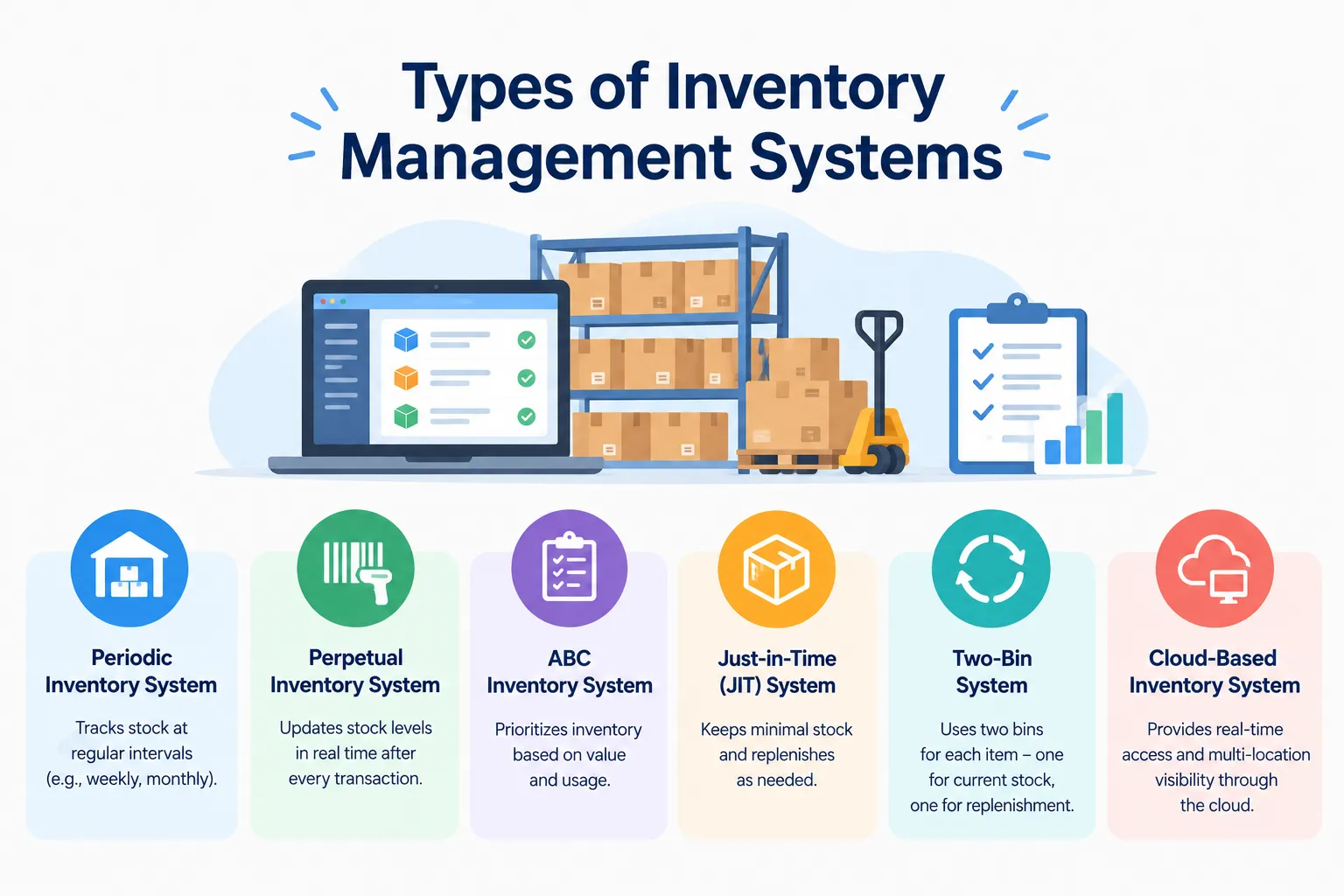
Types of Inventory Management Systems: Explained With Examples and When to Use Each
Confused by the types of inventory management systems? See the main types explained simply, with examples and tips on choosing the right one.
7 Best ERPNext Alternatives for Inventory in 2026 (Affordable Options for Indian Businesses)
Looking for ERPNext alternatives for inventory? Compare 7 budget-friendly stock management options and see which one fits your team best.
